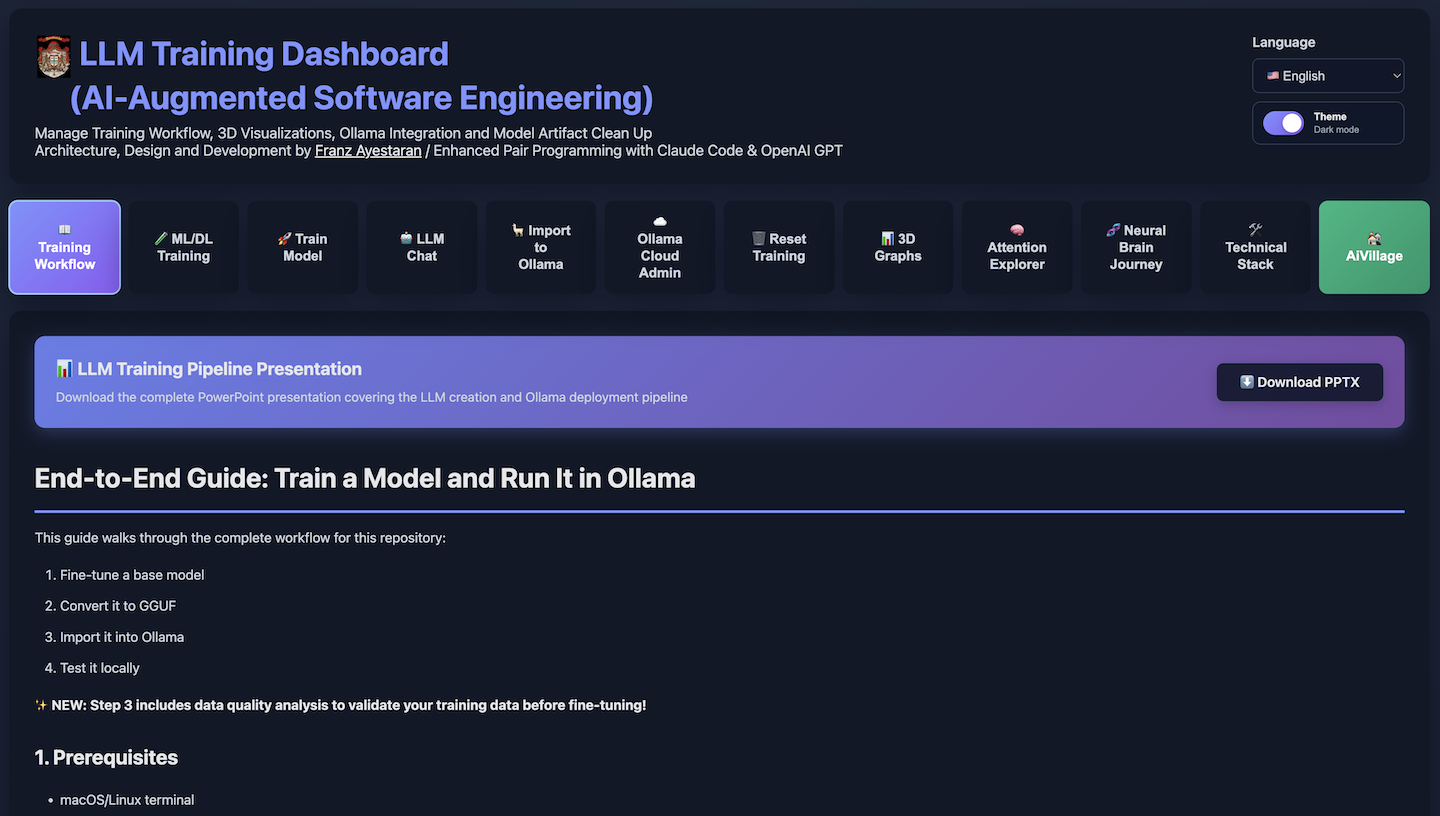
LLM Training Dashboard (AI-Augmented Software Engineering)
Associated with Franz Ayestaran
May 2026 – Present
https://dashboard.llmtraining.dev
https://aivillage.ollamacloud.dev
Hosted on an Apple M2 Pro system (Darwin 25.5.0, arm64 architecture) featuring a 10‑core CPU @ 3.5 GHz, 16 GB unified memory, and Metal‑accelerated Apple M2 GPU with up to 16 GB VRAM shared bandwidth.
The LLM Training Dashboard is a tool I built to make modern artificial intelligence easier to understand, experiment with, and improve. Large Language Models (LLMs) — the type of AI behind tools like ChatGPT — are normally very complex and difficult to work with. My dashboard turns this complexity into something visual, interactive, and approachable.
Instead of writing long technical code, a user can upload a dataset, choose how they want the AI to learn, and watch the training process unfold in real time. The dashboard shows what the model is paying attention to, how it understands words, and how its internal “thought patterns” change as it learns. These visualisations help people see why the AI behaves the way it does, not just what it produces.
The system is built as a full software application, with a web interface, a training engine, and a set of tools for exploring how the AI works internally. It runs on cloud servers and can train real AI models used in industry. This makes it useful for teaching, research, and practical experimentation.
Overall, the project demonstrates the ability to design and build a complete AI system from scratch — one that combines software engineering, machine learning, data handling, and user‑centred design. It provides a clear, accessible way to explore how modern AI models learn and make decisions, making it valuable for both education and advanced research. It was primarily developed as a tool for AI Village on an Apple MacBook Pro 16″ M1 MAX with 32GB 1TB.
Core Capabilities
A fully integrated platform for pre-training support, fine‑tuning, analysing, visualising, and deploying large language models. Key capabilities include:
• End‑to‑end LLM training pipeline supporting LoRA, QLoRA, pre-training support, full fine‑tuning across MLX (Apple Silicon) and CUDA (NVIDIA) backends
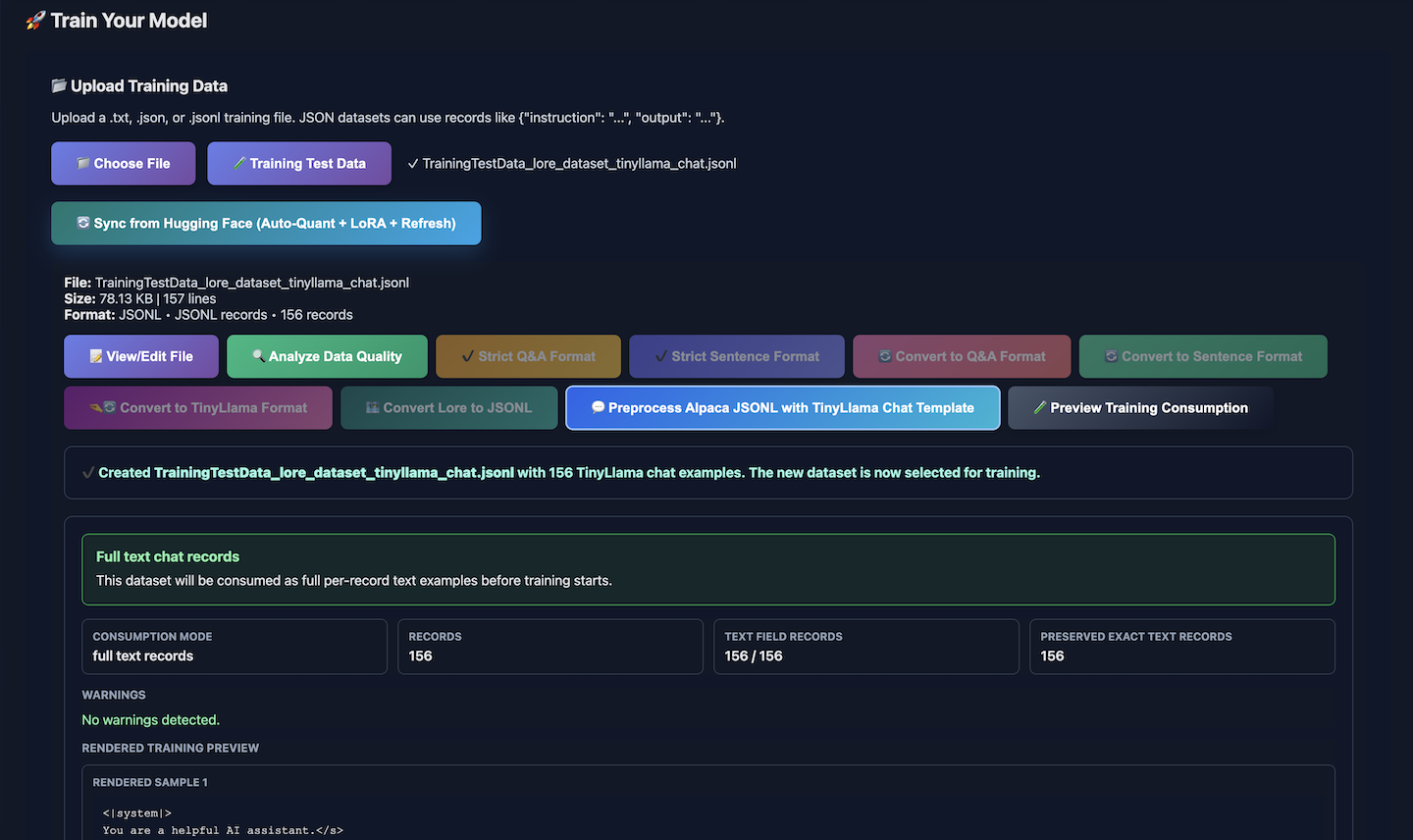
• Dataset preparation and validation tools with multi‑format import, automatic tokenisation, and dataset integrity checks
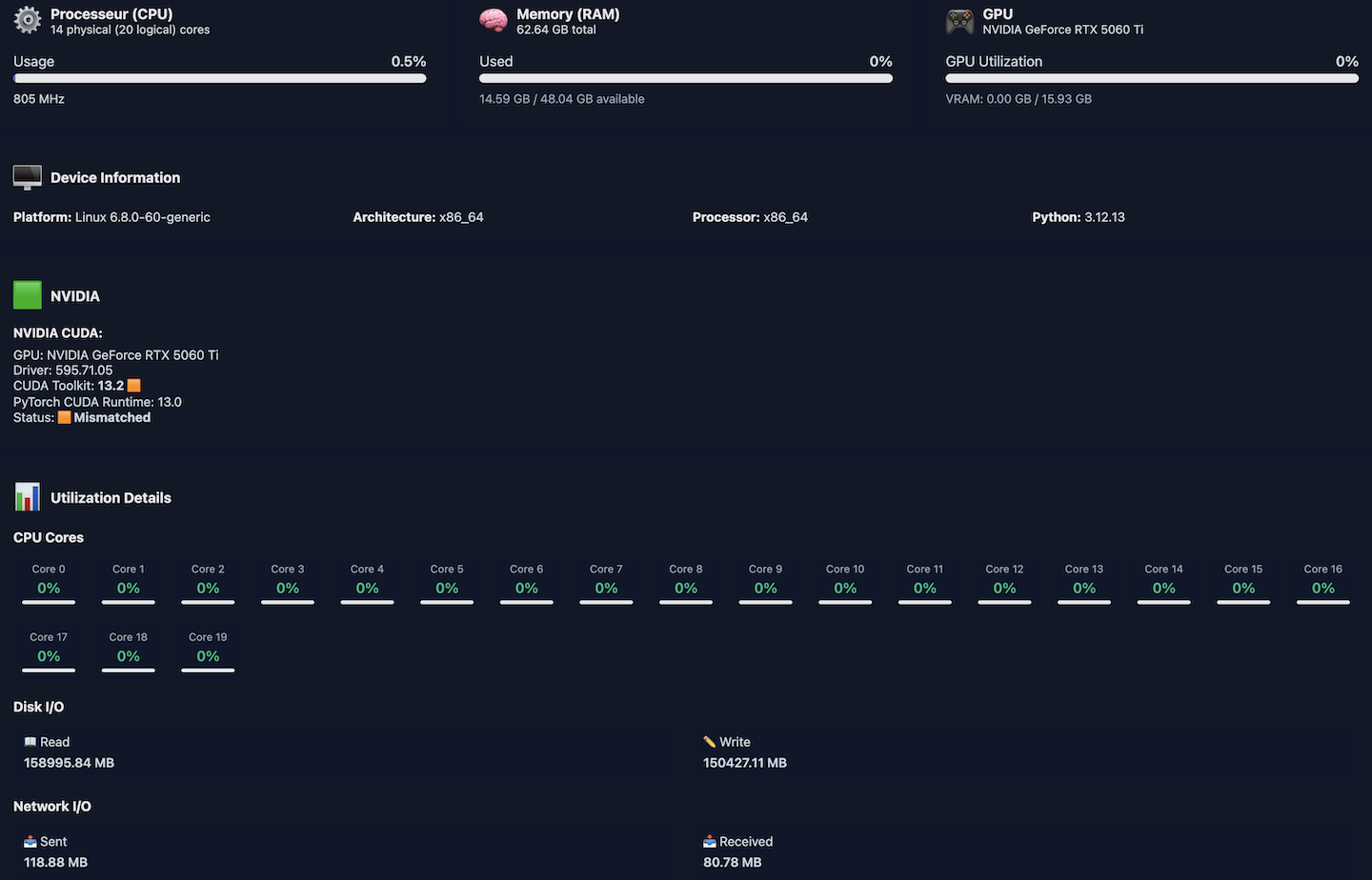
• Real‑time system telemetry for CPU, GPU, RAM, VRAM, disk I/O, network throughput, and training‑stage metrics
• One‑click GGUF export and Ollama deployment, including automatic model registration and versioning
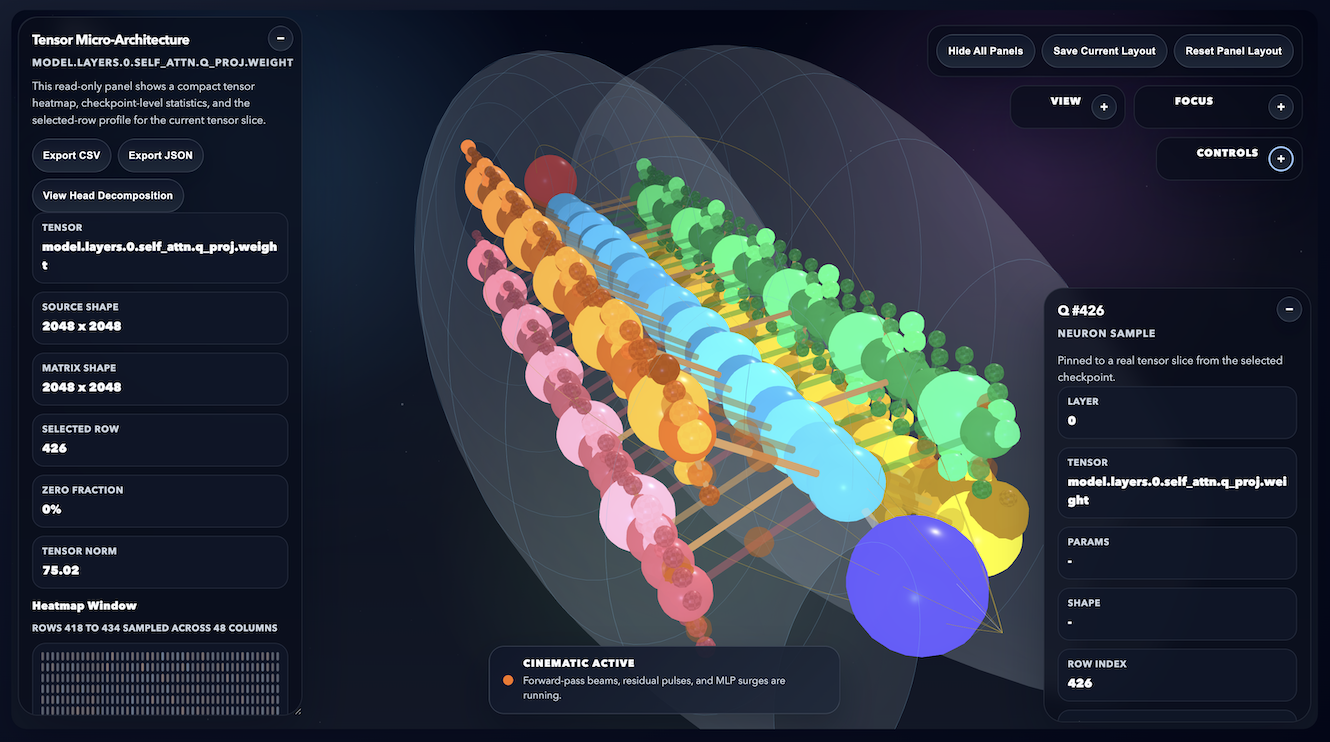
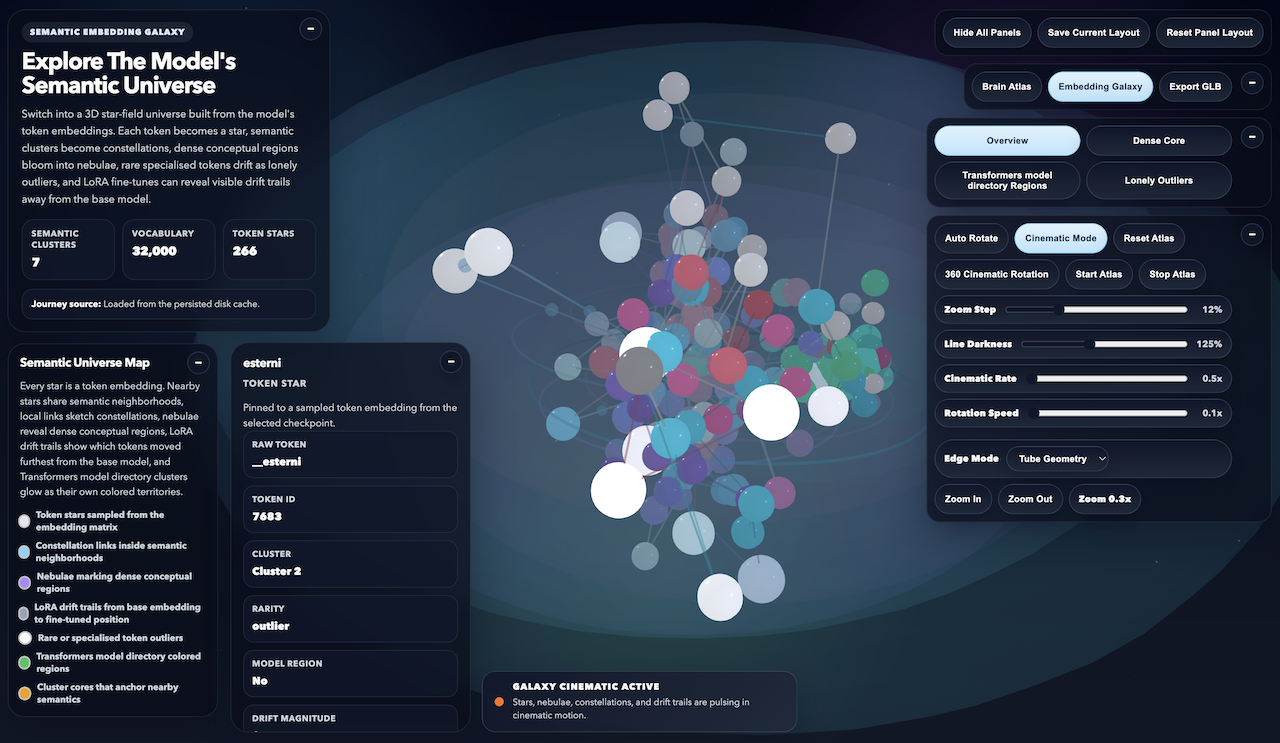
• Interactive 3D interpretability visualisations, including Brain Atlas, Embedding Galaxy, attention flows, tensor heatmaps and checkpoint comparison
• Hugging Face Sync with Auto‑Quant, LoRA import, and Refresh mode via direct repository URL
• Native/Comparable training profiles enabling reproducible experiments across MLX and CUDA environments
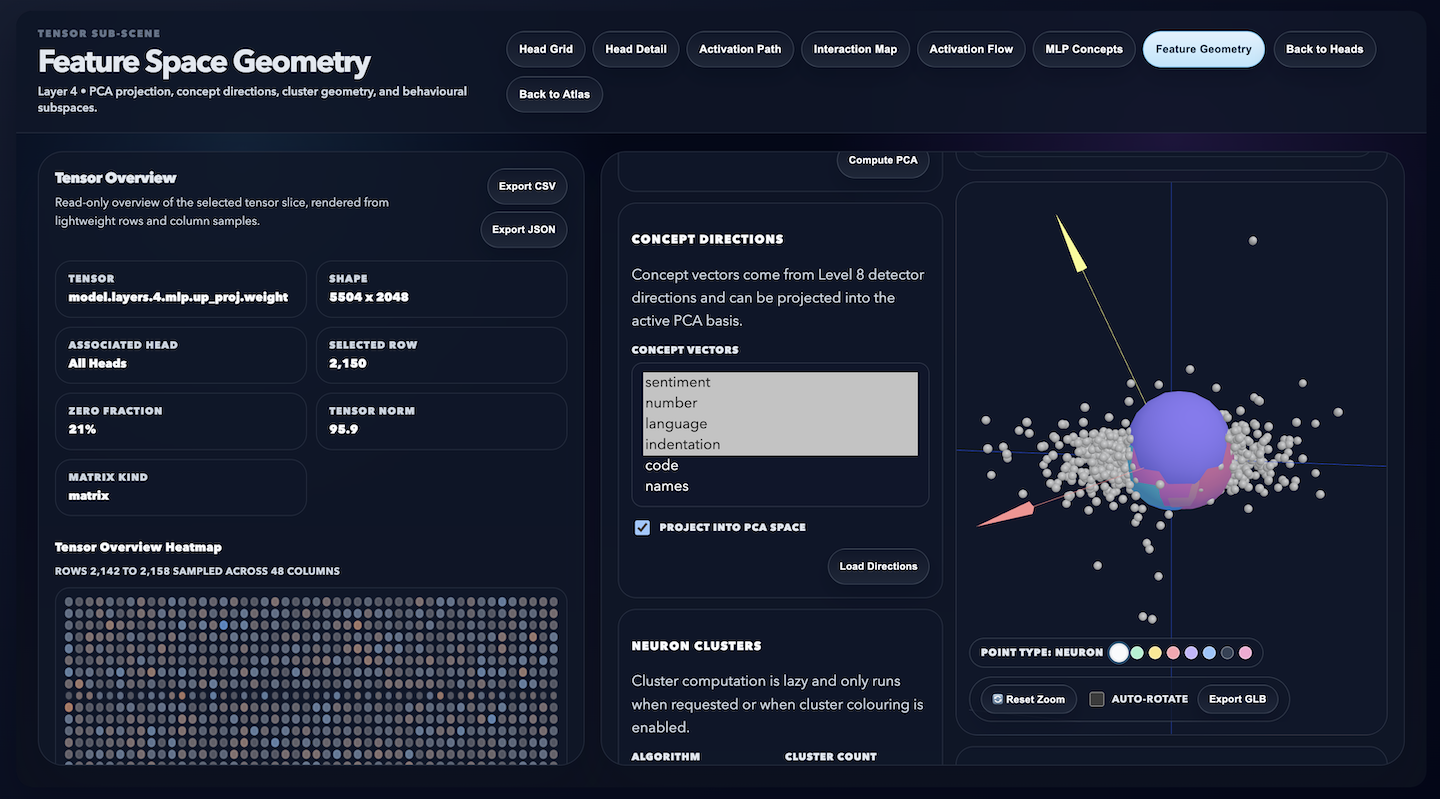
• Feature‑Space Geometry tools (PCA, concept directions, neuron clusters, behavioural subspaces)
• 12‑level transformer interpretability stack, from embeddings to activation flows and concept neurons
• Mobile‑responsive dashboard with adaptive layout for tablets and smartphones
• Internationalisation (i18n) with full Tier 1 & Tier 2 language coverage (10 languages)
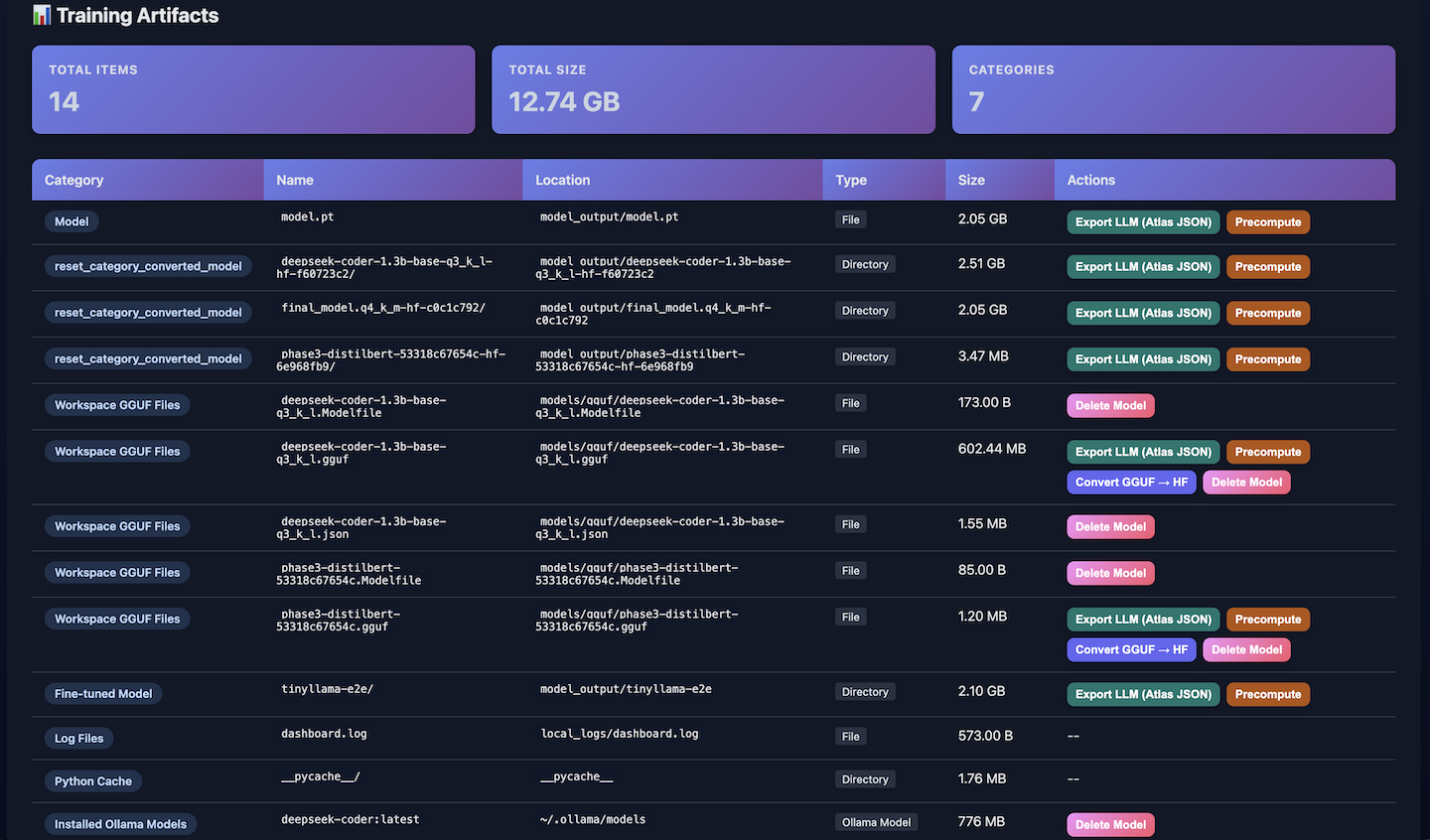
• Integrated model management, including checkpoints, logs, metrics, and training history
• Cross‑platform deployment pipeline, enabling seamless transition from local training → cloud inference
Building on the dashboard’s interactive visualisation capabilities, the following section introduces the interpretability layer that extends model analysis into a spatial cognitive framework.
• 3D Scene Export, supports direct GLB export of Brain Atlas, Embedding Galaxy and Feature Space Geometry
• Cross‑platform, running natively on Linux, macOS and Windows
• Precompute, accelerates inference by caching model outputs for instant reuse
ML & DL Training Features
• Integrated Machine Learning (ML) and Deep Learning (DL) training pipeline within the dashboard
• Supports classical ML models (Logistic Regression, SVM, Decision Trees) and neural architectures (MLP, CNN, custom PyTorch models)
• Unified dataset workflow: upload → preprocessing → validation → training → evaluation
• GPU‑accelerated training with real‑time metrics (loss, accuracy, validation curves)
• Interactive visualisation of training progress and model performance
• Modular architecture enabling rapid experimentation across heterogeneous model families
• Consistent UI/UX shared with LLM fine‑tuning, ensuring a seamless multi‑model training experience
• Exportable model artefacts for deployment, benchmarking, and reproducibility
• Designed for comparative studies across ML, DL, and LLM training workflows
• Extends the dashboard into a general‑purpose AI research and teaching platform
Neural Brain Journey – Interpretability Extension:
The system renders a three dimensional representation of the trained model’s internal topology, conceptualised as an outlined brain structure. Within this environment, each neural connection is represented as a spatial link between regions corresponding to attention heads and feed‑forward pathways. The result is a dynamic interpretability framework that allows users to experience the model’s cognitive processes as a navigable landscape, demonstrating the dashboard’s capacity to merge technical transparency with immersive, human‑centric AI visualisation.
Transformer Interpretability Stack
The project progressively exposes the internal logic of large language models through eight hierarchical layers:
1. Embedding Galaxy — Constructs the top‑level semantic space, mapping tokens into a unified representational geometry.
2. Brain Atlas — Defines the macro‑architecture of the model, showing how major regions (attention, MLP, embedding) interconnect.
3. Tensor Microarchitecture — Visualises tensor statistics and heatmaps, enabling fine‑grained inspection of weight distributions and activation patterns.
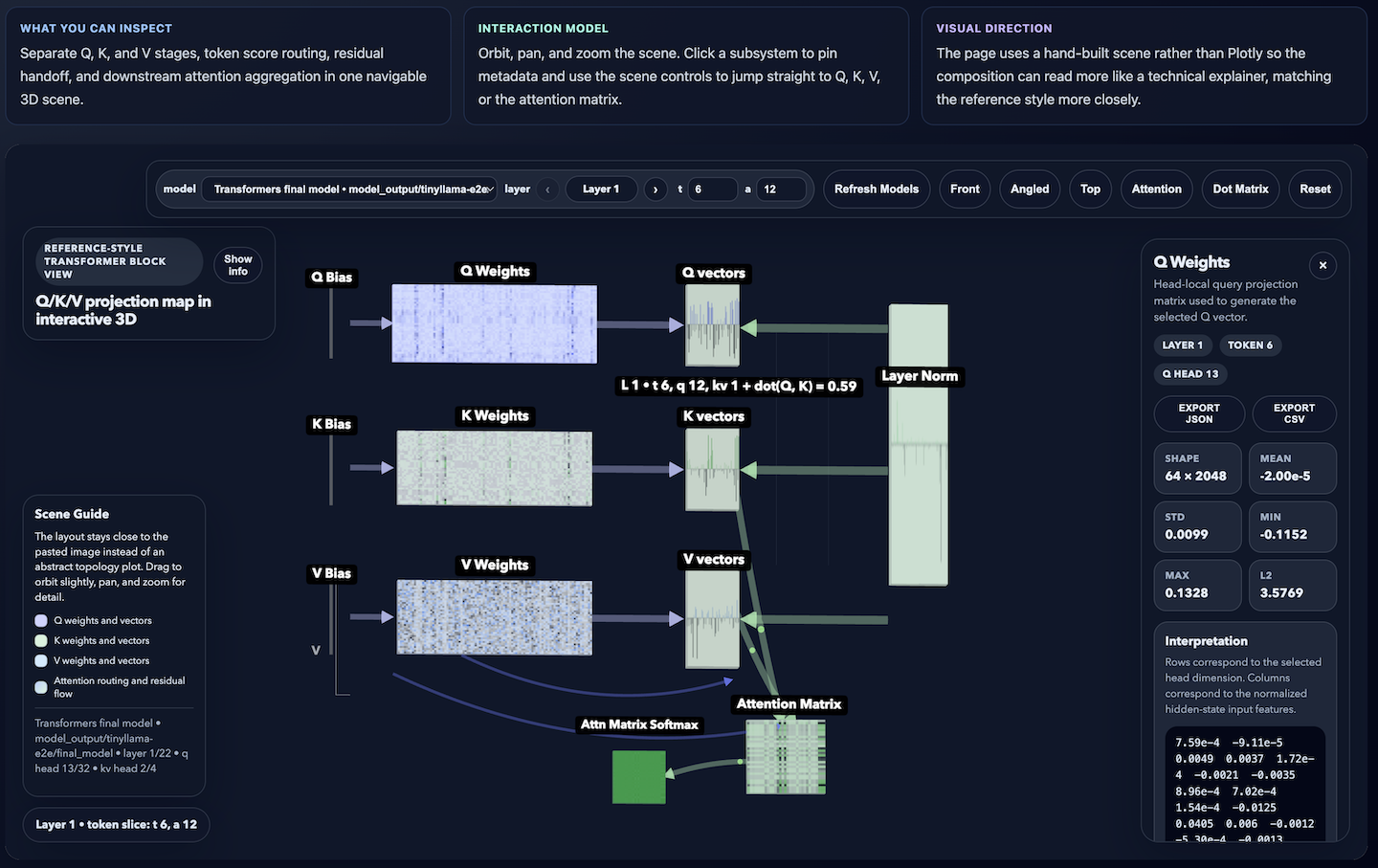
4. Head‑Aware Q/K/V Decomposition — Separates attention heads to analyse norms, sparsity, and per‑head behaviour.
5. Activation‑Path Visualisation — Traces query, key, and value activations through attention weights, revealing how information flows within a layer.
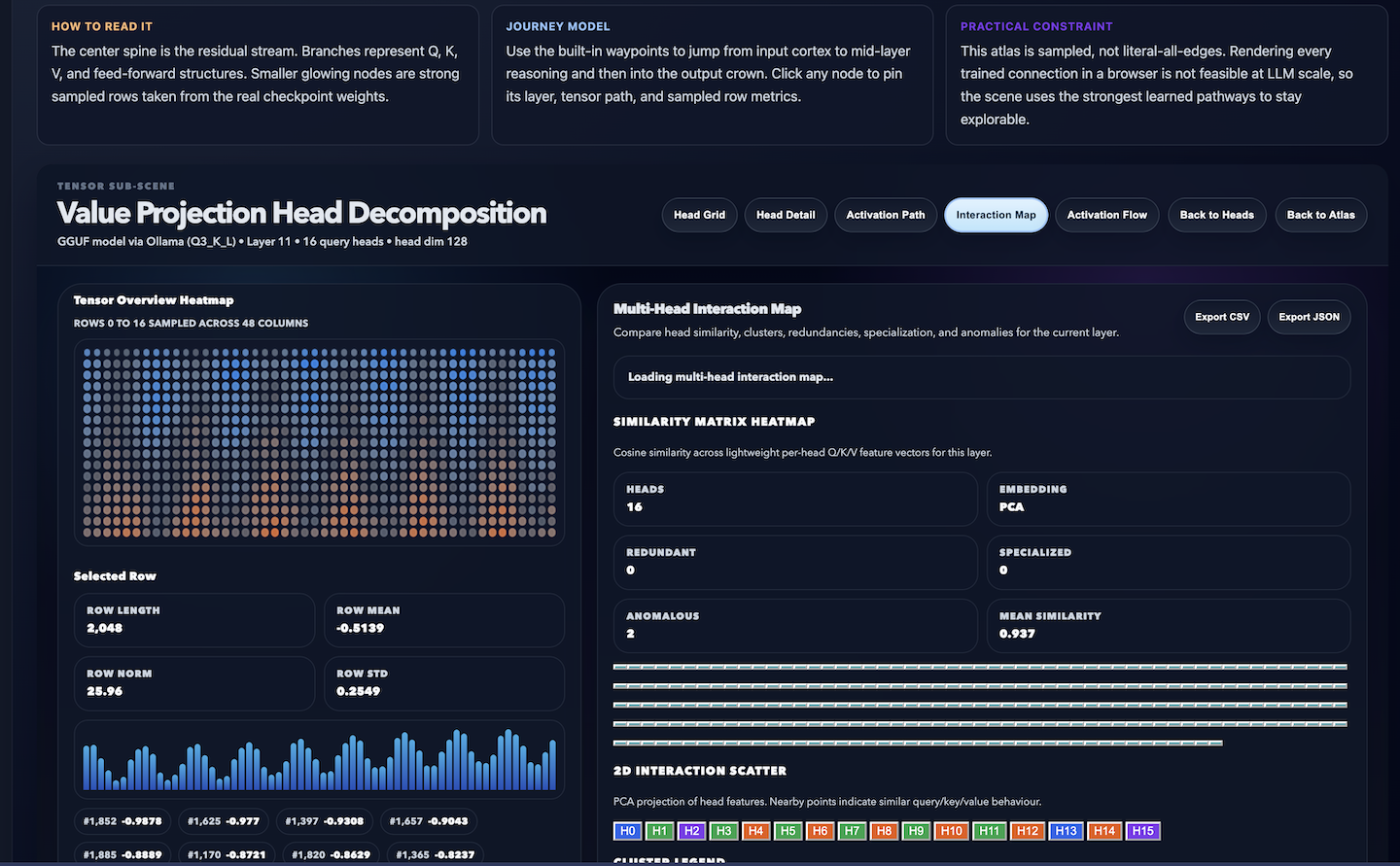
6. Multi‑Head Interaction Map — Examines horizontal structure: head‑to‑head similarity, clustering, redundancy, and specialisation (syntax, induction, negation heads).
7. Layer‑to‑Layer Activation Flow — Explores vertical structure: how outputs propagate across layers, forming emergent circuits and conceptual hierarchies.
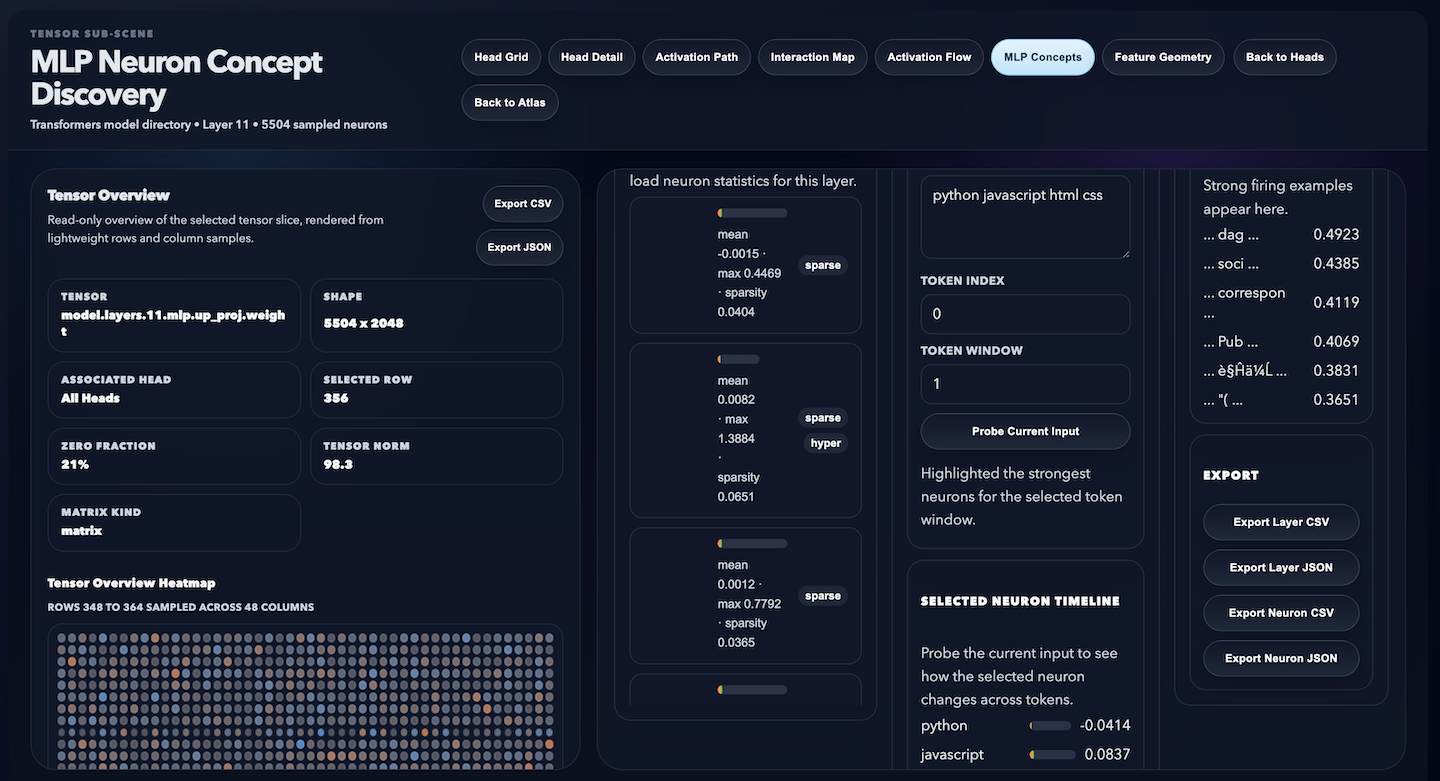
8. MLP Neuron Concept Discovery — Drills into feed‑forward layers to identify concept neurons, feature detectors, and direction vectors. This level exposes neurons that fire for interpretable phenomena such as numbers, names, emotions, code indentation, and language‑specific features.
9. Feature‑Space Geometry — visualise principal components, concept directions, neuron clusters and subspaces for specific behaviours.
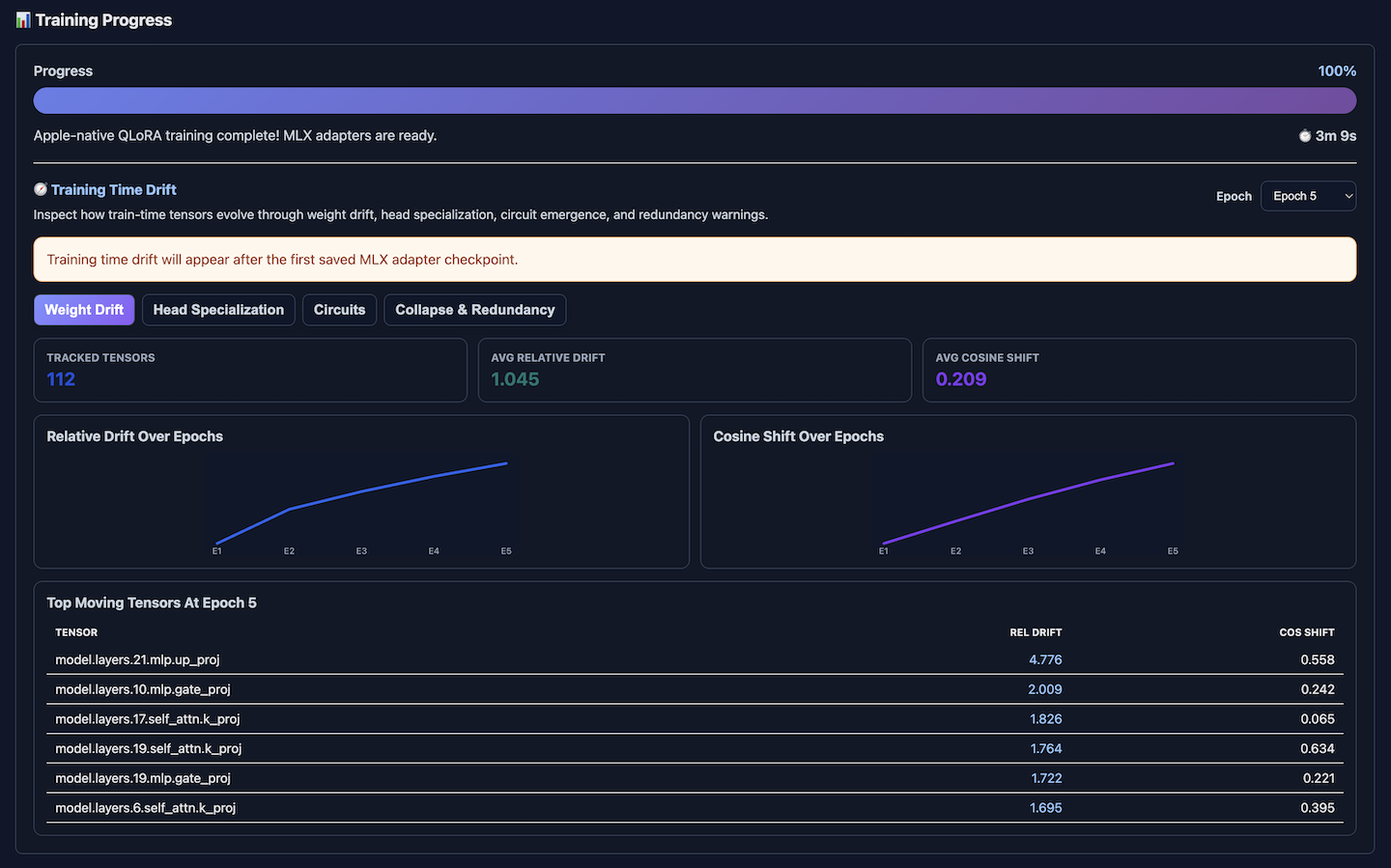
10. Time Drift Visualisation — Tracks how embeddings, attention patterns, and neuron behaviours shift across checkpoints to reveal when representations diverge or capabilities emerge.
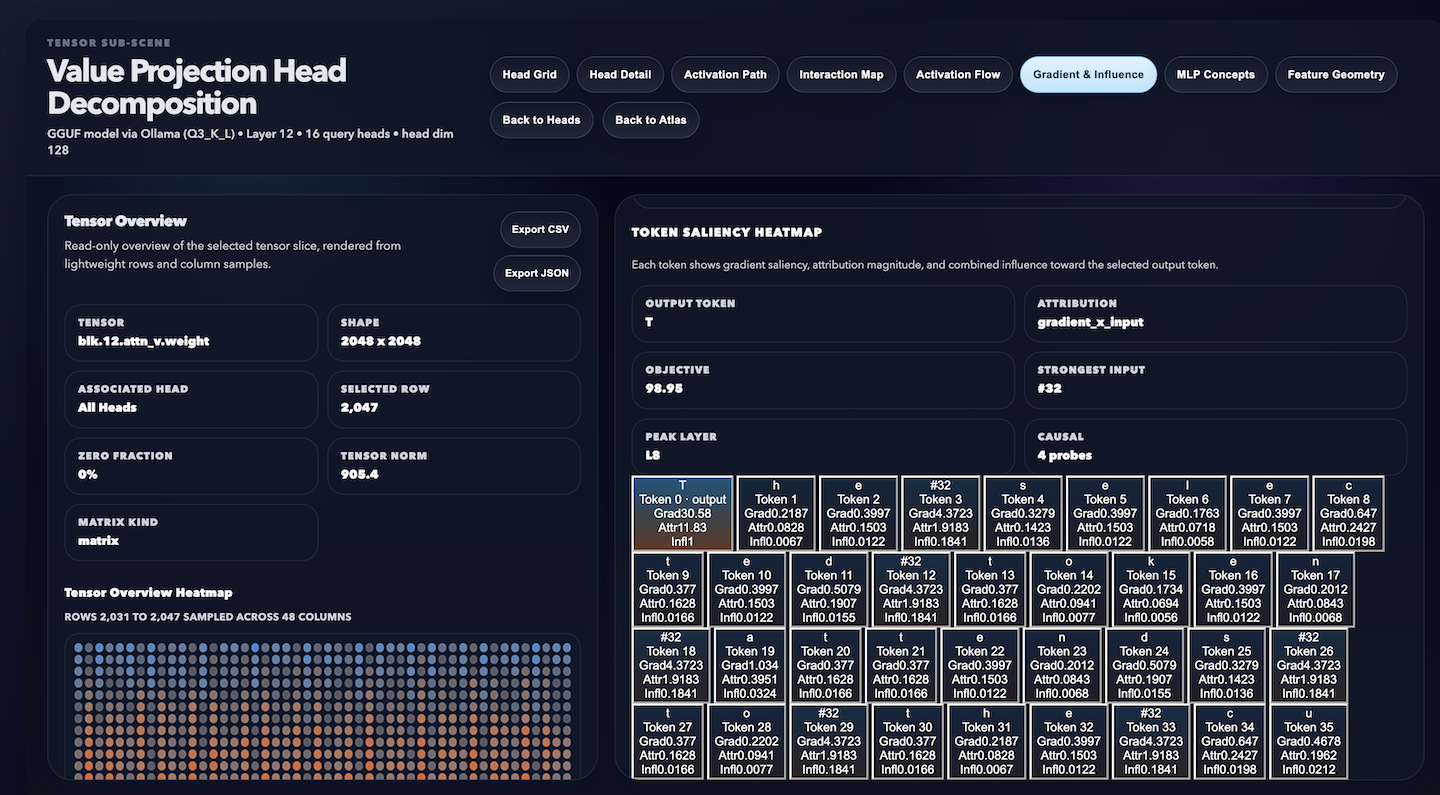
11. Gradient Flow & Influence Maps — Reveals why a model chose its output by tracing token‑level gradients, attribution signals, and causal influence pathways.
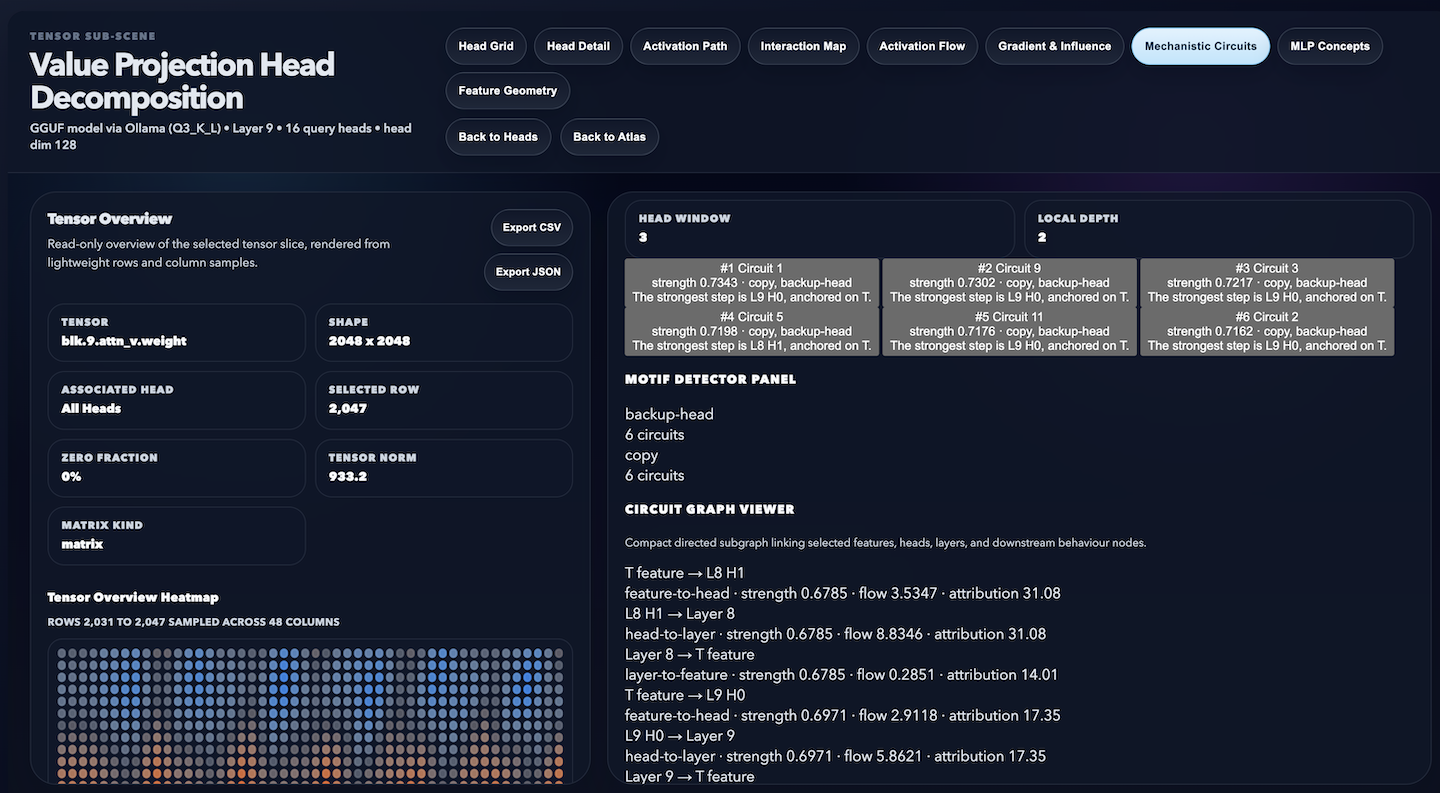
12. Mechanistic Circuits & Subgraph Extraction — A multi‑level framework that reveals how transformer models represent, transform, and reason through their internal mechanisms.
Skills: Linux · Nginx · Microsoft Visual Studio Code · SQLite · Python (Programming Language) · llama.cpp · PyTorch · Flask · Transformers · NumPy · PSUtil · TQDM · scikit-learn (PCA) · Plotly (interactive viz) · TensorBoard · ZIP compression · HTML · CSS · JavaScript · Large Language Models (LLM) · Artificial Intelligence (AI) · Ollama · TinyLlama
(AI-Augmented Software Engineering) Apple Silicon / NVIDIA CUDA
Screenshot
Train Your Model
Screenshot
Training Artifacts
Screenshot
LLM Attention Explorer
Screenshot
Journey Through Your Trained LLM Model
Screenshot
Explore The Model’s Semantic Universe
Screenshot
Value Projection Head Decomposition
Screenshot
MLP Neuron Concept Discovery
Screenshot
Feature Space Geometry
Screenshot
Time Drift Visualisation
Screenshot
Gradient Flow & Influence Maps
Screenshot
Mechanistic Circuits & Subgraph Extraction
Screenshot
Model Training System Status
Screenshot
Machine & Deep Learning (Training Console)
Associated with Franz Ayestaran
April 2026 – Present
machinedeeplearning.llmtraining.dev
Hosted on an Apple M2 Pro system (Darwin 25.5.0, arm64 architecture) featuring a 10‑core CPU @ 3.5 GHz, 16 GB unified memory, and Metal‑accelerated Apple M2 GPU with up to 16 GB VRAM shared bandwidth.
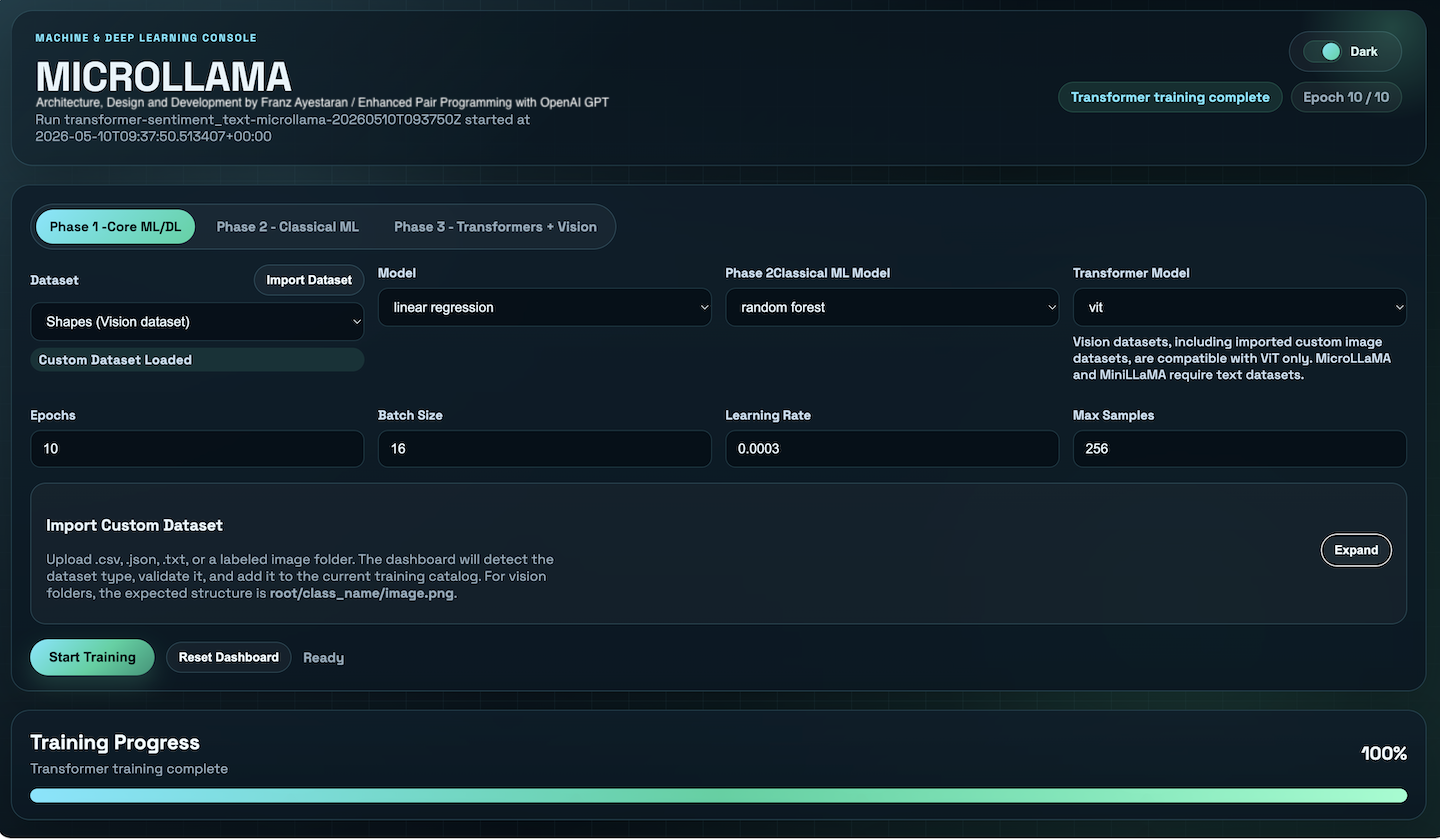
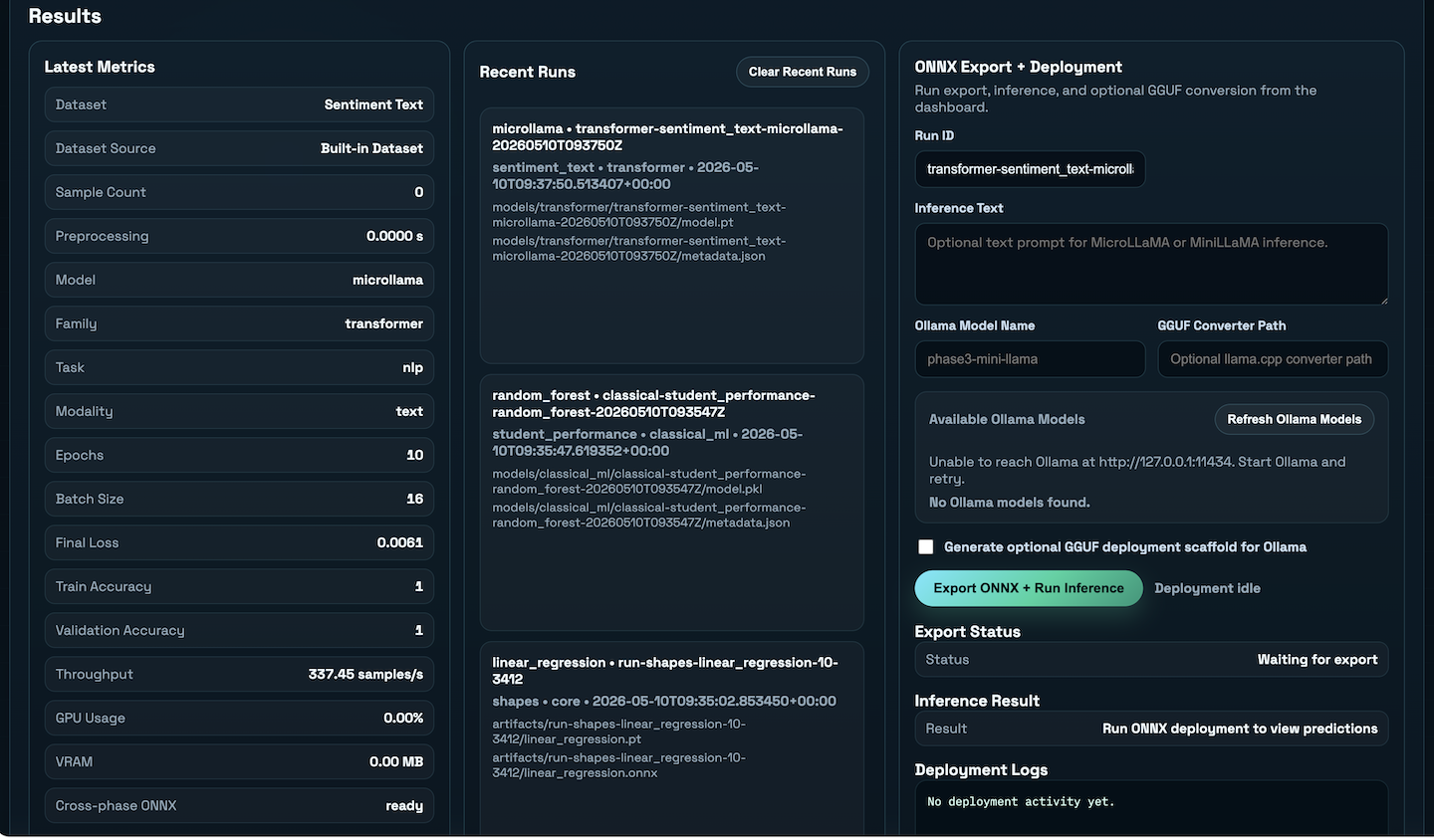
The ML Training Console is a unified platform for running, monitoring, and managing machine learning and deep‑learning experiments across three phases: Core ML/DL, Classical ML, and Transformers + Vision. It provides a streamlined workflow for dataset ingestion, model selection, training, evaluation, and deployment‑ready export formats.
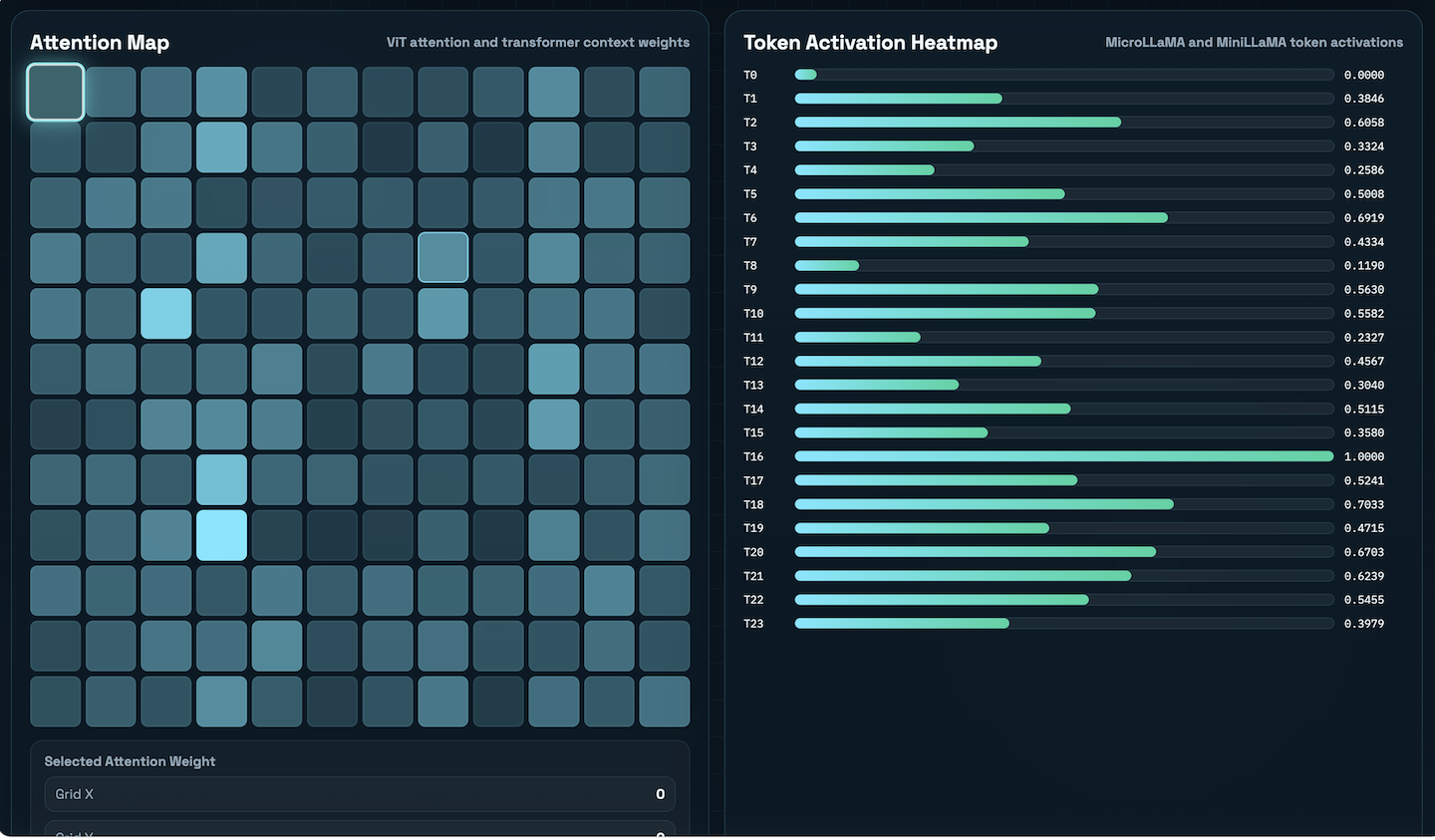
The console automatically detects dataset types (tabular, text, or vision), validates structure, and routes them to compatible model families. Users can train classical ML models, deep‑learning architectures, and transformer‑based models such as MicroLLaMA, MiniLLaMA, and Vision Transformers (ViT).
Key features include:
• Three‑phase training pipeline: Core ML/DL, Classical ML, and Transformers + Vision
• Deep‑learning support with epoch‑based training, batch size, learning rate, and max‑sample controls
Transformer workflows for text datasets, including MicroLLaMA and MiniLLaMA
• Vision Transformer (ViT) support for image‑based datasets
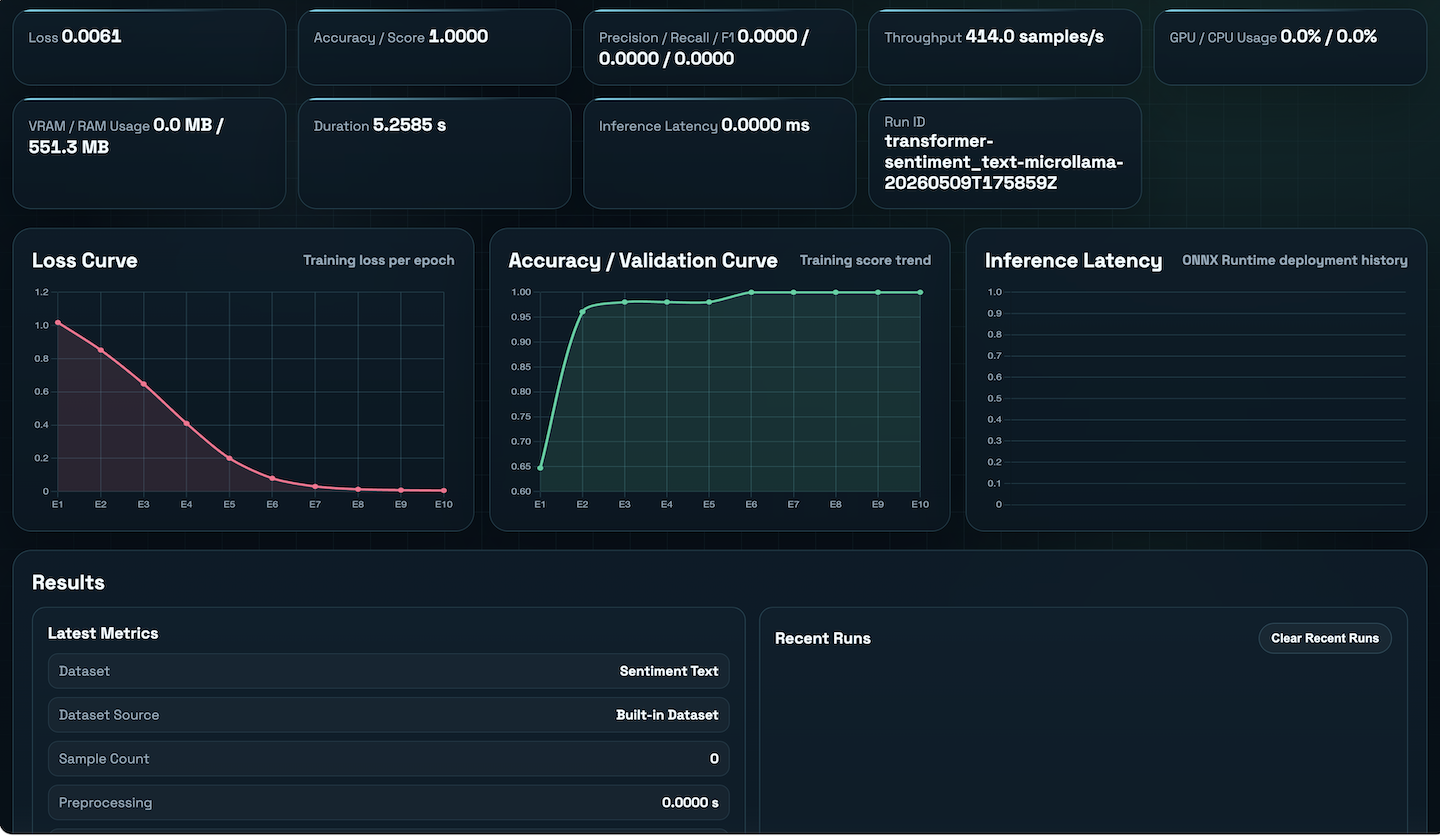
• Real‑time telemetry: loss curves, accuracy, throughput, GPU/CPU usage, VRAM/RAM, and latency
• Automatic dataset detection for CSV, JSON, TXT, and labeled image folders
• Export options: ONNX, inference runners, and optional GGUF conversion for local deployment
• Model artefact management with structured storage for transformer, classical ML, and core ML runs
• Integrated inference tools for text‑based transformer models
This project demonstrates the ability to design and build a full‑stack ML/DL experimentation environment, combining model training, dataset engineering, telemetry, and deployment workflows into a single cohesive interface.
Skills: Linux · Python (Programming Language) · PyTorch · Transformers · scikit‑learn · NumPy · Pandas · TQDM · PSUtil · ONNX · GGUF · Vision Transformers (ViT) · MicroLLaMA · MiniLLaMA · GPU Acceleration (CUDA / MLX) · FastAPI · Flask · SQLite · Plotly (interactive visualisation) · TensorBoard · JSON/CSV Dataset Engineering · HTML · CSS · JavaScript · Model Deployment · Artificial Intelligence (AI) · Machine Learning (ML) · Deep Learning (DL)
Core ML/DL Configuration Panel
Screenshot
Attention & Token Activation Visualization
Screenshot
Results & Deployment Panel
Screenshot
Training Performance Metrics
Screenshot
DeepSpec MLX Dashboard
Associated with Franz Ayestaran
June 2026 – Present
deepspecmlx.llmtraining.dev
Hosted on an Apple M2 Pro system (Darwin 25.5.0, arm64 architecture) featuring a 10‑core CPU @ 3.5 GHz, 16 GB unified memory, and Metal‑accelerated Apple M2 GPU with up to 16 GB VRAM shared bandwidth.
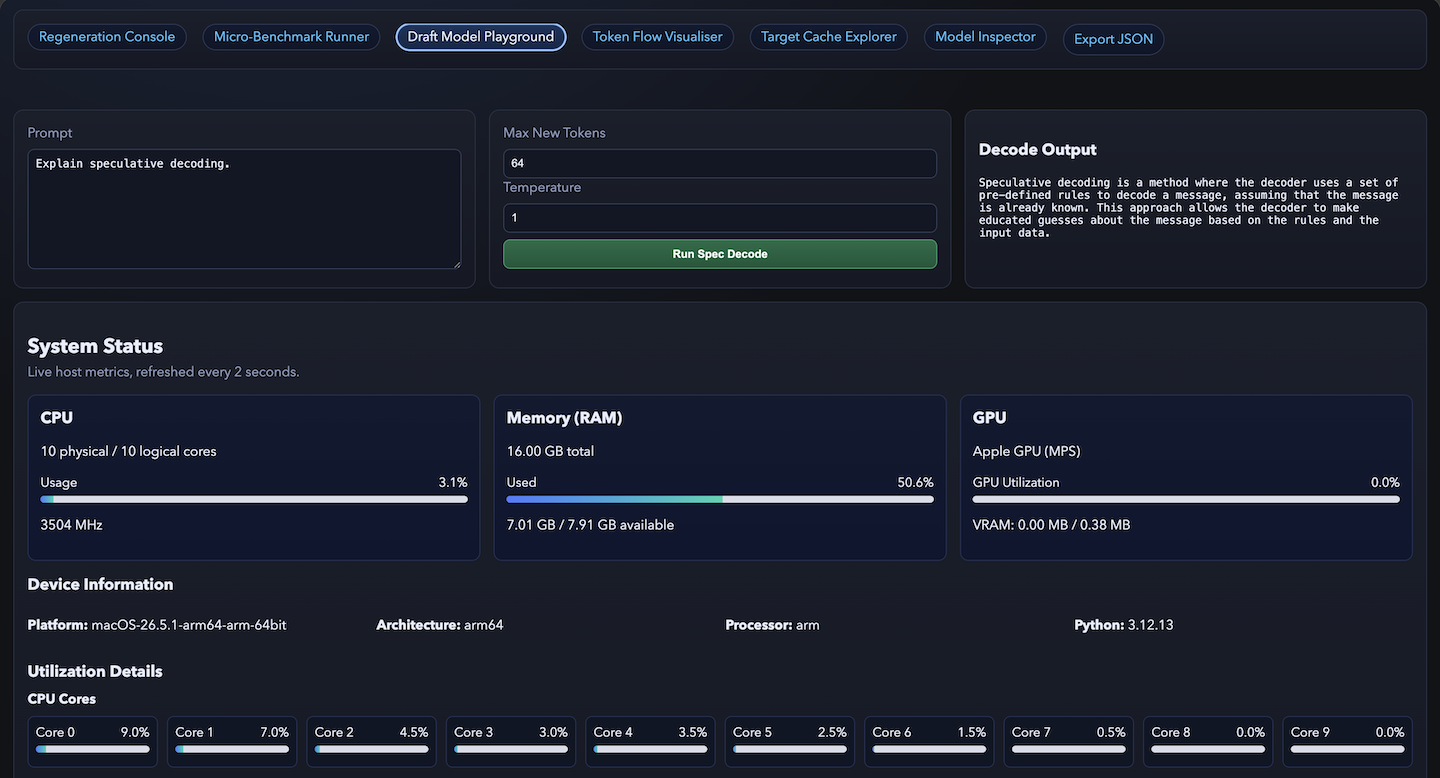
The DeepSpec MLX Dashboard is a modern, Apple‑Silicon‑optimised environment that reimagines speculative decoding through an interactive and visual interface. Built entirely on MLX, it transforms the foundational ideas introduced in DeepSeek’s original DeepSpec repository into a developer‑friendly experience that runs seamlessly on Mac hardware. Instead of requiring multi‑GPU setups or deep CUDA expertise, the dashboard makes speculative decoding accessible to researchers, developers, and students through a clean browser interface.
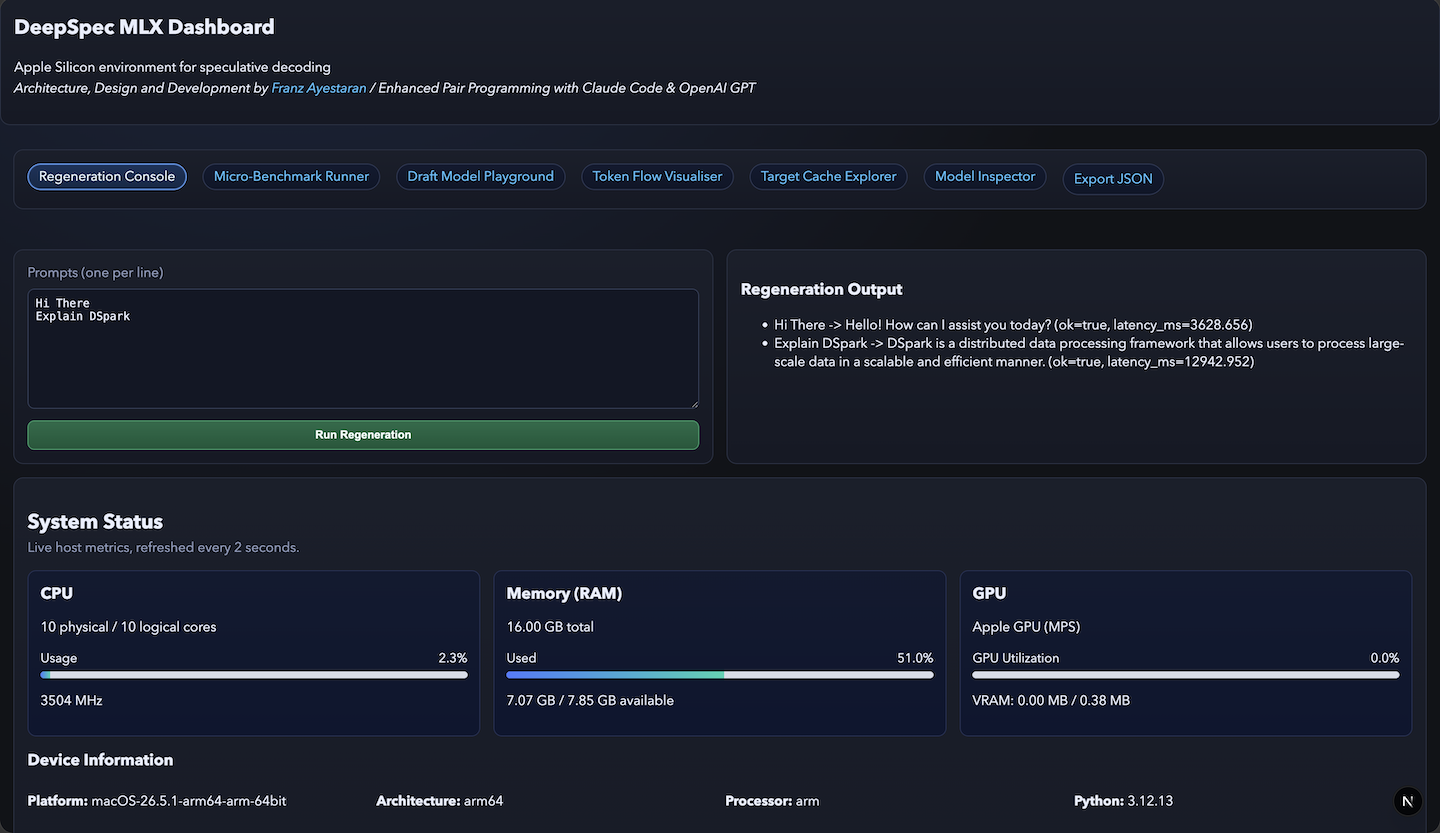
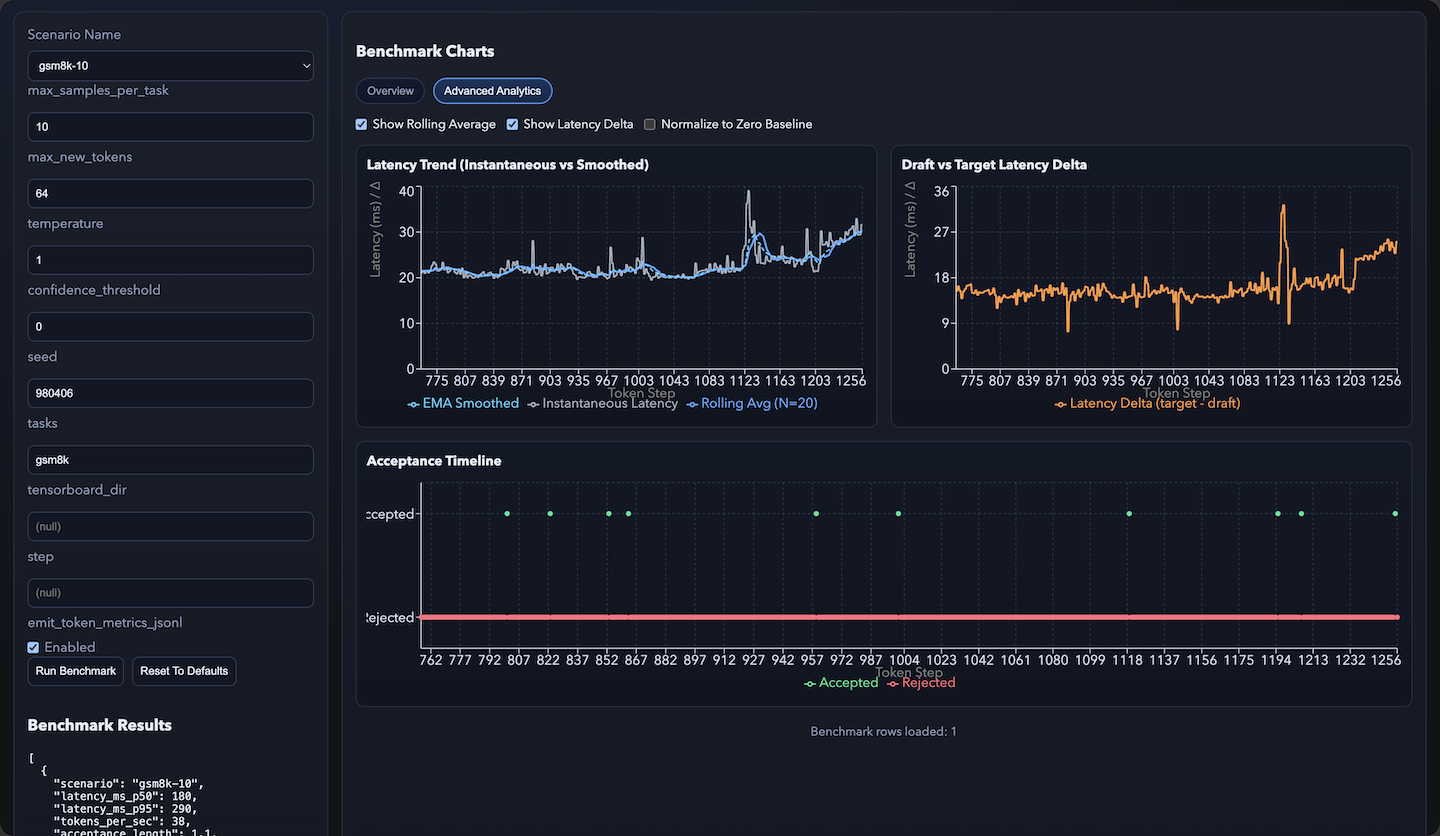
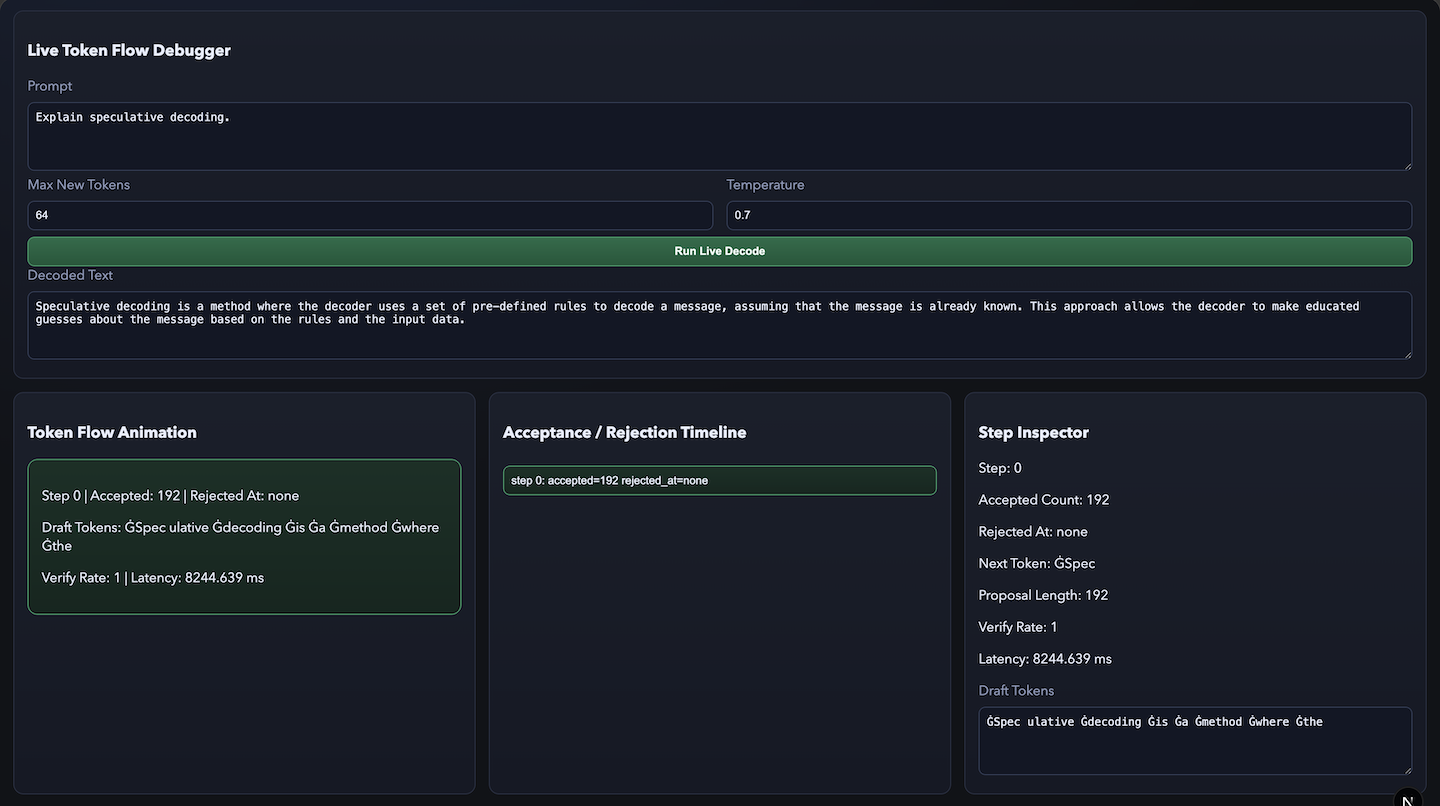
At its core, the dashboard provides a complete ecosystem for exploring, benchmarking, and visualising speculative decoding. The Regeneration Console allows users to compare draft and target model outputs interactively, revealing latency, acceptance, and verification patterns that explain how acceleration emerges. The Micro‑Benchmark Runner offers fine‑grained performance analytics, displaying latency trends, acceptance timelines, and draft‑versus‑target deltas through advanced charts. The Draft Model Playground enables live speculative decoding runs with adjustable parameters such as temperature and token limits, while the Token Flow Visualiser animates the decoding process in real time, showing how tokens are accepted, rejected, or regenerated step by step.
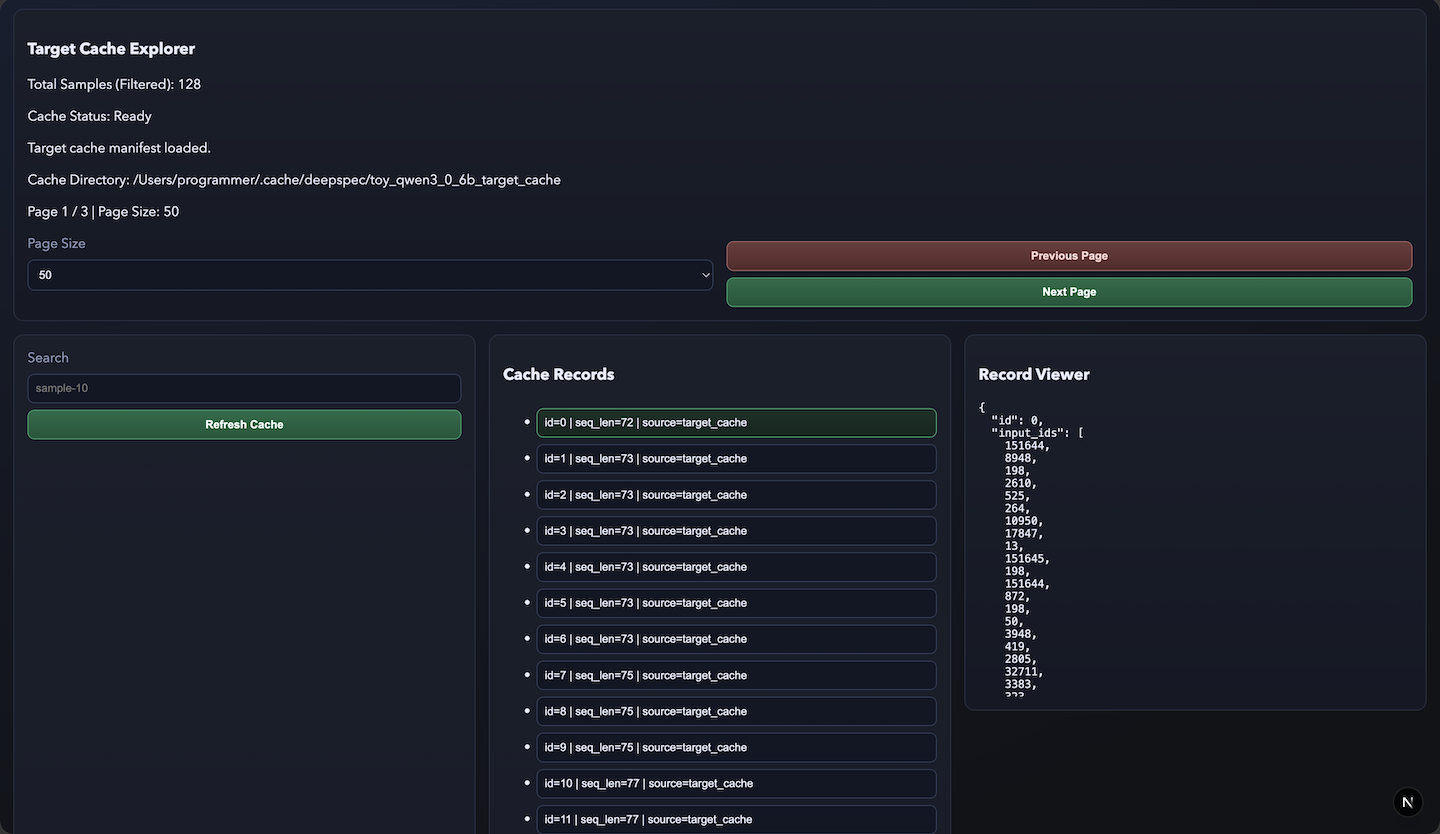
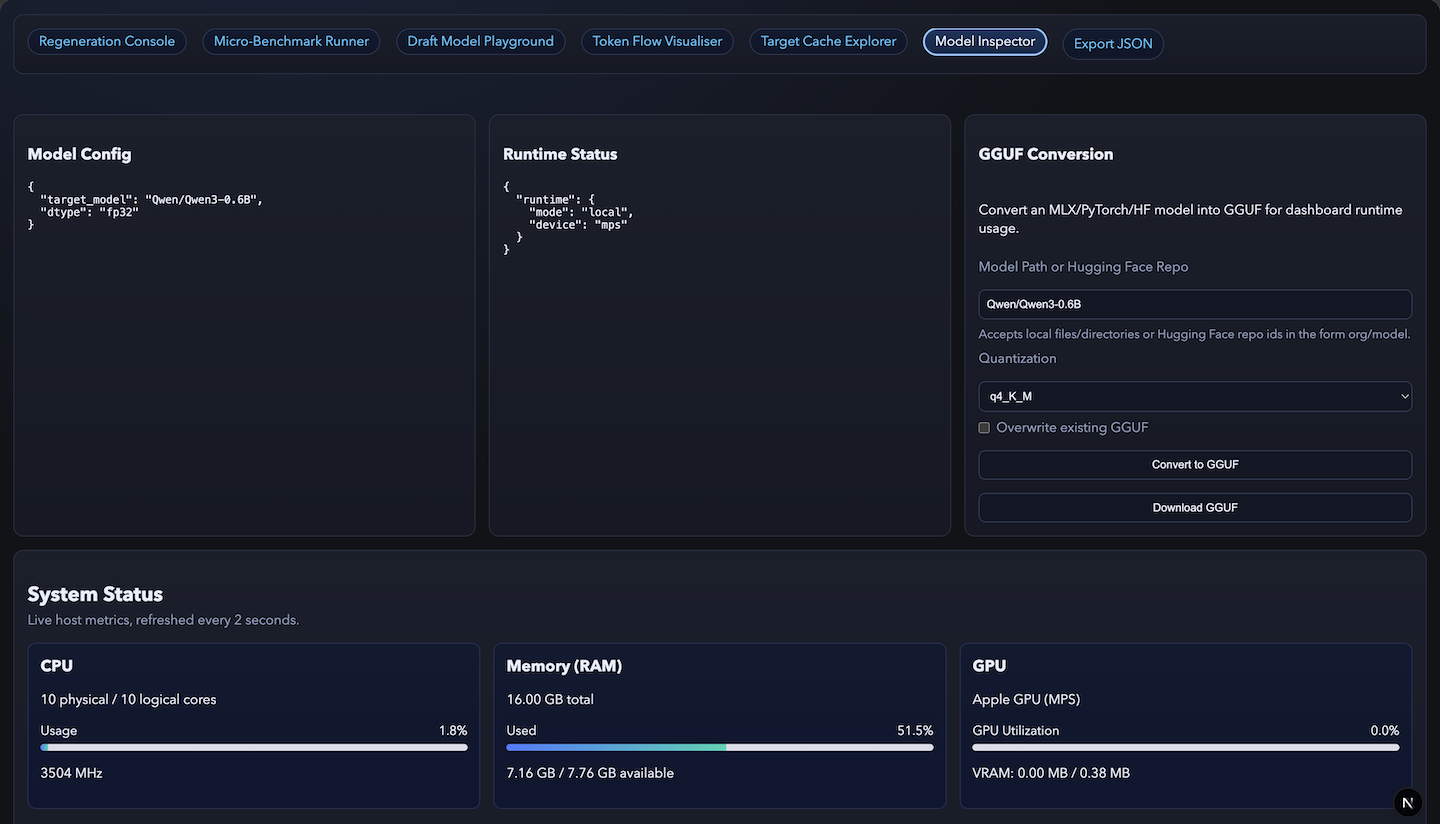
Complementing these interactive modules, the Target Cache Explorer provides a detailed view of cached samples, sequence lengths, and input IDs, helping users understand model caching behaviour. The Model Inspector lets users load and examine MLX or GGUF models—such as Qwen3‑0.6B—and view architecture details, runtime configuration, and device mode. Integrated GGUF Conversion Tools make it easy to convert MLX, PyTorch, or Hugging Face models into GGUF format for deployment, with quantization presets and direct download options. A built‑in Export JSON Utility allows users to extract runtime configurations, benchmark results, and regeneration data for external analysis.
Throughout the environment, a live System Status panel refreshes every two seconds, displaying CPU, memory, and GPU metrics alongside device information such as platform, architecture, and Python environment. This transparency ensures that users can monitor host performance as decoding runs unfold.
Every component of the DeepSpec MLX Dashboard is designed to bridge the gap between research and practical application. It turns speculative decoding from a low‑level algorithm into a hands‑on, visual experience—one that makes acceleration dynamics intuitive, measurable, and deeply informative. By combining the inspiration of DeepSeek’s original research with the flexibility of MLX and the efficiency of Apple Silicon, the dashboard stands as both a tribute to the pioneering work of DeepSpec and a forward‑looking tool for modern AI experimentation.
Skills: macOS · Darwin (arm64 architecture) · MLX (Apple‑Silicon Machine Learning Framework) · Speculative Decoding · Python (Programming Language) · PyTorch · Transformers · scikit‑learn · NumPy · Pandas · TQDM · PSUtil · ONNX · GGUF · Qwen3‑0.6B · Vision Transformers (ViT) · MicroLLaMA · MiniLLaMA · GPU Acceleration (Metal / MLX) · FastAPI · Flask · SQLite · Plotly (interactive visualisation) · TensorBoard · JSON/CSV Dataset Engineering · Model Caching · Quantization · Benchmarking · HTML · CSS · JavaScript · Model Deployment · Artificial Intelligence (AI) · Machine Learning (ML) · Deep Learning (DL)
Regeneration Console
Screenshot
Micro-Benchmark Runner
Screenshot
Draft Model Playgroundl
Screenshot
Token Flow Visualiser
Screenshot
Target Cache Explorer
Screenshot
Model Inspector
Screenshot
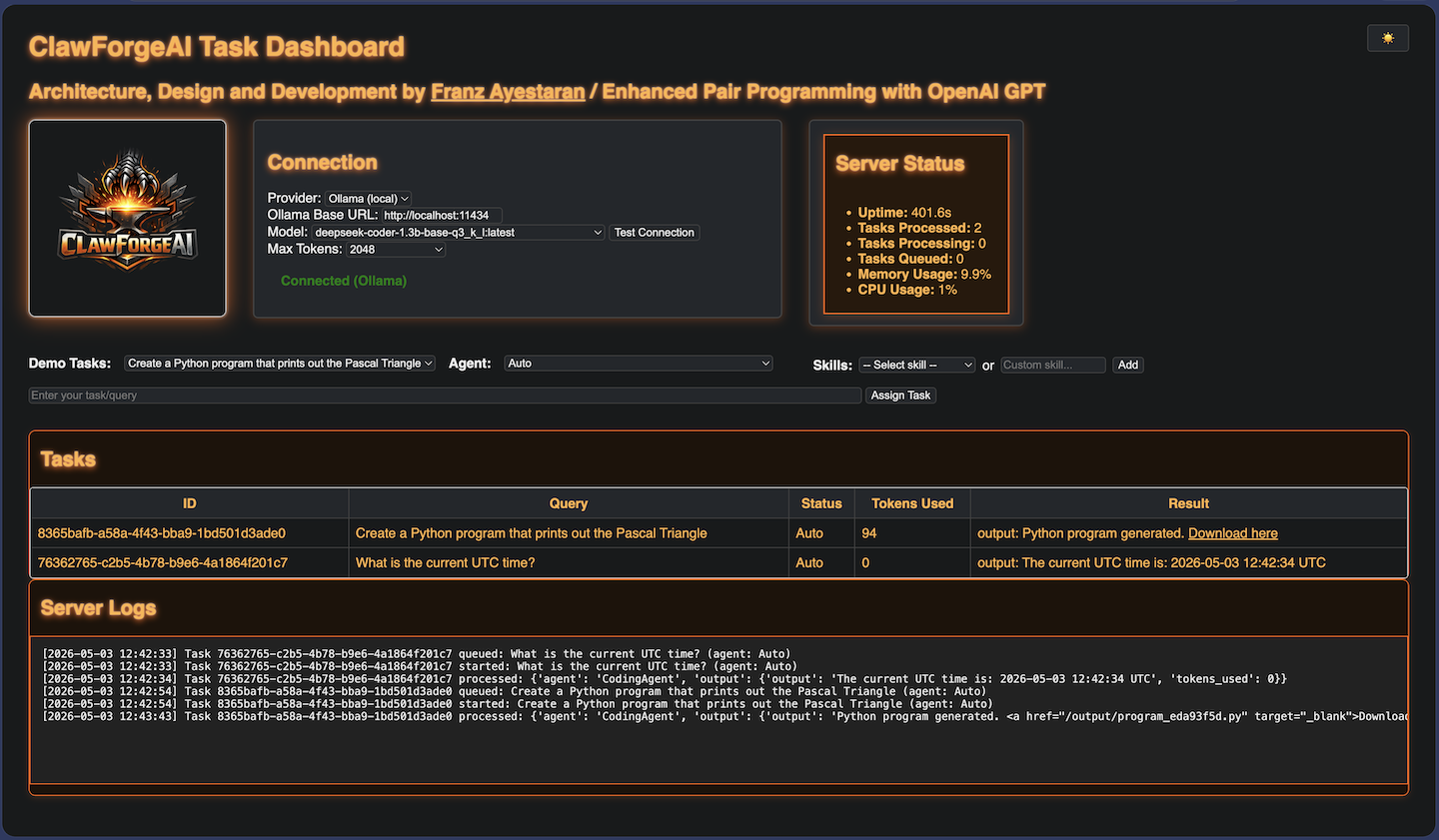
ClawForgeAI – Real‑Time Agent Dashboard (Prototype)
Associated with Franz Ayestaran
March 2026 – Present
clawforgeai.llmtraining.dev
Hosted on an Apple M2 Pro system (Darwin 25.5.0, arm64 architecture) featuring a 10‑core CPU @ 3.5 GHz, 16 GB unified memory, and Metal‑accelerated Apple M2 GPU with up to 16 GB VRAM shared bandwidth.
A server hosted, real‑time orchestration and monitoring dashboard providing a unified view of system tasks, agent activity, model routing, and backend performance, purpose built for AI‑augmented software engineering workflows.
🔧 Real‑Time Task Orchestration
• Live view of active, queued, and completed task
• Automatic grouping by agent, model, or workflow
• Color‑coded status indicators for instant clarity
🧠 Agent, Model & Skill Routing Insights
• Visual mapping of which agents execute which tasks
• Transparent LLM routing: model selection, fallbacks, retries
• Full visibility into custom skill execution, including triggers, dependencies, and outcomes
• Execution traces for debugging and optimisation
🧩 Custom Skills Framework
• Register and manage custom agent skills directly from the dashboard
• Real‑time introspection of skill calls, arguments, and return values
• Skill‑level performance metrics (latency, error rates, throughput)
• Designed for extensibility: plug in new tools, APIs, or domain‑specific capabilities
📊 System Health & Performance Metrics
• CPU/GPU utilization panels
• Memory + VRAM tracking
• Latency, throughput, and per‑task analytics
📁 Persistent Task History
• Full audit trail of all agent actions
• Searchable logs with timestamps and metadata
• Built for reproducibility and long‑running experiments
⚙️ Deep Integration with the ClawForgeAI Runtime
• Direct hooks into the ClawForgeAI task engine
• Supports multi‑agent workflows, background jobs, and scheduled tasks
• Extensible via plugins, custom tools, and new agent types
Skills: Microsoft Visual Studio Code · Python (Programming Language) · JavaScript · HTML · CSS · JSON · Flask · Node.js · Large Language Models (LLM)
Task Dashboard
Screenshot
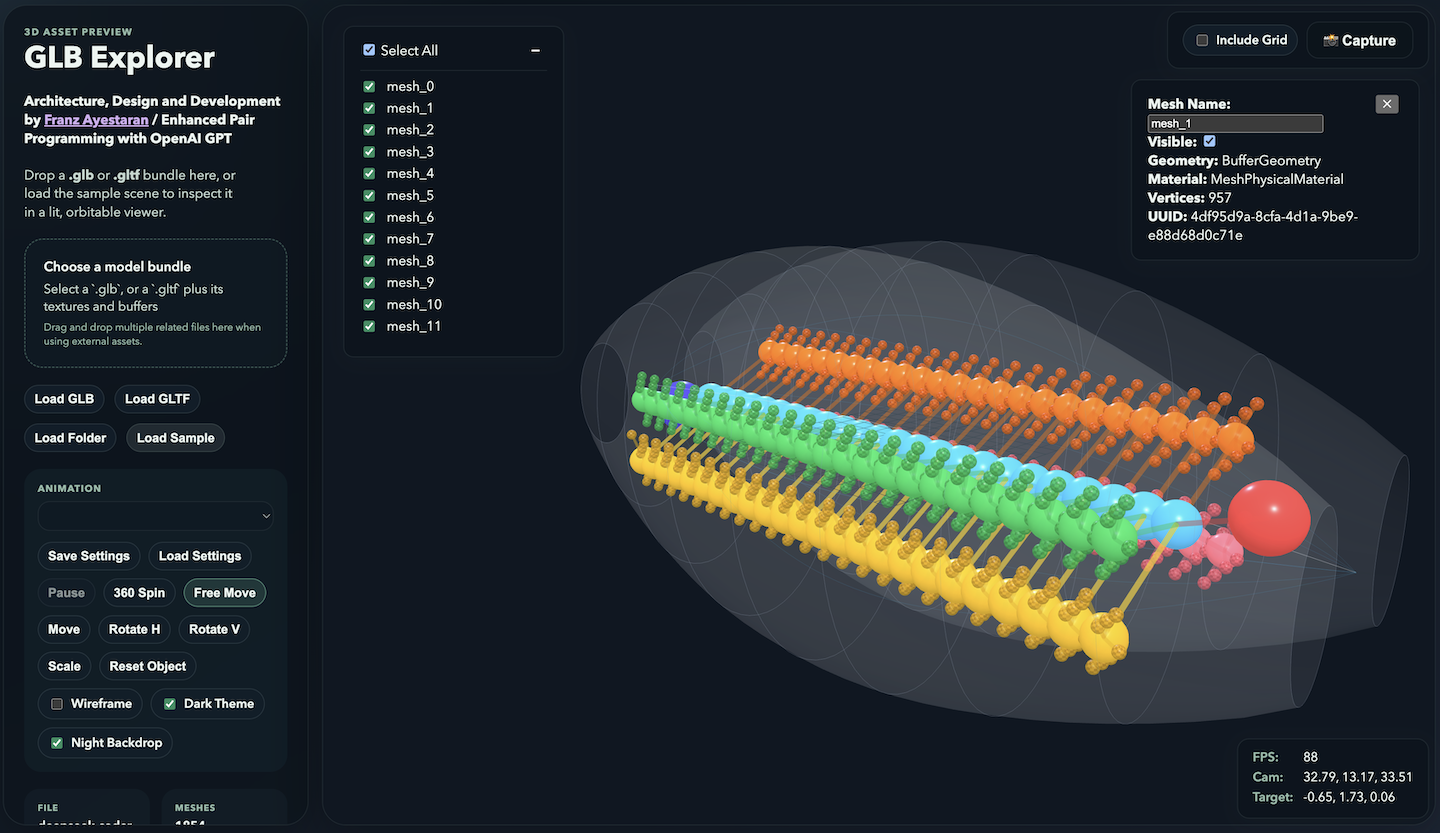
GLB Explorer – Interactive 3D Asset Inspector
Associated with Franz Ayestaran
February 2026 – Present
glb.ayestaran.dev
Hosted on a bespoke Linux Debian 12 (Bookworm) Server using… Nginx 1.22.1, 20.10.0 and PHP 8.2.29
A browser‑based 3D asset inspection tool for GLB/GLTF models, designed for instant visualization, analysis, and interaction. Users can click individual meshes to reveal geometry, material, and vertex data, and toggle visibility to isolate or drill down into complex structures.Built with WebGL and Three.js, it supports drag‑and‑drop model loading, dynamic lighting, and performance telemetry assets in a clean, orbitable viewer.
Skills: Microsoft Visual Studio Code · Python (Programming Language) · JavaScript · HTML · CSS · JSON · Node.js
3D Asset Viewer
Screenshot
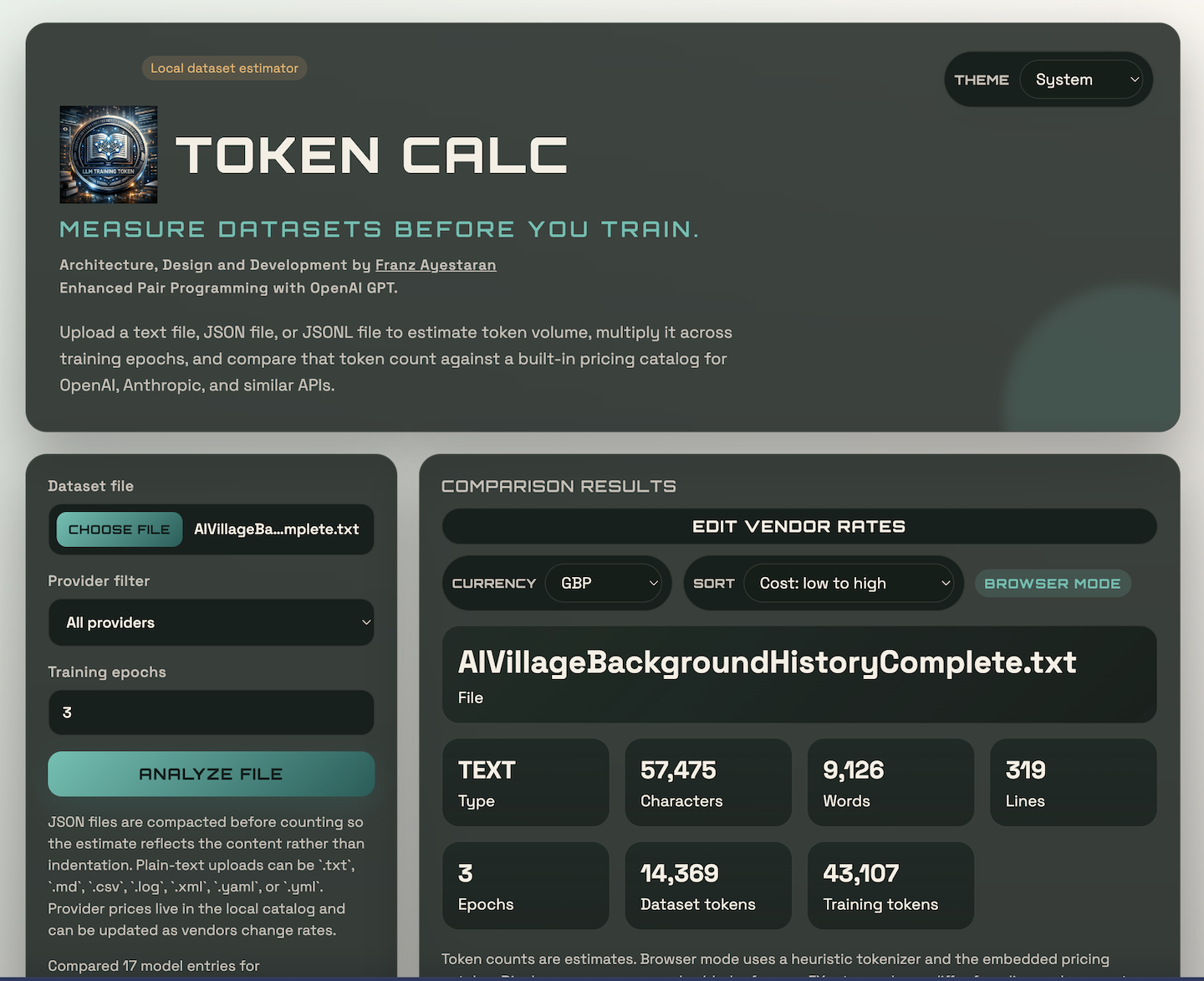
LLM Token Calc – Measure Datasets Before You Train
Associated with Franz Ayestaran
March 2026 – Present
tokencalc.llmtraining.dev
Hosted on an Apple M2 Pro system (Darwin 25.5.0, arm64 architecture) featuring a 10‑core CPU @ 3.5 GHz, 16 GB unified memory, and Metal‑accelerated Apple M2 GPU with up to 16 GB VRAM shared bandwidth.
Upload a text file, JSON file, or JSONL file to estimate token volume, multiply it across training epochs, and compare that token count against a built-in pricing catalog for OpenAI, Anthropic, and similar APIs. JSON files are compacted before counting so the estimate reflects the content rather than indentation. Plain-text uploads can be `.txt`, `.md`, `.csv`, `.log`, `.xml`, `.yaml`, or `.yml`. Provider prices live in the local catalog and can be updated as vendors change rates.
Skills: Microsoft Visual Studio Code · Python (Programming Language) · JavaScript · HTML · CSS · JSON · Flask · Node.js · Large Language Models (LLM)
7 Provider Filter
Screenshot
Ollama Cloud Inference – Secure, Reproducible AI Infrastructure for the Future
Associated with Franz Ayestaran
February 2026 – Present
aivillage.ollamacloud.dev
Hosted on a bespoke Linux Ubuntu 22.04 LTS (Jammy Jellyfish) Server using… Caddy
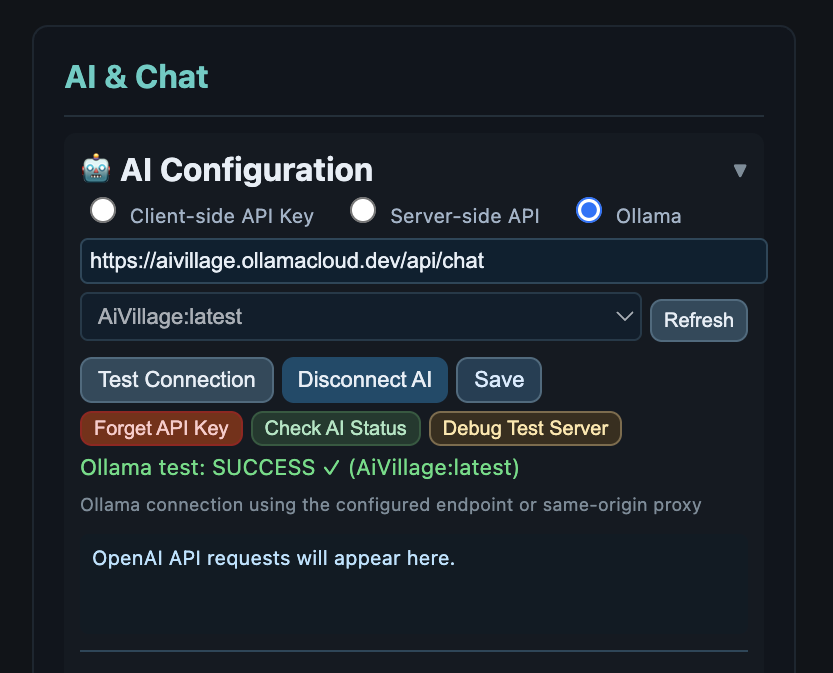
Developed and deployed Ollama Cloud Inference as the backbone of a closed, production grade AI ecosystem integrating AI Village and the LLM Training Dashboard. Architected a secure, reproducible inference layer hosted on Linode and Vast.ai, enabling seamless model serving across Apple Silicon and NVIDIA CUDA environments. Implemented Caddy based routing and Cloudflare Tunnel for resilient API access, ensuring low‑latency communication between distributed nodes. The system supports GGUF format models and LoRA adapters, optimised for lightweight, cost‑efficient inference. This project demonstrates end‑to‑end orchestration of cloud‑native AI infrastructure from model deployment to multilingual front‑end integration highlighting my focus on scalability, reproducibility, and cross‑platform compatibility.
Skills: Cloud Computing · Terraform · Linode · CloudFlare · Ollama Inference · Caddy · GUFF
Ai Village
Configuration Panel
AI Village (2D Game Creator with AI-Driven NPCs)
Associated with Franz Ayestaran and Ethan Ayestaran
Oct 2025 – Present
AI – Training @ dashboard.llmtraining.dev (End-to-End: Train a Model & Run It in Ollama)
AI – Integration @ aivillage.ayestaran.dev (2D Game Creator with AI-Driven NPCs)
AI – Ollama Cloud Inference @ ollama.ayestaran.dev (AI Village Model, Connected via OpenAI / Port 11434)
Hosted on a bespoke Linux Debian 12 (Bookworm) Server using… Nginx 1.22.1, Node 20.10.0 and PHP 8.2.29
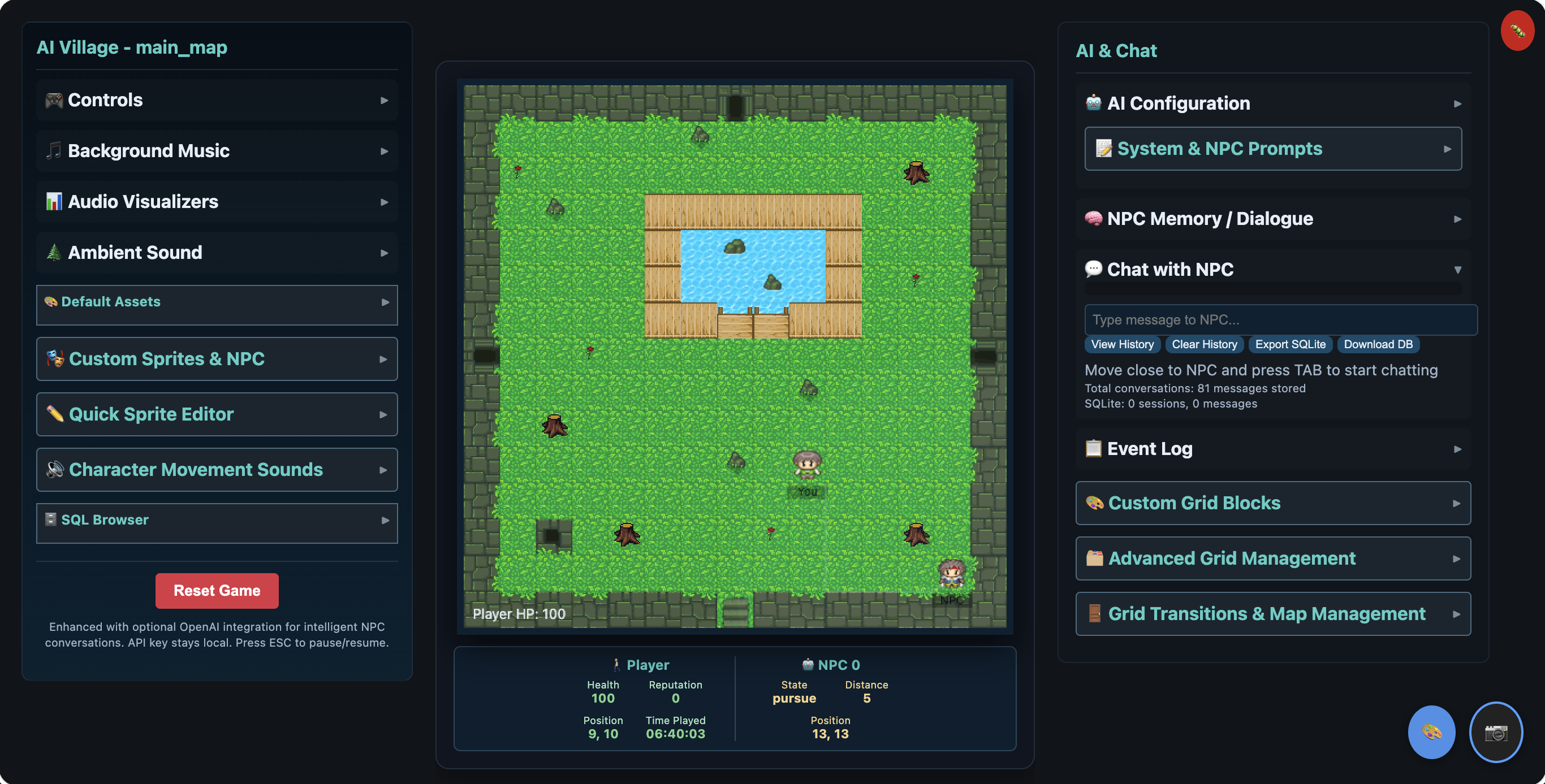
This beta project examines the implementation and integration of artificial intelligence technologies within an interactive 2D game creator featuring autonomous non-player characters (NPCs) powered by cutting-edge AI systems. The project synthesizes multiple AI disciplines including natural language processing, machine learning, pathfinding algorithms, and emotional computing to create a cohesive, immersive gaming experience. Through the development of AI Village, this research demonstrates how modern AI technologies can be practically applied to enhance interactive systems, while simultaneously exploring the ethical implications, technical challenges, and future directions of AI in game development and human-computer interaction.
Skills: Linux · Nginx · SQLite · Microsoft Visual Studio Code · HTML · CSS · JavaScript · Large Language Models (LLM) · Artificial Intelligence (AI) · OpenAI · ElevenLabs
Online 2D Game Engine
Screenshot
Open WebUI Chatbot (OpenRouter.ai)
Associated with Franz Ayestaran
Jul 2025 – Present
Hosted on a Terraformed Linux Debian 12 (Bookworm) Server using… Docker 20.10.24 and Nginx 1.22.1
Models:
Meta: Llama 3.1 405B Instruct (free)
DeepSeek: R1 (free)
Google: Gemma 3 27B (free)
OpenAl: gpt-oss-20b (free)
Links:
Demo Website… https://chatbot.ayestaran.dev
username: guest@ayestaran.dev
password: l3tm31n
Developer Website: … https://docs.openwebui.com/
History…
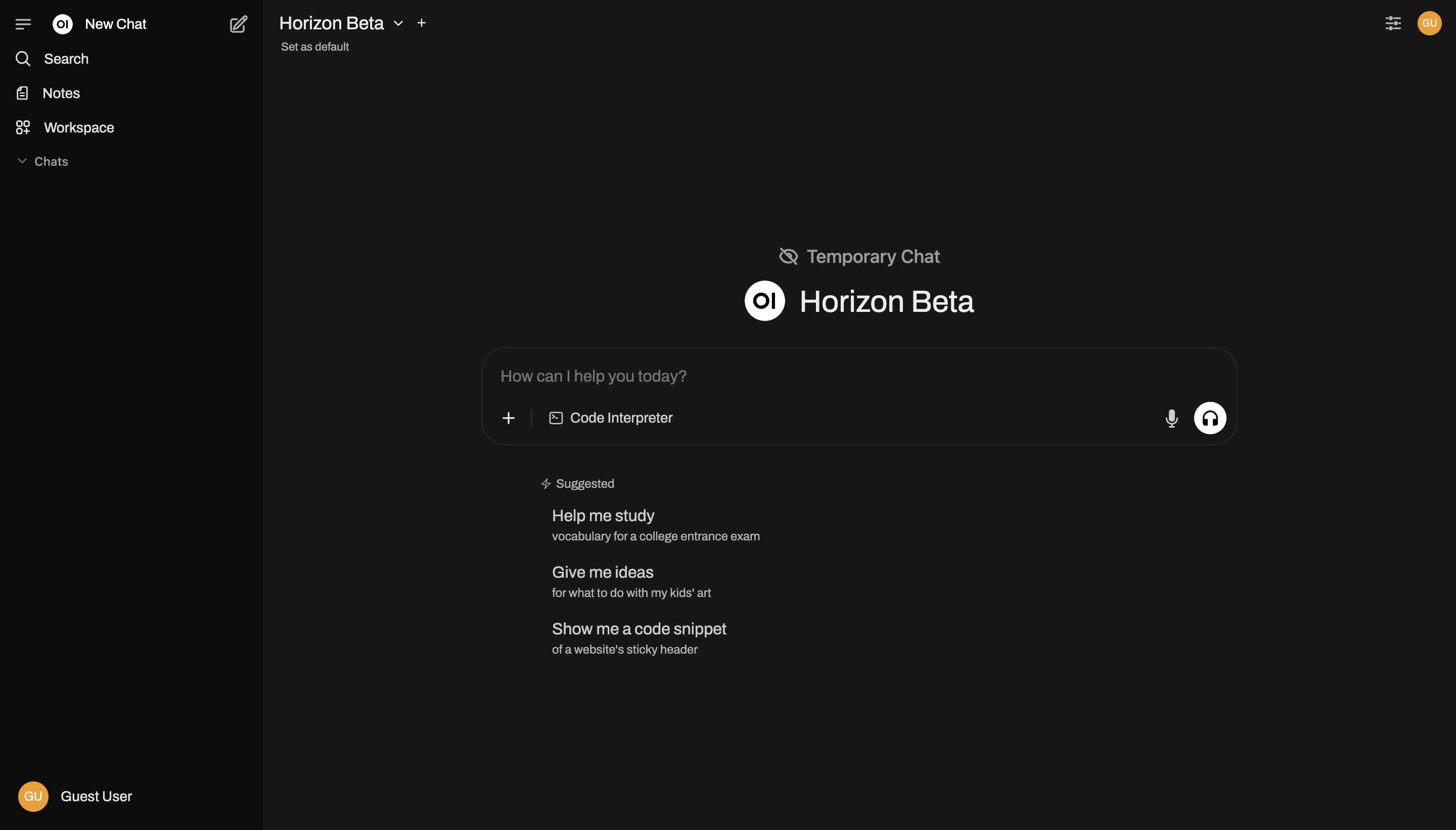
Open WebUI is an extensible, feature-rich, and user-friendly self-hosted AI platform designed to operate entirely offline. It supports various LLM runners like Ollama and OpenAI-compatible APIs, with built-in inference engine for RAG, making it a powerful AI deployment solution.
OpenRouter provides a unified API that gives you access to hundreds of AI models through a single endpoint, while automatically handling fallbacks and selecting the most cost-effective options. Get started with just a few lines of code using your preferred SDK or framework.
Skills: Terraform · Docker · Linux · Nginx · Microsoft Visual Studio Code · SQLite · Python (Programming Language) · Large Language Models (LLM) · Artificial Intelligence (AI) · Ollama
Online Chatbot
Screenshot
Artificial Intelligence Whiteboard Make Real Starter (OpenAI API GPT-4V Turbo)
Associated with Franz Ayestaran
Nov 2023 – Present
Hosted on a bespoke Linux Debian 12 (Bookworm) Server using… Node v20.10.0 / Node.js v18.13.0 / Next.js v14.0.4 / PM2
Links:
Demo Website… https://aiwhiteboard.co.uk
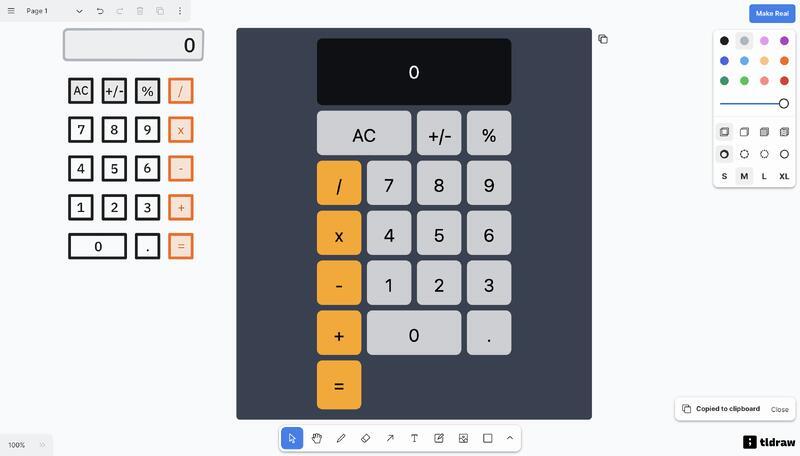
Calculator JSON… https://secure.ayestaran.dev/CalculatorDesign.json
Three.js (3D Modelling)… http://three.js.ayestaran.dev (Developer website… https://threejs.org)
Original tldraw make-real-starter template repo… https://github.com/tldraw/make-real-starter
History…
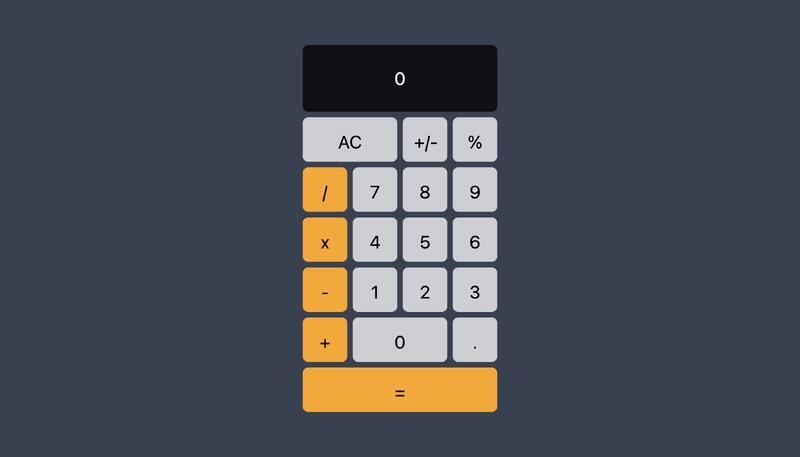
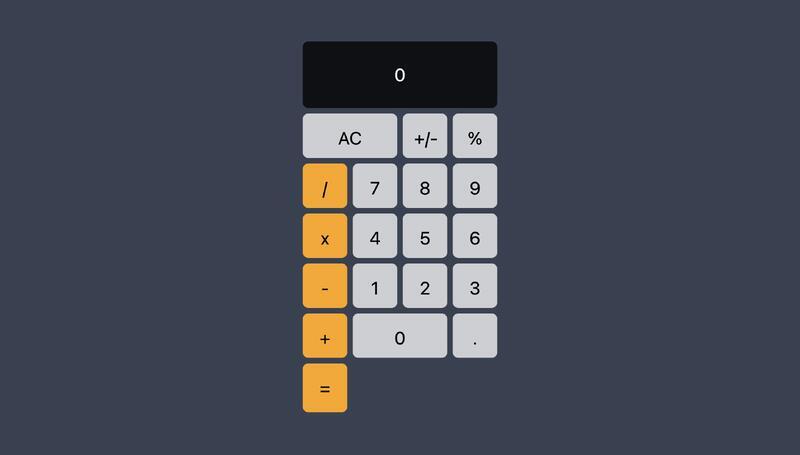
“Make it Real” lets users draw an image of software and bring it to life using AI. The feature uses OpenAI’s GPT-4V API to visually interpret a vector drawing into
functioning Tailwind CSS and JavaScript web code that can replicate user interfaces or even create simple implementations of games like Breakout.
Tldraw, developed by Steve Ruiz in London, is an open source collaborative whiteboard tool. It offers a basic infinite canvas for drawing, text, and media without requiring a login. Launched in 2021, the project received $2.7 million in seed funding and is supported by GitHub sponsors. When The GPT-4V API launched recently, Ruiz integrated a design prototype called “draw-a-ui” created by Sawyer Hood to bring the AI-powered functionality into tldraw.
Skills: Linux · Node.js · Next.js · JavaScript · HTML5 · CSS · Artificial Intelligence (AI) · Large Language Models (LLM)
Calculator
Html (Interactive) – Tweaked by a Human.
Calculator
Html (Interactive) – Designed by a Human, coded by AI.
Artificial Intelligence Whiteboard
Turning drawings into working software, hosted on a custom bespoke Debian Linux Server.
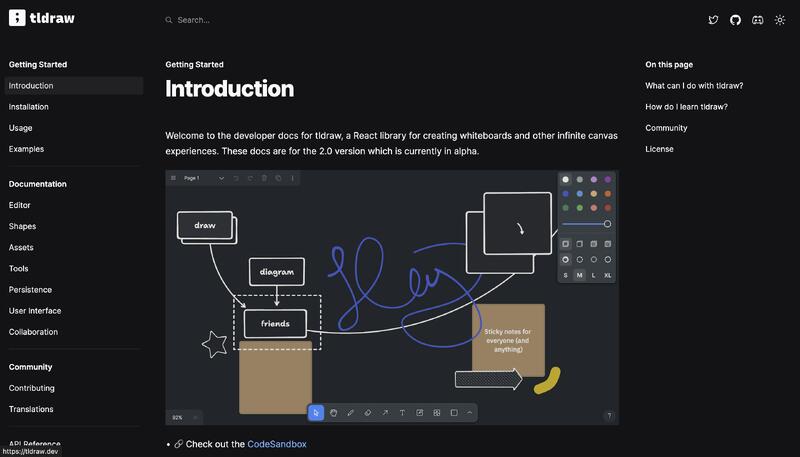
GitHub – tldraw/make-real-starter: Make it real
Original Repository by https://www.tldraw.dev/
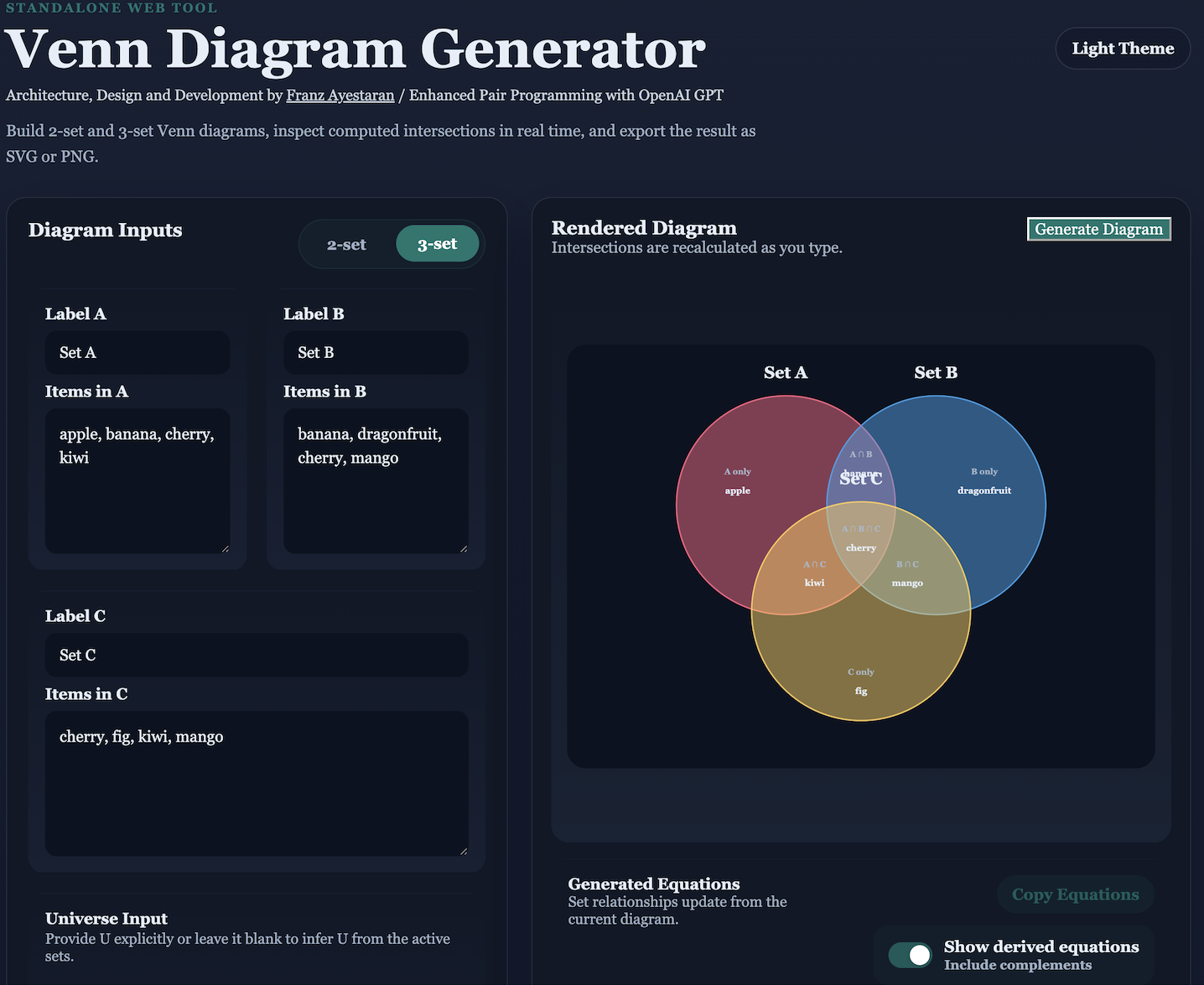
Venn Diagram Generator – Interactive Set Visualisation Tool
Associated with Franz Ayestaran
March 2026 – Present
venndiagramgenerator.llmtraining.dev
osted locally on an Apple M2 Pro system (Darwin 25.5.0, arm64 architecture) featuring a 10‑core CPU @ 3.5 GHz, 16 GB unified memory, and Metal‑accelerated Apple M2 GPU with up to 16 GB VRAM shared bandwidth.
Key Features
• Dynamic Set Editing
Add, remove, and modify items with instant recalculation of all intersections, unions, differences, complements, and symmetric differences.
• Precise Geometry Controls
Adjust circle centres and radii for custom layouts, with live updates to region boundaries and computed set relationships.
• Live Mathematical Output
Automatically generated set equations for all primary and derived operations:
A, B, C, A∩B, A∩C, B∩C, A∪B∪C, A∖B, B∖A, complements, symmetric differences, and more.
• Symbol Normalisation Engine
A built‑in parser that automatically converts informal or inconsistent symbols (e.g., |, minus, \) into correct mathematical notation (∖, ∪, ∩, ᶜ, Δ), ensuring clarity and consistency across the UI.
• Preview Mask System
Interactive visual overlays that highlight the exact regions corresponding to each set operation before applying it — ideal for learning, debugging, and teaching set theory.
• Derived Equation Toggle
A UI switch that allows users to show or hide advanced derived equations (complements, multi‑way intersections, symmetric differences), keeping the interface clean for beginners while offering depth for advanced users.
• Import/Export Support
Save and load diagrams as JSON for reproducibility.
Export final visuals as high‑resolution SVG or PNG.
• Clean, Lightweight Architecture
Built as a standalone, fully client‑side web tool with no backend dependencies.
Optimised for clarity, speed, and reliability — runs entirely in the browser.
Skills: Microsoft Visual Studio Code · Python (Programming Language) · JavaScript · HTML · CSS · JSON · Flask · Node.js · Large Language Models (LLM)
Union, Intersection, Set Minus, Absolute Complement, Venn Diagrams, and Powerset
Screenshot
OpenWeather (Python / SQLite)
Associated with Franz Ayestaran
Jul 2023 – Present
https://github.com/Code-Munkeys/OpenWeather
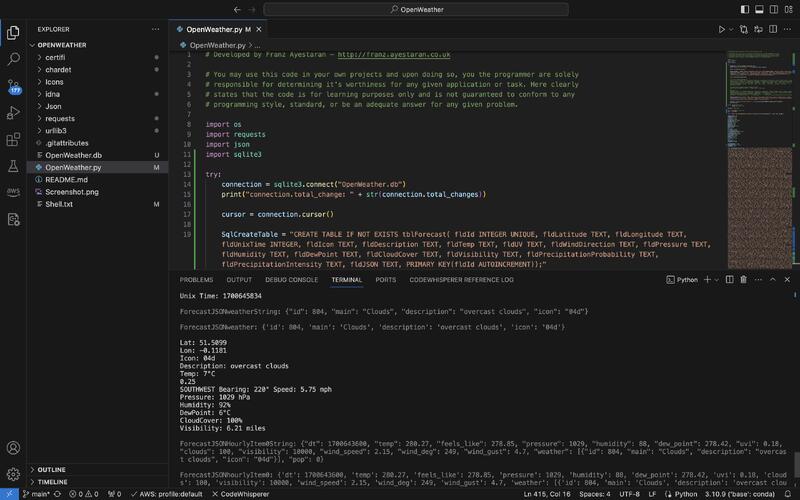
API call using Python and SQLite
Includes embedded forecast examples for offline testing.
Skills: Microsoft Visual Studio Code · Python (Programming Language) · SQLite · JSON · RESTful APIs
Visual Studio Code and Shell Screenshot
OpenWeather API call using Python and SQLite
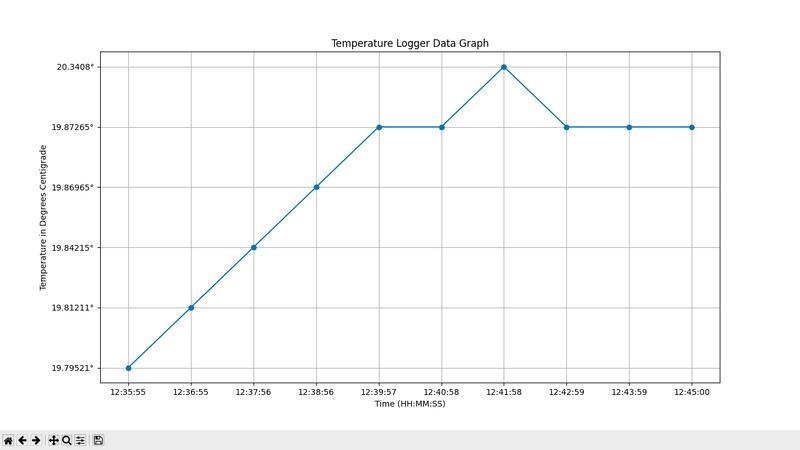
Temperature Logger for the RaspberryPi Pico with external RTC (MicroPython)
Associated with Franz Ayestaran
Jul 2023 – Present
https://github.com/Code-Munkeys/TemperatureLogger
Usage:
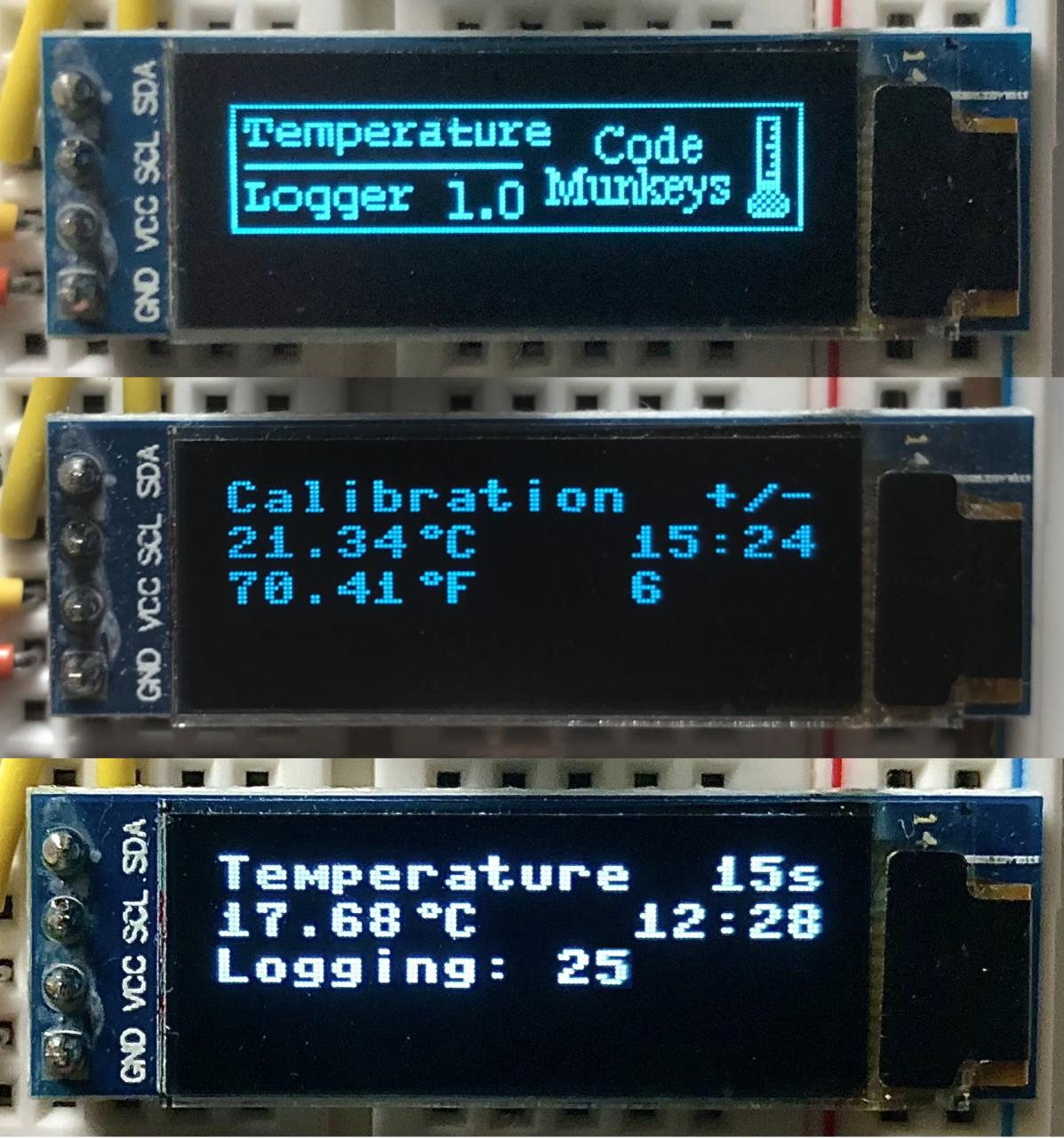
When the Splash screen has displayed for 5 seconds, the User will be presented with a Calibration screen. The User can press the GREEN Button to increase and the RED Button to decrease the required temperature adjustment amount, when finished the User simply presses the BLUE Button to continue.
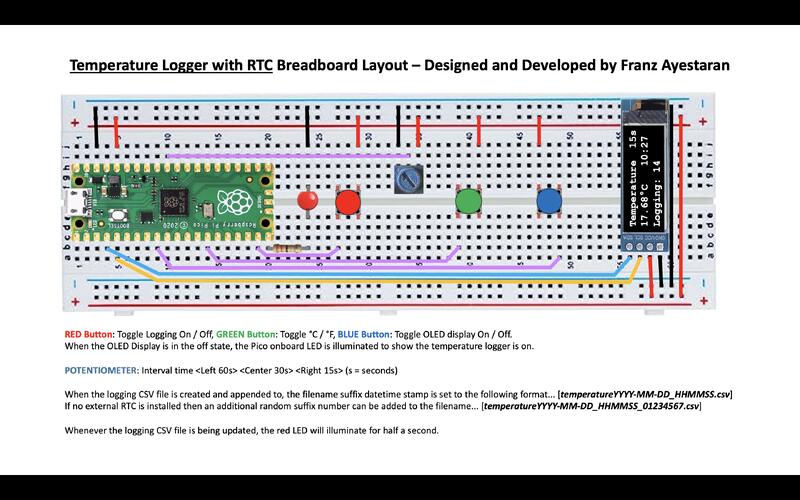
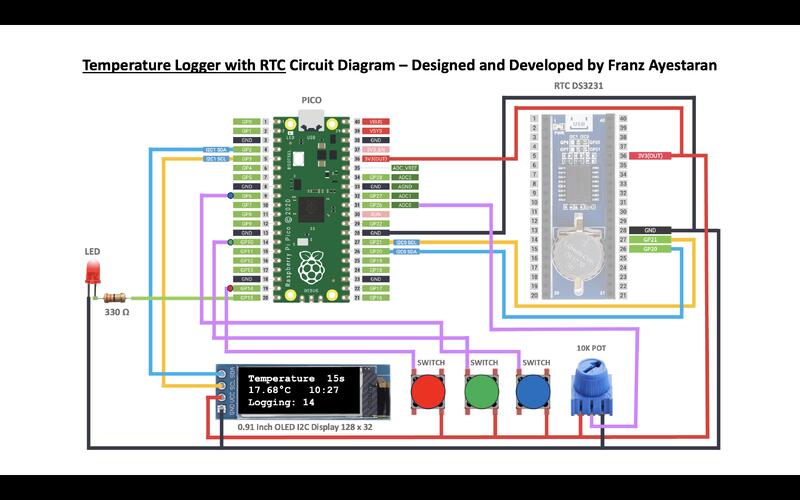
When the Temperature screen is displayed the User can perform the following functions via the assigned inputs. RED Button: Toggle Logging On / Off, GREEN Button: Toggle °C / °F, BLUE Button: Toggle OLED display On / Off. When the OLED Display is in the off state, the Pico onboard LED is illuminated to show the temperature logger is on.
POTENTIOMETER: Interval time (Left 60s) (Center 30s) (Right 15s) (s = seconds)
When the logging CSV file is created and appended to, the filename suffix datetime stamp is set to the following format… [temperatureYYYY-MM-DD_HHMMSS.csv]. If no external RTC is installed then an additional random suffix number can be added to the filename… [temperatureYYYY-MM-DD_HHMMSS_01234567.csv]
Skills: Pycharm · MicroPython · CSV · Raspberry Pi Pico · Electronics
Splash, Calibration and Main Screenshots
Temperature Logger RTC Breadboard
Temperature Logger RTC Circuit
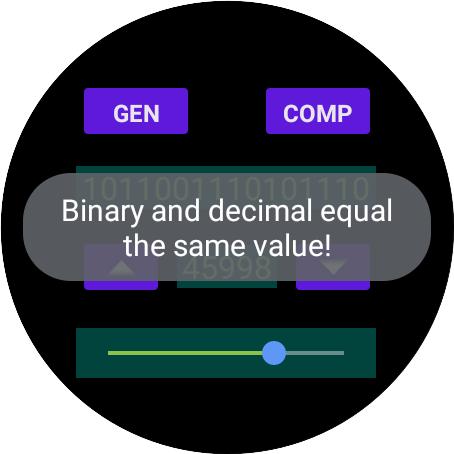
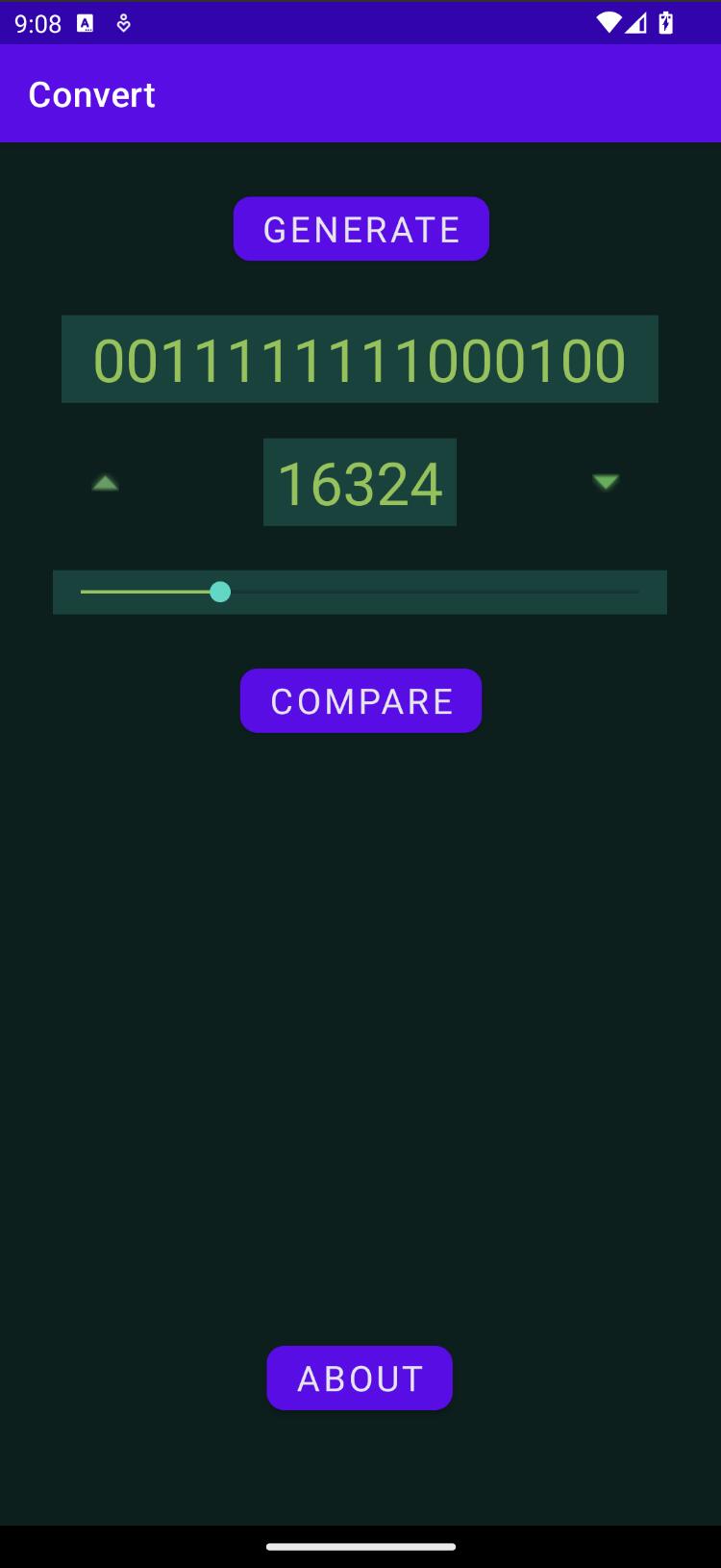
Binary 2 Decimal Converter for the Android Phone & Watch (Android Studio – Kotlin)
Associated with Franz Ayestaran
Mar 2023 – Present
https://github.com/Code-Munkeys/Binary2Decimal
Tap the [left] up arrow to convert from decimal to binary and the [right] down arrow to convert binary to decimal. Tap the [generate] button to display a random binary value in order to guess the decimal value, then tap the [compare] button to check your answer. Use the seek bar in order to increase or decrease the binary and decimal value.
Skills: Skills: Android Studio · Kotlin
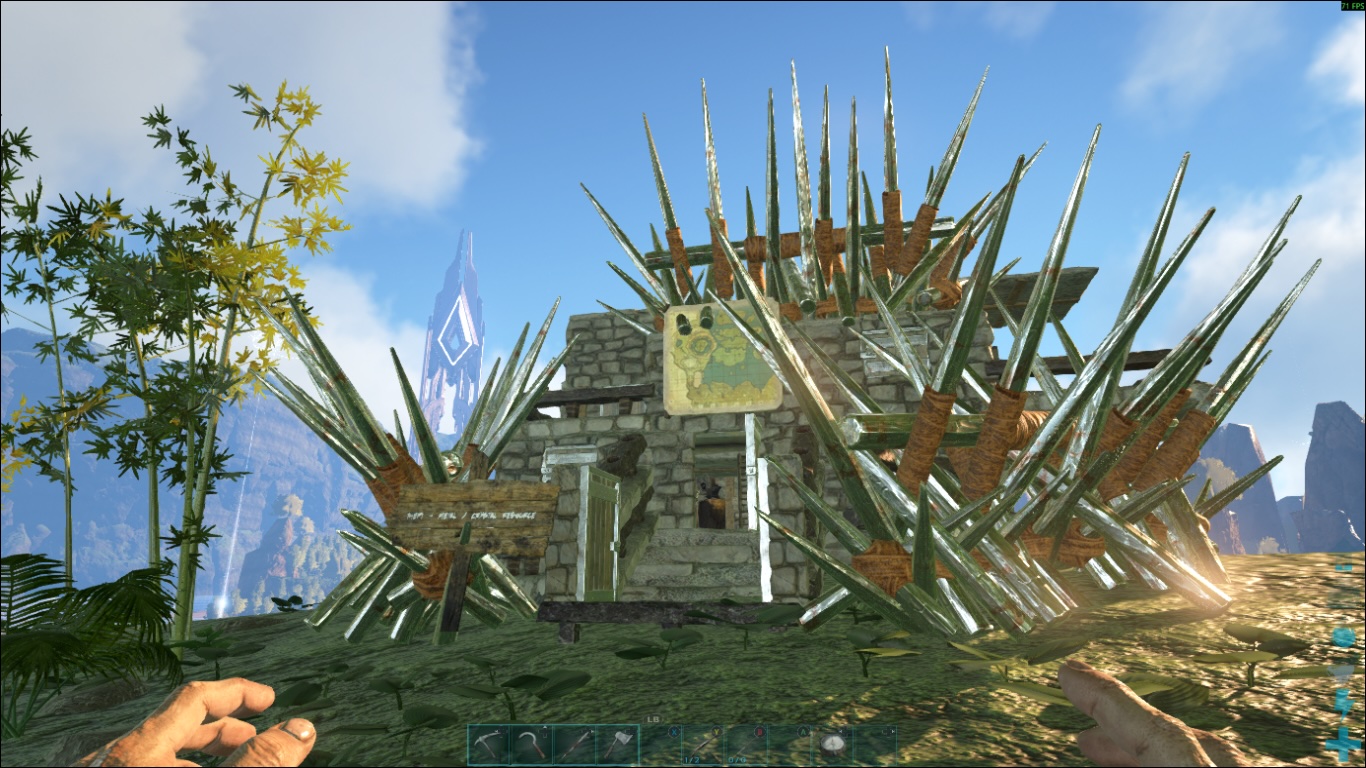
ARK: Survival Evolved Server
Associated with Franz Ayestaran
Jan 2023 – Present
Nitrado Hosting
(PC) “WorldOfPi” – IP: 95.156.210.98:16777
Current map TheCenter PVE / Version 358.24
History…
Ark: Survival Evolved (stylized as ARK) is a 2017 action-adventure survival video game developed by Studio Wildcard. In the game, players must survive being stranded on one of several maps filled with roaming dinosaurs, fictional fantasy monsters, and other prehistoric animals, natural hazards, and potentially hostile human players.
MCAPI
Associated with Franz Ayestaran
Jul 2021 – Present
https://mcapi.org/
Usage…
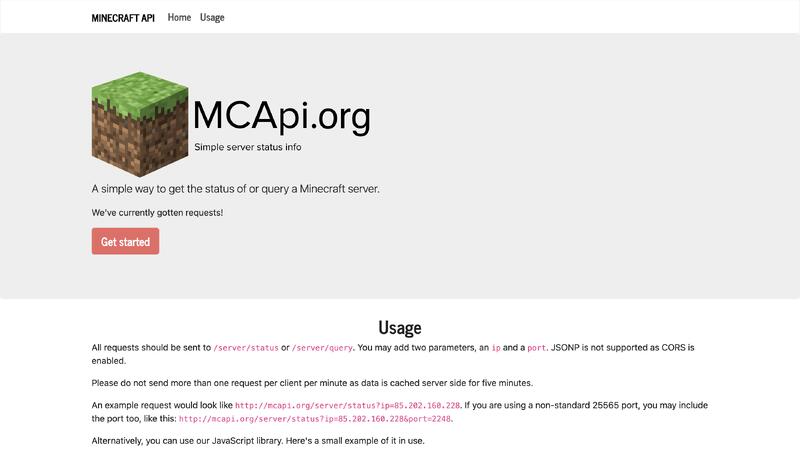
All requests should be sent to /server/status or /server/query. You may add two parameters, an ip and a port. JSONP is not supported as CORS is enabled.
Please do not send more than one request per client per minute as data is cached server side for five minutes.
An example request would look like http://mcapi.org/server/status?ip=85.202.160.228. If you are using a non-standard 25565 port, you may include the port too, like this: http://mcapi.org/server/status?ip=85.202.160.228&port=2248.
Skills: Linux · Docker · Redis · Nginx · PHP · JavaScript · HTML · Python (Programming Language) · RESTful APIs
Luanti (formerly Minetest) Server
Associated with Franz Ayestaran
May 2021 – Present
https://www.luanti.org/
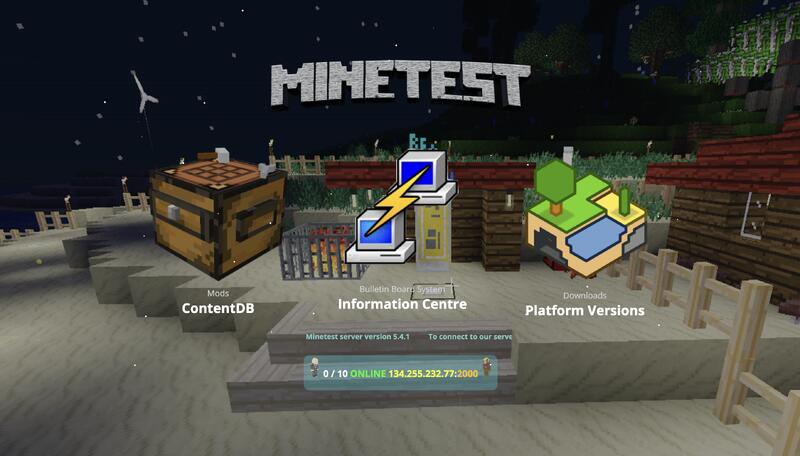
IP address: 185.249.199.163: Port: 2042 @ Zap-Hosting
Standard (SSD, 2.0-3.4 GHz, DDR3/4 memory) Max 10 Players
History…
Minetest is a free and open-source sandbox video game developed by a team of volunteers, with significant contributions from the community. The first publicly available version was Minetest 0.0.1, created by Perttu Ahola, and released on the Web in November 2010. Minetest is programmed in C++ using the Irrlicht Engine, and is available for Linux-based systems, FreeBSD, Microsoft Windows, MacOS, and Android. Minetest provides an API for users to create their own games and mods written in Lua.
Skills: Linux
Minecraft Bedrock Server 1.21.81
Associated with Franz Ayestaran
Sep 2020 – Present
IP address: 46.251.234.50: Port: 10250 @ Nitrado
History…
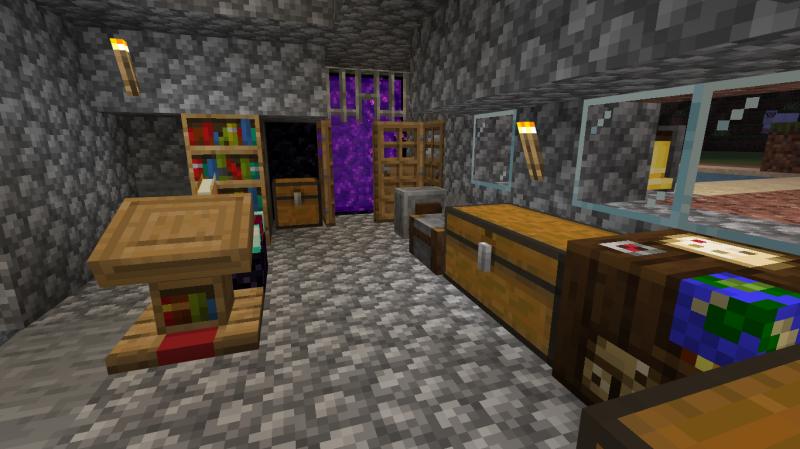
Minecraft is a sandbox construction game created by Mojang AB founder Markus Persson, and inspired by the Infiniminer, Dwarf Fortress and Dungeon Keeper games. Gameplay involves players interacting with the game world by placing and breaking various types of blocks in a three-dimensional environment. In this environment, players can build creative structures, creations, and artwork on multiplayer servers and singleplayer worlds across multiple game modes.
Skills: Linux
Linux Servers
Associated with Zonk Technology
Jul 2020 – Present
Currently host a collection of bespoke Terraformed Debian and Ubuntu cloud servers with Linode (Akamai), supporting the following services…
• Ayestaran.Dev (Development)
• AI Chatbot (Open WebUI)
• AI Whiteboard (Make Real)
• Bulletin Board System (BBS)
• Element Matrix Server (Messaging)
• Minecraft Bedrock Server
• Minecraft Server Status Api
• Virtual Private Network (VPN)
• Virtual Private Servers (VPS)
• XMRig Monero Cryptocurrency Miner
Skills: Linux · Terraform · Docker · Nginx · Apache · Node.js · Next.js · Databases · MongoDB · Redis · SQLite · NoSQL · MySQL · SQL · Web Services · PHP · PhpMyAdmin · RESTful APIs · JSON · HTML · JavaScript · Python (Programming Language) · Large Language Models (LLM) · Artificial Intelligence (AI)
iTimeTable
Associated with Zonk Technology
Jun 2019 – Present
https://secure.zonktechnology.com/itimetable/
Available on the Apple App Store
Developed in Swift, compatible with iOS 9 through to iOS 26 including Apple Silicon
TimeTable is a simple app that displays the current and following lesson, while still allowing the user to navigate through day-to-day studies. An achievement summary and star rating can be added to each lesson, then viewed or exported as a weekly compilation.
• Digital alternative to a conventional paper version
• Navigate to current, previous and next lesson
• Add, edit and delete existing lessons
• Rate each lesson achievement between zero and five stars
• Achievement week average star rating
• Import and export timetable templates
• Templates exported as comma-separated value format
• View and export achievements by week number and year
• Automatic backup of existing timetable and achievements prior to template import
• Lessons are automatically refreshed when the app is moved from the background to the foreground
• Lessons completed progress bar
• Current week number
• Alternative day picker
• Files app compatible
• Import and export via iTunes file sharing
• Edit exported timetable templates using a preferred comma-separated value editor, ready for re-importing
• The achievement editor supports the use of dictation and emojis
• Supports dark mode
• View and navigate through the current daily timetable on the Apple Watch
• Supports three timetables and biometric authentication
Skills: Xcode · Swift (Programming Language) · SQLite · SQL
Binary2Decimal – Francis Combe Academy Year 9 Project
Associated with Franz Ayestaran and Neo-Pascal Ayestaran
Jul – Oct 2018
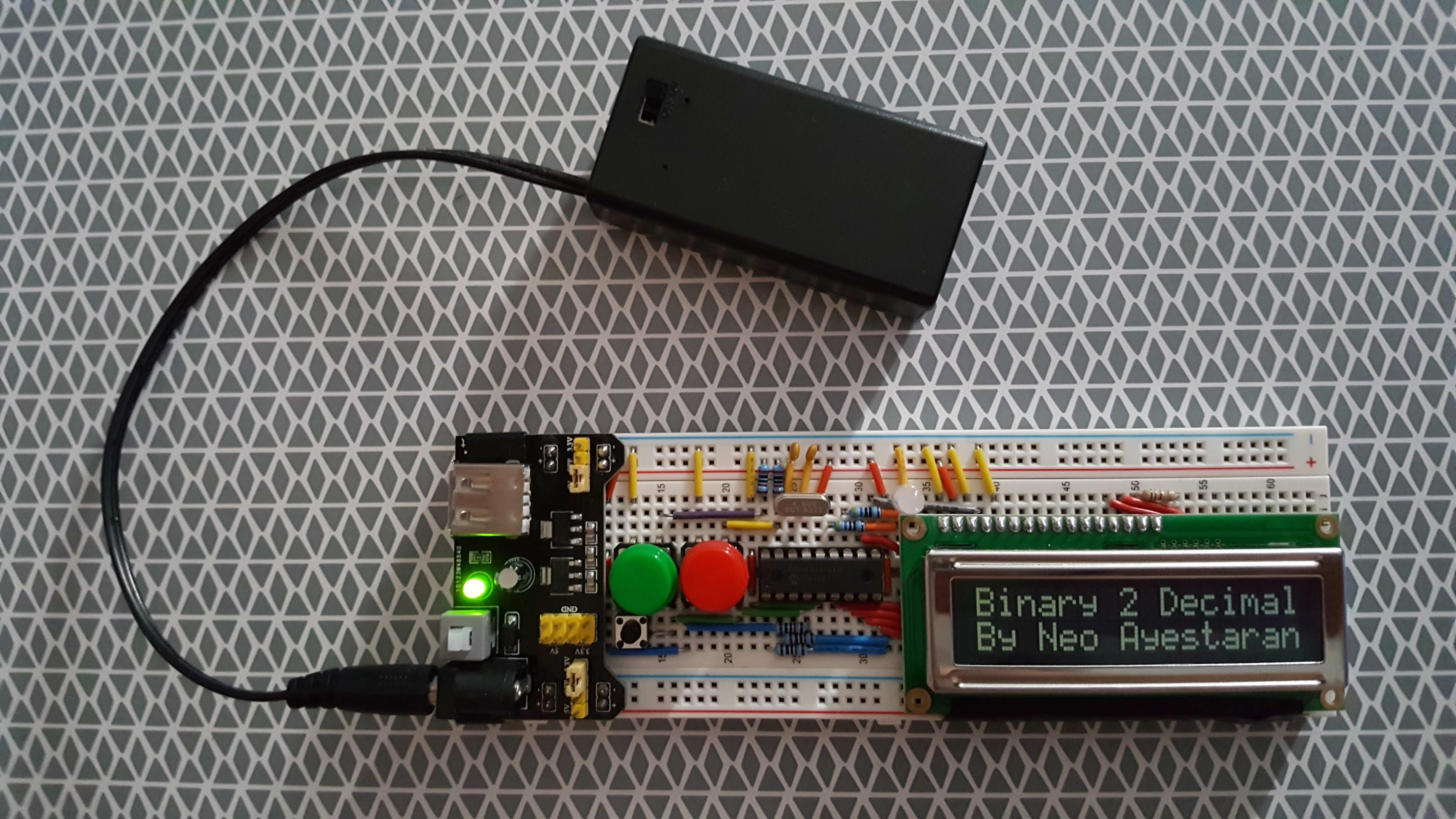
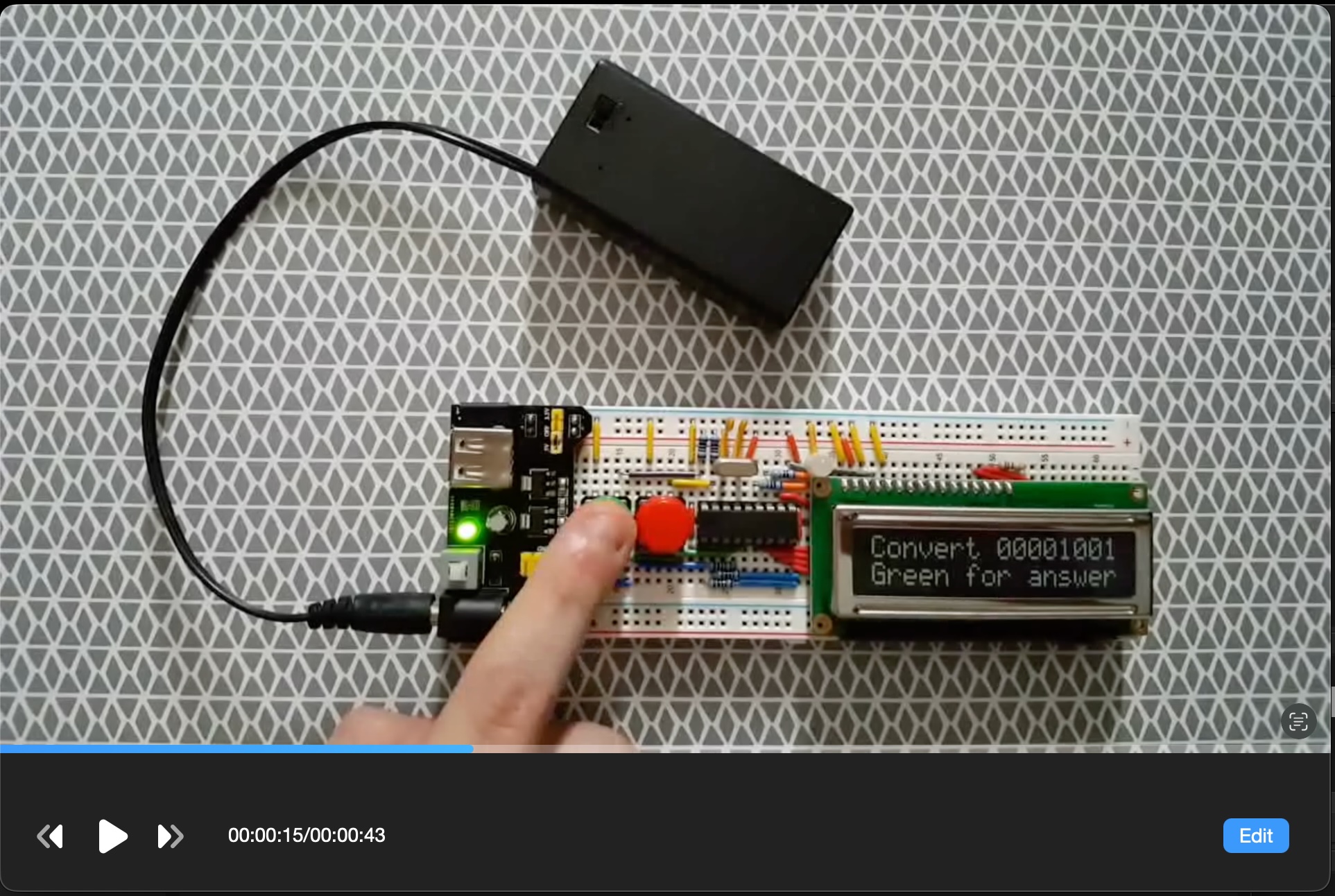
The aim of the project was to help people learn about binary and to be able to quickly convert binary to decimal through muscle memory. The project tried to make the device and the information as easy to use and understand as well as including all the necessary information needed to learn from this project.
It was decided to opt for the PIC16F84A Microcontroller with an external clock connected to a 16 x 2 Alphanumeric LCD Character Display. The project has been built on a breadboard comprising of discrete components such as a bicolour LED, various resistors, capacitors, several push to make switches, a 4Mhz crystal and an off the shelf inline 3.3/5.0v power supply module.
Available on GitHub
Skills: Microchip PIC · PIC Assembly · Electronics
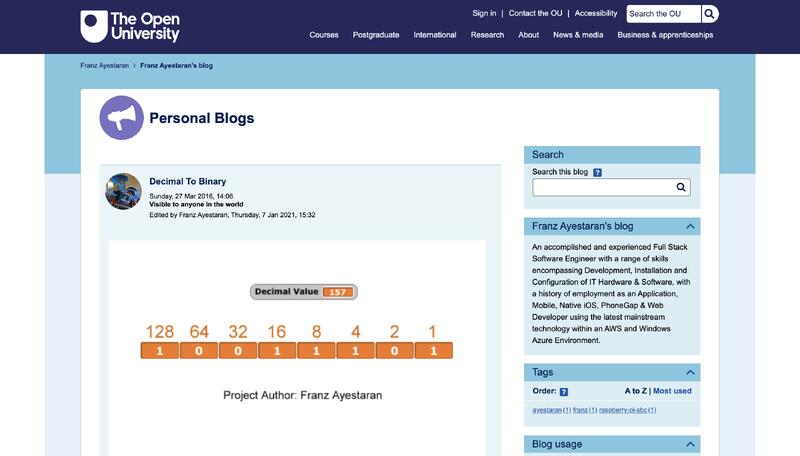
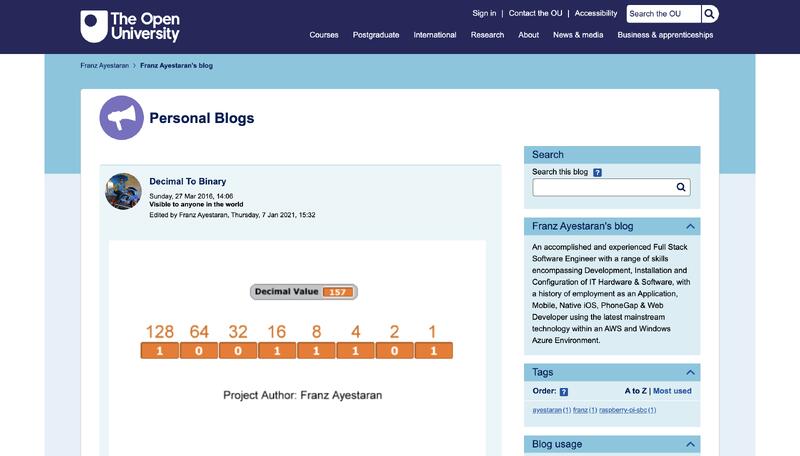
Personal Open University Blogs
Associated with The Open University
Oct 2015 – Present
My day to day Sense programming
RoboMongo2Json
Associated with Franz Ayestaran
Feb 2015 – Present
Converts exported Robomongo text mode results into a valid JSON format
Available on GitHub
Project source code includes…
1. Windows Application (Visual Studio 2012 VB)
2. Sample Data
Skills: VB.NET · .NET · MongoDB
FiveM Server
Associated with Franz Ayestaran
Jan 2015 – Present
FiveM is a modification for Grand Theft Auto V enabling you to play multiplayer RPG on a customised dedicated server.
CTAT: 134.255.217.129:30160
(M.2 SSD, Gaming CPU 3.4-4.4GHz, DDR4 memory) Max 10 Players
iPicSolve®
Associated with Zonk Technology
Nov 2014 – Present
https://secure.zonktechnology.com/ipicsolve/
Available on the Apple App Store
Developed in Objective-C, compatible with iOS 7 through to iOS 26 including Apple Silicon
iPicSolve® is based on the classic slide puzzle, dating back to the 1800’s. The rules are simple – slide the tiles to restore the original image.
Capture, Create, Play and Share
• Choose puzzle sizes from 8 to 24 segments
• Import images via camera or from an album
• Customise your favourite images with the built-in editor
• Edited images are automatically copied to the camera roll
• Built-in move counter and optional game timer
• View and export game history via email
• Selectable shuffle mode
• One tap move
• Displays previous game score
• Share completed puzzles on social media
• Showcase best game scores on 18 different Leaderboards
Skills: Xcode · Objective-C · SQLite · SQL
iWeatherMap
Associated with Zonk Technology
Sep 2014 – Present
https://secure.zonktechnology.com/iweathermap/
Available on the Apple App Store
Developed in Objective-C, compatible with iOS 7 through to iOS 26 including Apple Silicon
Hassle free, past and present weather forecasting with accurate short term and longterm future predictions, anywhere in the world. The simple to use UI comes into it’s own when choosing a geographical location within a specific point in time, making it ideal for a variety of forecasting requirements.
• Simple to follow graphical weather dashboard
• Easy to use world map with custom or auto locate feature
• Date and time picker for past, present and future forecasting
• Choose between Imperial and Metric system
• Switch between Mph and Mps, regardless of selected unit type
• Retrieve location information from current co-ordinates
• Custom location search bar
• View raw weather station data
• Copy to clipboard, location information & raw weather station data
• Export forecasts via email and Dropbox
Skills: Xcode · Linux · MongoDB · PHP · Apache · Objective-C · RESTful APIs
iColourPicker
Associated with Zonk Technology
Aug 2014 – Present
https://secure.zonktechnology.com/icolourpicker/
Available on the Apple App Store
Developed in Objective-C, compatible with iOS 7 through to iOS 26 including Apple Silicon
The user can extrapolate both decimal and hexadecimal RGB colour values derived from a given image by simply tapping on the screen, whether it be the from the camera or an existing album. The built-in colour picker makes it easy to choose from and create a wide range of colours. Colour swatches can be copied and exported via email or Dropbox.
• Add an image via camera or an album
• Simply tap anywhere on an image to generate a corresponding RGB value
• Export Bookmark list and colour swatches via email or Dropbox
• Manually inputted hexadecimal values are automatically converted to decimal
• Choose from a wide range of colours with the aid of the custom picker
• Rotate image, portrait or landscape
• Export camera EXIF to clipboard (Exchangeable image file format)
• Very useful for web designers, creative professionals and software engineers
Skills: Xcode · Objective-C
iToDo
Associated with Franz Ayestaran
May 2014 – Present
An open source, full stack approach to integrating mobile and server side technology.
Available on GitHub
Project source code includes…
1. Mobile App (Xcode 26 / Objective-C iOS26)
2. Restful Webservice C# WebAPI (MongoDB.Net Driver 1.8.3.9)
3. Database (MongoDB 2.4.9)
Skills: Xcode · Objective-C · MongoDB · .NET · C# · IIS · RESTful APIs
Mobile App
Splash Screenshot
Mobile App
Task Detail Page Screenshot
CodeMunkeys (Meetup)
Associated with Franz Ayestaran
Feb 2014 – Present
Links:
Meetup
GitHub
CodeMunkeys is a meet up for software developers interested in learning new technologies with like minded people. We meet every 3 weeks on Thursday evening to discuss a topic in the software engineering genre. Members can vote on which topic they would like to discuss. There will be web links to suggested learning in preparation for the meet up.
iWebSearch
Associated with Zonk Technology
Dec 2013 – Present
https://secure.zonktechnology.com/iwebsearch/
Available on the Apple App Store
Developed in Objective-C, compatible with iOS 6 through to iOS 26 including Apple Silicon
WebSearch is designed to speed up the process required when submitting a single search term to multiple search engines. By simply tapping on the desired search engine the user can scroll through the list then repeat the process by navigating back and tapping an alternative search engine. Bookmarked results can be viewed then exported via email or Dropbox in a Comma-separated format.
• Search 6 Popular Search Engines with Ease
• Check ranking with just a single click
• Great as a research tool
• HyperText Markup Language (HTML) Viewer
• Copy current URL or HTML to Clipboard
• Exportable Bookmarks via Email and Dropbox
• CSV compatible with most spreadsheet applications
Skills: Xcode · Objective-C · SQLite · SQL
iTracker
Associated with Zonk Technology
Dec 2013 – Present
https://secure.zonktechnology.com/itracker/
Available on the Apple App Store
Prototyped in PhoneGap Migrated to Native Objective-C, compatible with iOS 6 through to iOS 26 including Apple Silicon
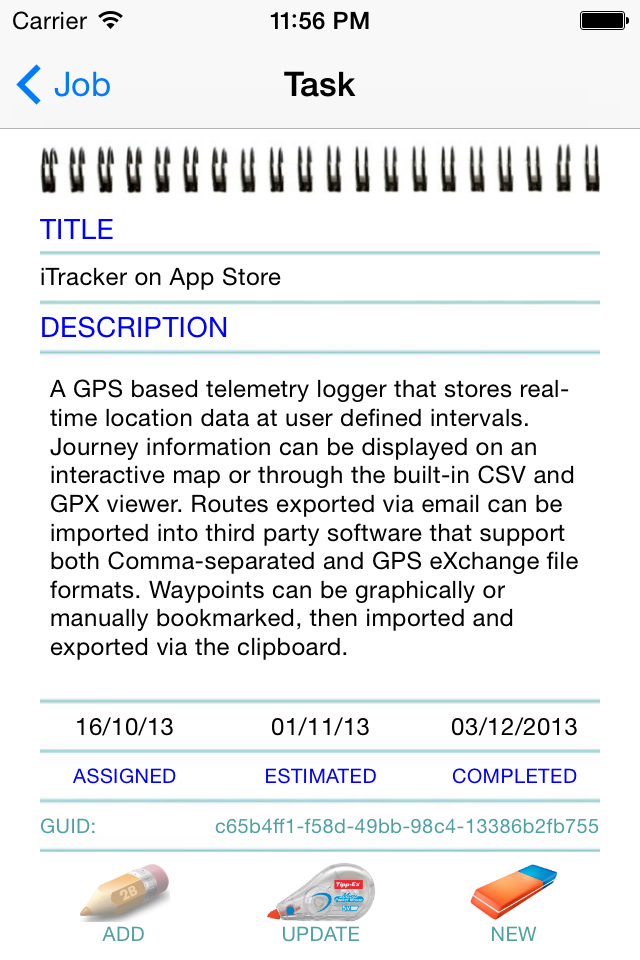
iTracker is a GPS based telemetry logger that stores real-time location data at user defined intervals. Journey information can be displayed on an interactive map or through the built-in CSV and GPX viewer. Routes exported via email and Dropbox can be imported into third party software that support both Comma-separated and GPS eXchange file formats. Waypoints can be graphically or manually bookmarked, then imported and exported via the clipboard.
• Multi-Purpose GPS Telemetry Logger
• Real-time Waypoint Tracking, ideal for Geocaching
• Interactive Routes (Road and Hybrid)
• Route GPX & CSV Viewer (Export Via Email / Clipboard / Dropbox)
• Graphically or Manually Bookmark Waypoints
• Pan between Current Location and a Selected Waypoint
• Graphically call up and Zoom into any Bookmarked Waypoint
• Exportable Bookmarked Waypoints (Via Clipboard and Dropbox)
• Point-to-Point “As the crow flies” Distance Calculator
• Speed and Elevation Performance Graph
• Retrieve location information from current co-ordinates
• Search bar, enabling a text lookup for any given location
• Switch between Imperial and Metric
• Speech Notification
• 16 Point Compass
• Granular Data
• Copy multipoint tracking list to clipboard
• Send current location or waypoint via SMS (Ideal for lone workers)
• Export the history and waypoint database via iTunes file sharing
Skills: Xcode · Objective-C · SQLite · SQL
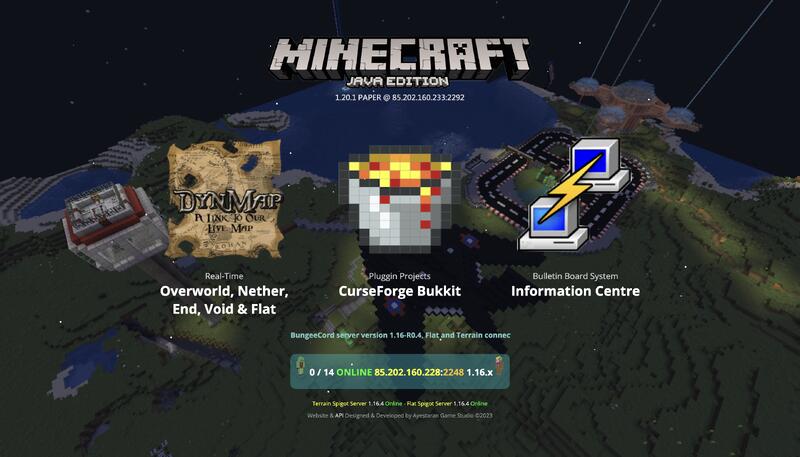
Minecraft Java Server 1.16.4
Associated with Franz Ayestaran
Jun 2013 – Present
Ayestaran Minecraft Server Forge 1.5.2 – 1.16.4
BungeeCord IP: 85.202.160.228: Port: 2248 @ Revivenode
History…
Minecraft is a sandbox construction game created by Mojang AB founder Markus Persson, and inspired by the Infiniminer, Dwarf Fortress and Dungeon Keeper games. Gameplay involves players interacting with the game world by placing and breaking various types of blocks in a three-dimensional environment. In this environment, players can build creative structures, creations, and artwork on multiplayer servers and singleplayer worlds across multiple game modes.
Microsoft SQL Facebook Group
Associated with Franz Ayestaran
Nov 2010 – Present
Facebook Page
Group Founder with 51K members
MCTS 70-433 Training Kit with On-line Query Analyser Interface
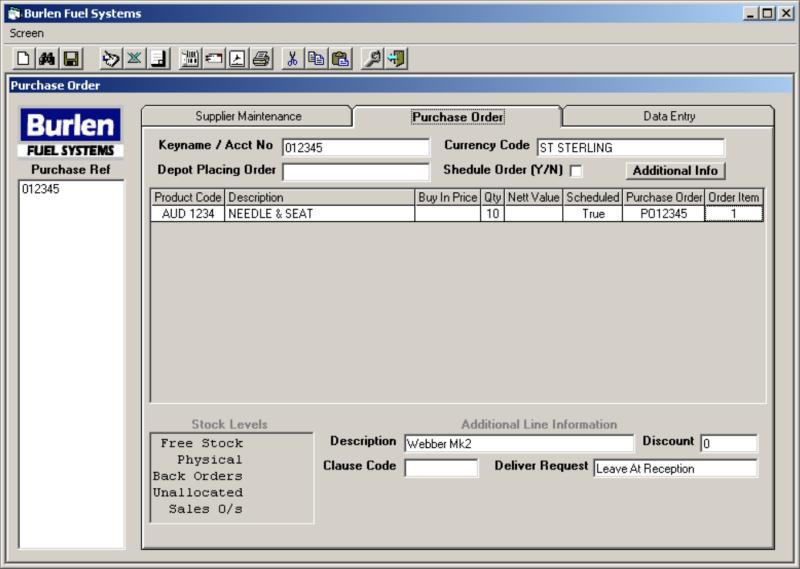
PDA Digital Jobsheet
Associated with Zonk Technology
Aug 2005 – Present
Also available to download from Archive.Org @ https://archive.org/details/DigitalJobsheet
Developed in Embedded Visual Basic for Windows CE
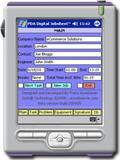
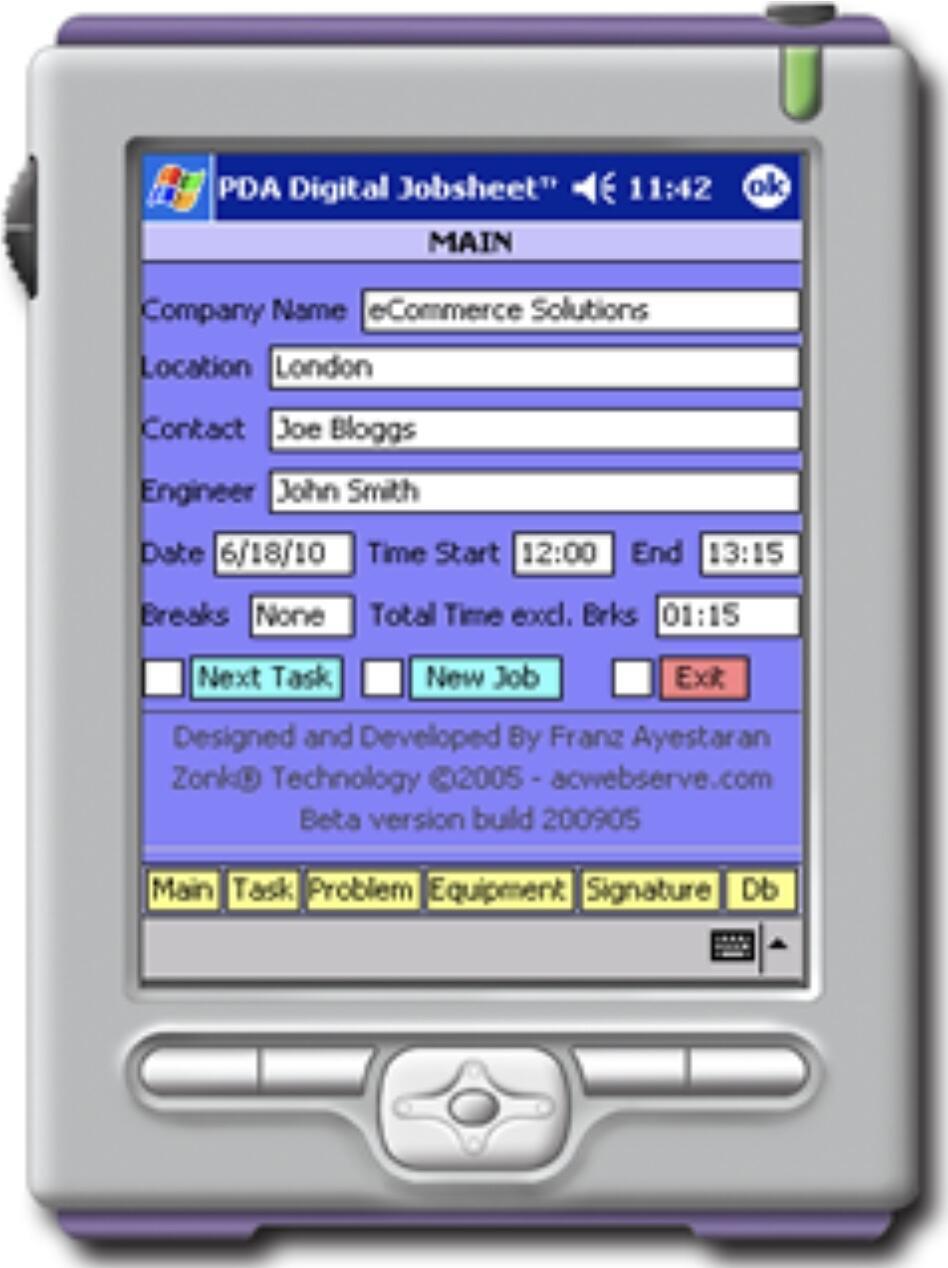
PDA Digital Jobsheet re-invents the job sheet as we know it. This paper less system enables the Engineer’s client to sign digitally a job sheet, the details along with the encoded signature are uploaded to a Webserver where it can be viewed in real-time by the employer.
Key Features…
• The encoded Signature is digitally stored with Job Sheet and exported as an SQL Statement ready for Uploading
to a Webserver and viewing on-line
• MS SQL Server and Web Integration
• The Job Sheets are stored in a Pocket Access Database which can be exported as a Comma Separated File
• Jobsheets are stored in an SQL Server Database Table
Skills: Visual Basic · Microsoft SQL Server · SQL · T-SQL
Legacy Windows CE App Link
GPS Telemetry Recorder
Associated with Zonk Technology
Sep 2004 – Present
Also available to download from Archive.Org @ https://archive.org/details/GpsTelemetryRecorder
Developed in Visual Basic 6 for Windows
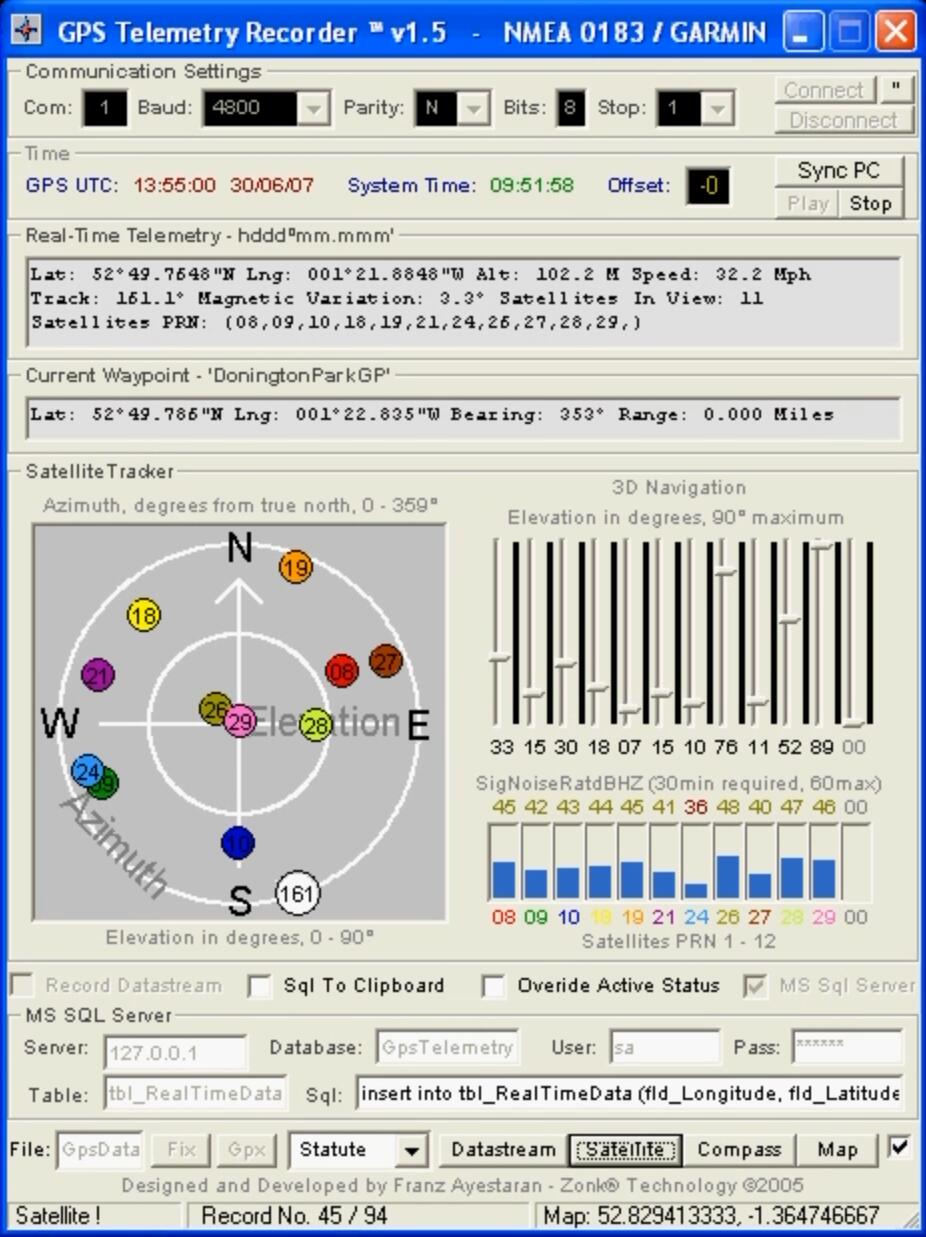
GPS Telemetry Recorder displays real-time Global Positioning Information direct from a GPS. The Datastream received from the GPS can be saved to an NMEA File or placed into a Database hosted by SQL Server. The processed data can be displayed to a Web Page enabling a live feed to Users on the Internet. There are many applications for this software, such as performance recording Track Day Events.
Key Features…
• Real-Time Graphical Datastream Analysis
• MS SQL Server and Web Integration
• Google Map, Satellite and Terrain View
• Datastream stored to either SQL Server or an NMEA File
• Datastream NMEA Playback
• Export to GPS Exchange Format File
• Choose between Nautical, Metric and Statute
• Supports NMEA 0183 and Garmin Protocols
Skills: Visual Basic · Microsoft SQL Server · SQL · T-SQL
Demo Video
Beacon Redirect
Associated with Zonk Technology
Nov 2003 – Present
Developed in Pascal using Delphi 7
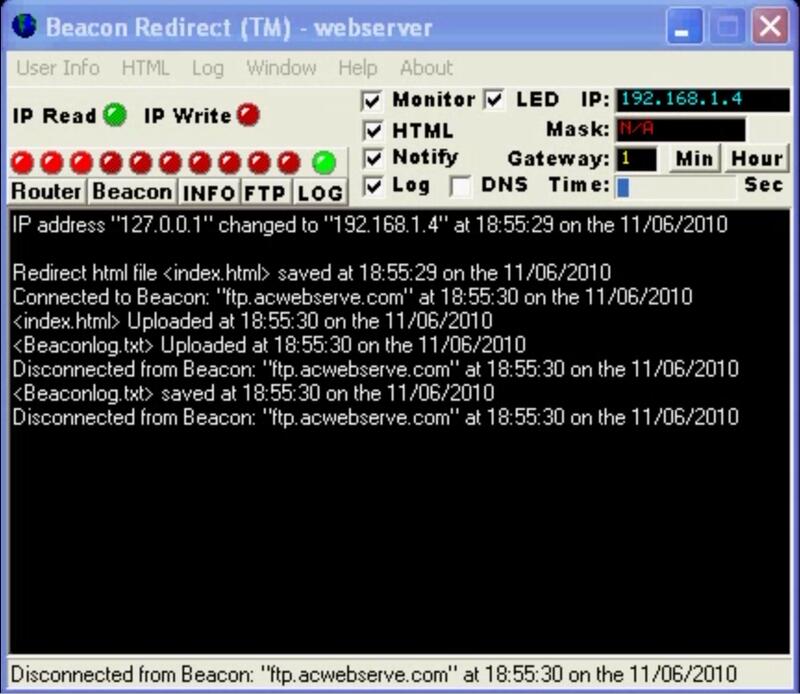
Internet Service Providers normally supply a connection with a dynamic IP address allocated by a DHCP which is subject to change at anytime. If a home user or a small business wants to host a website on their own Web Server a different IP address would have to be given to internet users or a Domain Name Server everytime this IP address changed. A static IP address on the internet can be used as a Internet beacon and act as a link between the internet user and the Webserver assigned a dynamic IP address. Beacon Redirect can be used to keep the domain name pointing at your Web Server. Beacon Redirect is designed to continually monitor the WAN IP address of a Router or Local Host IP. If there is a change in the IP address the Internet Beacon is then updated with the new IP address by uploading a Redirect HTML file which links the user to the Webserver. A log is kept of changes made to the IP address.
Skills: HTML · Borland Delphi
Demo Video
mvTELNET
Associated with Zonk Technology
Oct 2003 – Present
Also available to download from Archive.Org @ https://archive.org/details/mvTELNET
Developed in Visual Basic 6 for Windows
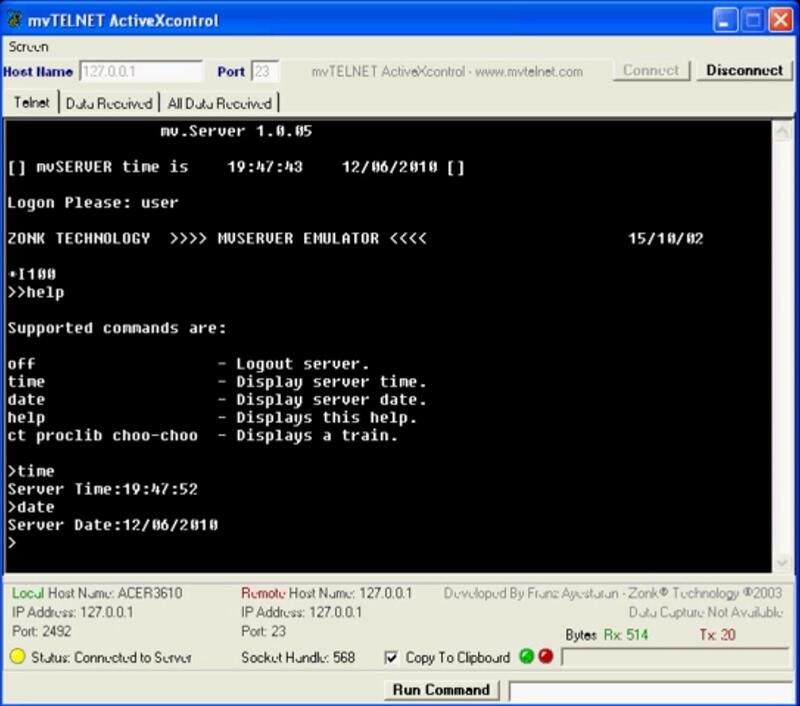
mvTELNET links Visual Basic with MultiValue Systems, bridging Command Line Interfacing with GUI Application development. Commands are sent in the same way as a Virtual Terminal with the added advantage that PICK Basic queries can be built up from information supplied by the User and then sent at a click of a button from within a developed VB application, the result echoed back and displayed in the desired format.
Connect to our Server at Host: client.mvtelnet.com Port: 23 Username: user.
Skills: Visual Basic
Demo Video
Clocking System
Associated with Zonk Technology
Jan 2003 – Present
Developed in Pascal using Delphi 7
This clocking system enables employees to clock in and out by simply swiping an ID card with a barcode printed on it, an alternative to any previously used paper system. The personnel and clocking data is stored on Microsoft SQL Server accessed via ADO using Stored Procedures to prepare and process employee clocking records. and reports.
• Microsoft Sql Server Back End Database
• Daily Sign Log, Employee & Personnel Browser
• Flexible Clocking Report
• Works with Laminated and Plastic Cards
Skills: Borland Delphi
Demo Video
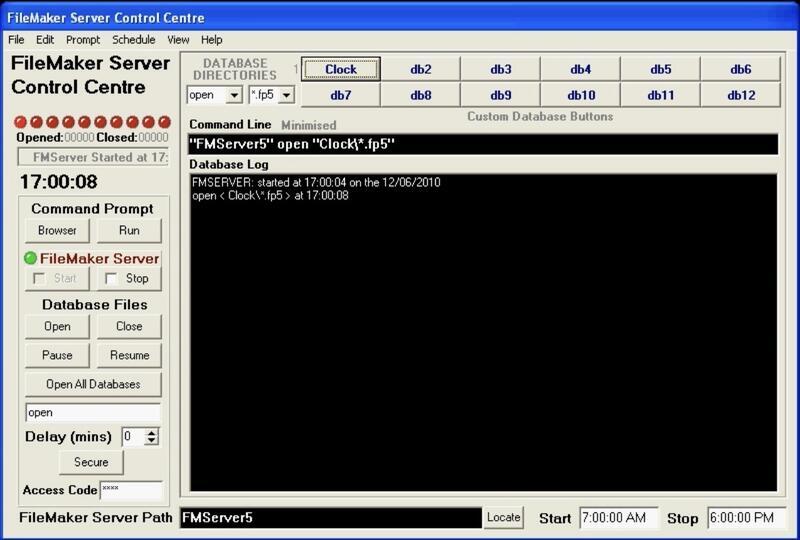
FileMaker Server Control Centre
Associated with Zonk Technology
Jan 2003 – Present
Developed in Pascal using Delphi 7
FileMaker Server Control Centre is a GUI front end to the Win32 console application FileMaker Server which allows the user to host and un-host databases without having to use the command prompt.
• Scheduler
• Database Logger
• Assignable Database Shortcut Buttons
• Command Line
Skills: Borland Delphi
Demo Video
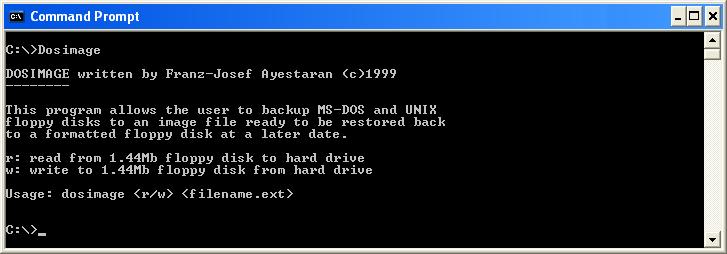
Dosimage
Associated with Franz Ayestaran
Feb 1999 – Present
Also available to download from Archive.Org @ https://archive.org/details/DOSIMAGE
Developed in Pascal and 8086 Assembley using Borland Turbo Pascal
FileMaker Server Control Centre is a GUI front end to the Win32 console application FileMaker Server which allows the user to host and un-host databases without having to use the command prompt.
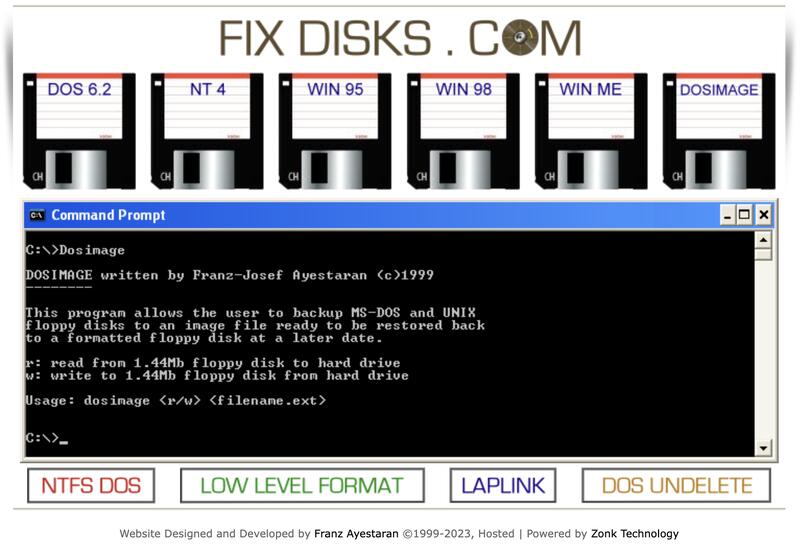
Dosimage allows the user to backup MS-DOS and UNIX floppy disks to an image file ready to be restored back to a formatted floppy disk at a later date.
r: read from 1.44mb floppy disk to hard drive
w: write to 1.44mb floppy disk from hard drive
Usage: dosimage (r/w) (filename.ext)
A range of MS-DOS Bootable Disks can also be downloaded from http://www.fixdisks.com
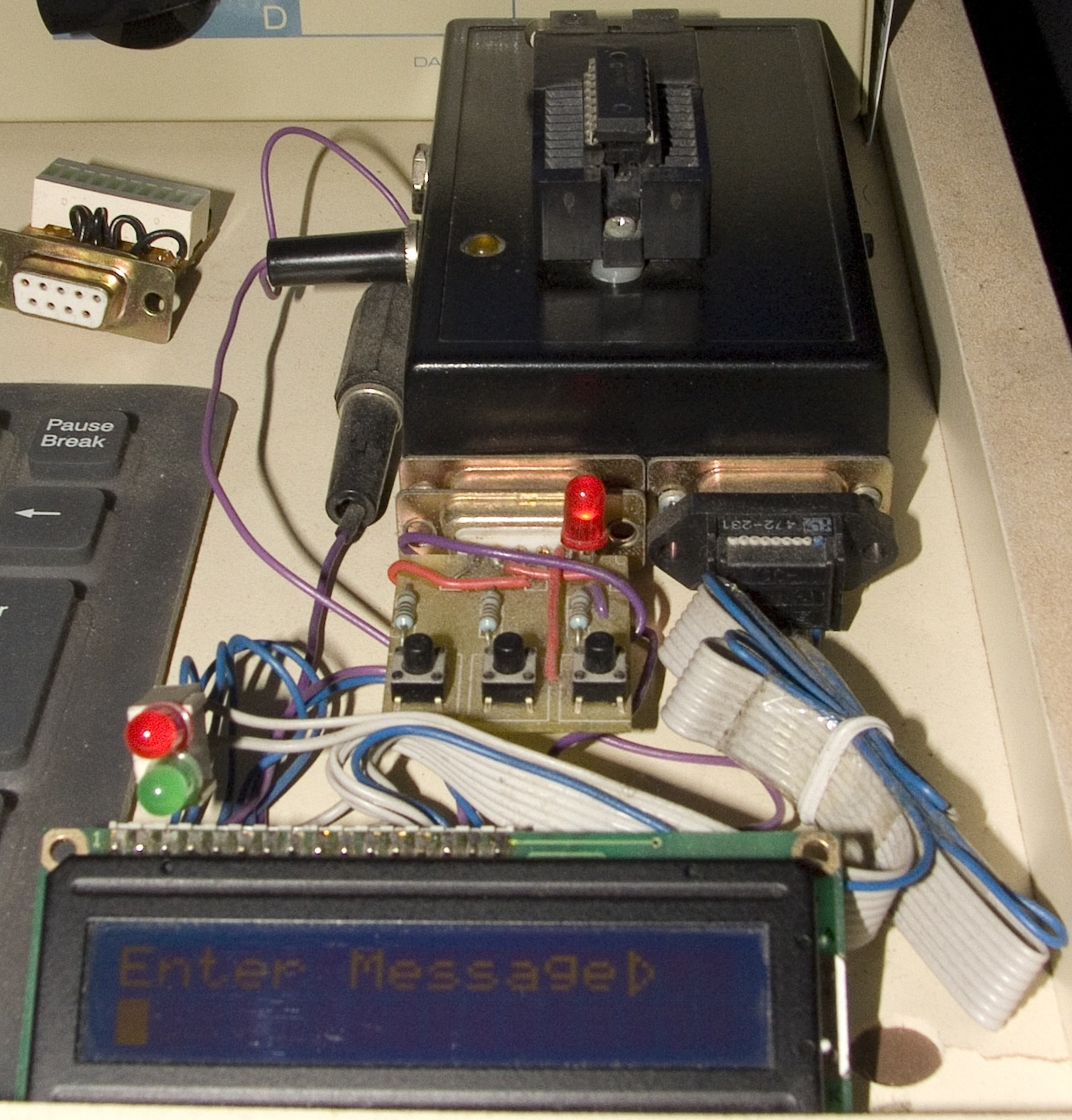
PIC Microcontroller
Associated with Franz Ayestaran
Aug 1997 – Present
GitHub
PIC 16C84 / 16F84A (RISC-like Assembly architecture)
Demonstated how to create a 16 character message using the [UP] [DOWN] [ENTER] key via a 16×2 LCD Module.
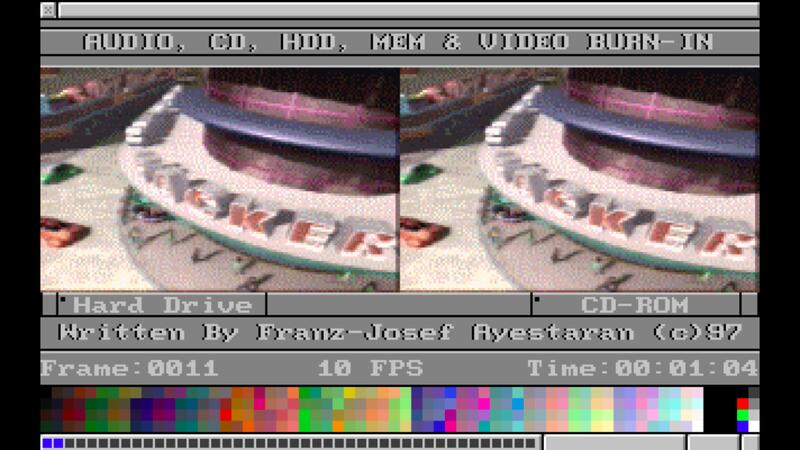
Burn-In
Associated with Franz Ayestaran
Apr 1997 – Present
Also available to download from Archive.Org @ https://archive.org/details/burn-in.exe_dos
Developed in Pascal and 8086 Assembley using Borland Turbo Pascal
Burn-In soak tests important components within a PC such as the CPU, Memory, Graphics, Audio card, Hard Drive and CD-Rom by playing two video files simultaneously one from the Hard Drive and one from the CD-Rom. This software is DOS based so it does not require Windows to be installed, ideal for soak testing a PC without an Operating System.
Simply boot from one of our Fix Disk which can be downloaded from http://www.fixdisks.com
Skills: Borland Turbo Pascal
Demo Video
Tooldisk
Associated with Franz Ayestaran
Jul 1996 – Present
Also available to download from Archive.Org @ https://archive.org/details/TOOLDISK
Developed in Pascal and 8086 Assembley using Borland Turbo Pascal
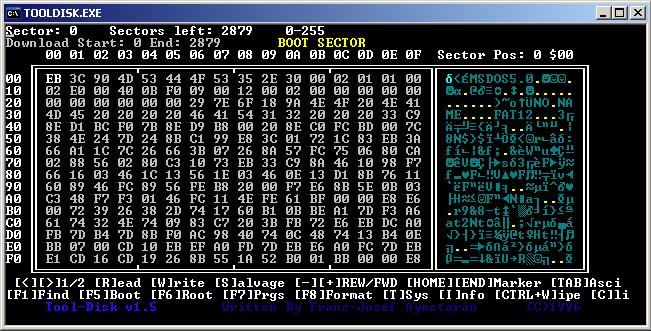
Tooldisk is like a digital Archaeologist’s toolkit for exploring old floppy disks!
This is a DOS based application which allows the user to analyse, modify and recover data from most MS-DOS or Unix 1.44Mb Floppy Disks, sector by sector. Tooldisk is packed with features such as a powerful string search facility allowing a text document to be found by simply typing in part of a sentence, data found can then be restored by simply marking the beginning and end sector and saving it to a hard disk. Tooldisk also comes with a Floppy Disk data eraser feature.
Simply boot from one of our Fix Disk which can be downloaded from http://www.fixdisks.com
OU Sense / Scratch
Associated with The Open University
Oct 2015 – Jan 2021
Collection of Scratch and Sense programming exercises.
Links…
GitHub Sense
GitHub Scratch
Mobile Santé (A member’s guide) Prototype and Proof of Concept
Associated with Simplyhealth
Feb 2012 – Feb 2014
Designed and developed in a Windows / Mac / iOS / Cloud and SQL Development environment using Windows Azure, AWS, Visual Studio 2012, MS SQL Server / Reporting Services 2012, DOT NET Framework 4.5, Xcode Objective-C (iOS6), TestFlight, Dreamweaver CS6, PhoneGap 2.7, Hybrid, jQuery Mobile and Html5.
Skills: Xcode · jQuery · iOS · Microsoft SQL Server · .NET · SQL · T-SQL · Windows Azure · Visual Studio · HTML5 · Objective-C
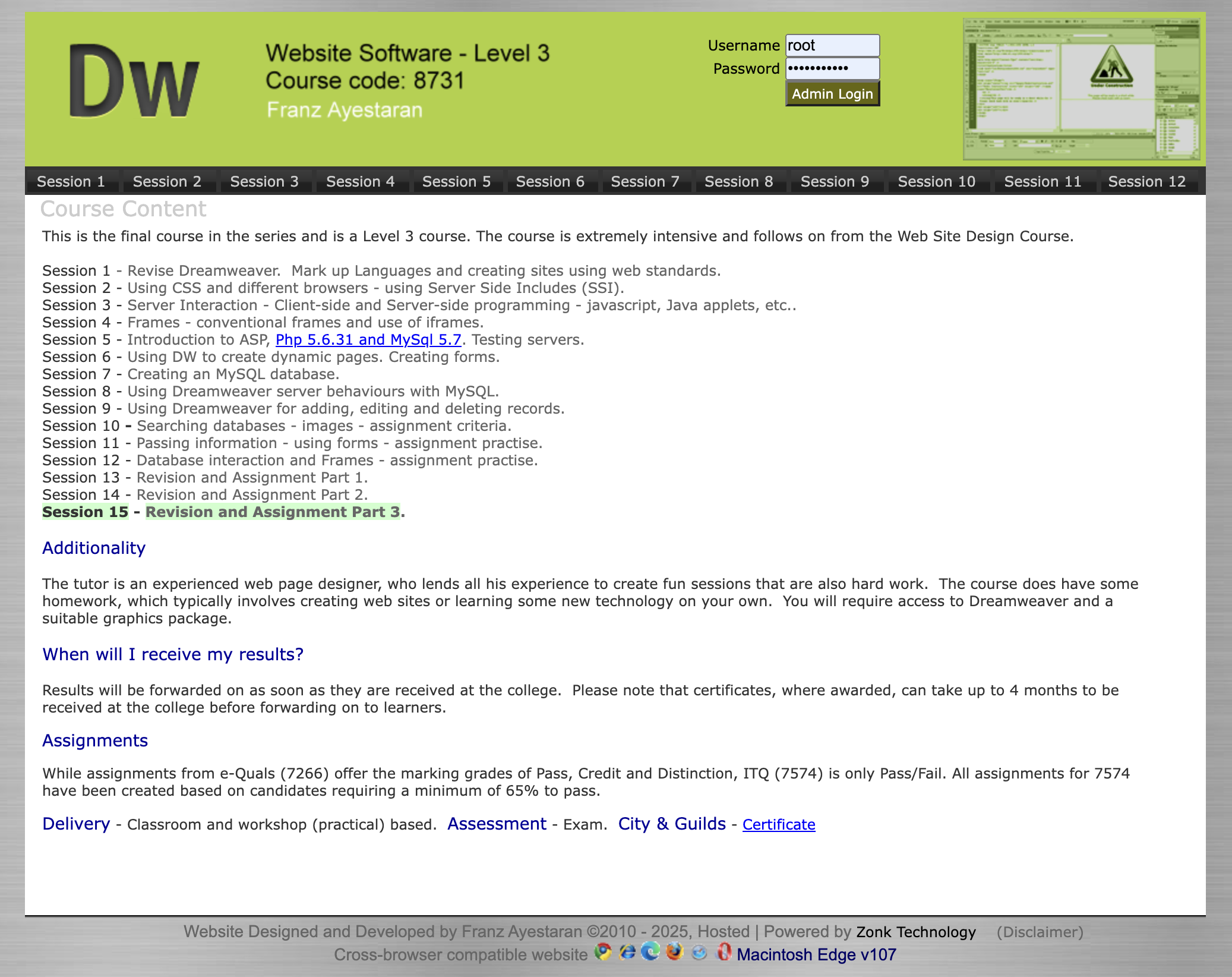
Dreamweaver Website
Associated with West Herts College
Sep 2010 – Mar 2011
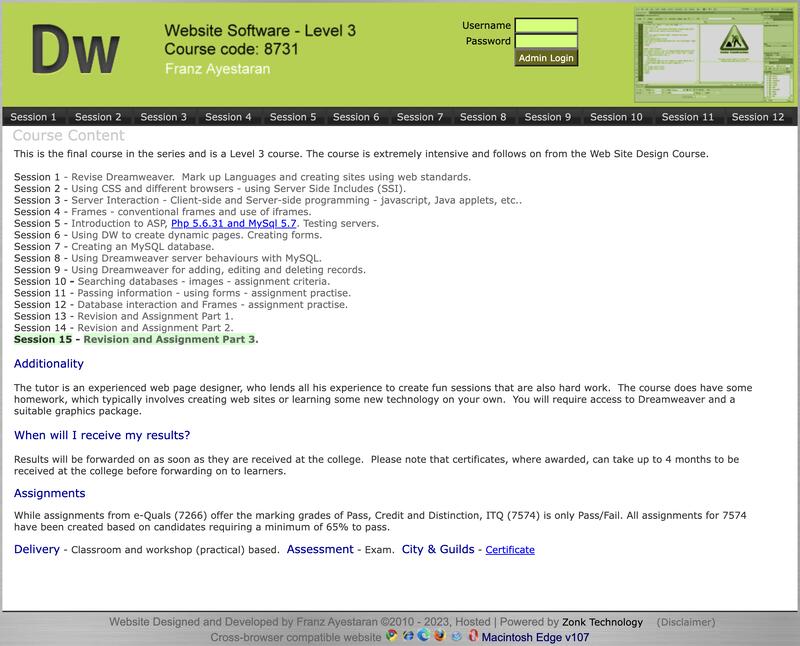
This is the final course in the series and is a Level 3 course. The course is extremely intensive and follows on from the Web Site Design Course. I developed the website in order to document every stage of the course.
Skills: CSS · HTML · Linux · JavaScript · MySQL · Apache
Track Days
Associated with Franz Ayestaran
Sep 2004 – Jun 2007
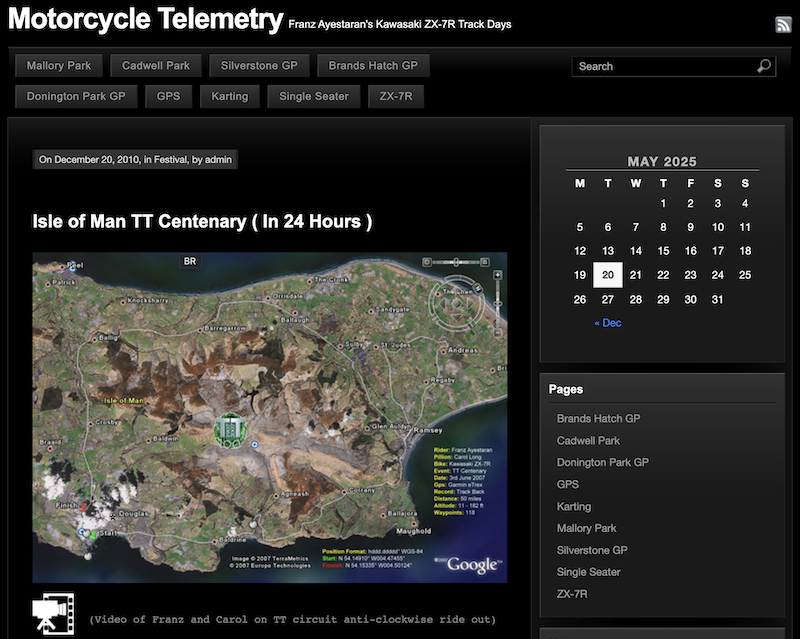
Used to test the GPS Telemetry Recorder
Also available to download from Archive.Org @ https://archive.org/details/GpsTelemetryRecorder
Developed bespoke GPS software for the purpose of logging real-time telemetry that is streamed direct from a GPS. The Datastream received from the GPS can be saved to an NMEA File or placed into a Database hosted by SQL Server. The processed data can be displayed to a Web Page enabling a live feed to Users on the Internet
Archive.Org
Associated with Franz Ayestaran
Jan 1992 – Jan 2005
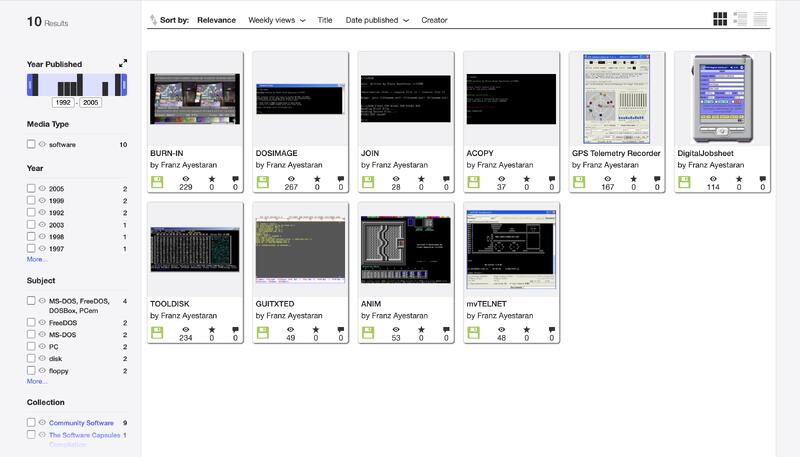
A collection of 10 published software applications.
Skills: Borland Turbo Pascal · Pascal · MS-DOS · Visual Basic · Turbo C++ · Windows CE
Internet Archive: Digital Library of Free & Borrowable Texts, Movies, Music & Wayback Machine
Fix Disks
Associated with Franz Ayestaran
Feb 1996 – Feb 1999
A collection of DOS based utilities.
Skills: Borland Turbo Pascal · Pascal
Anim
Associated with Franz Ayestaran
Sep 1992 – Sep 1992
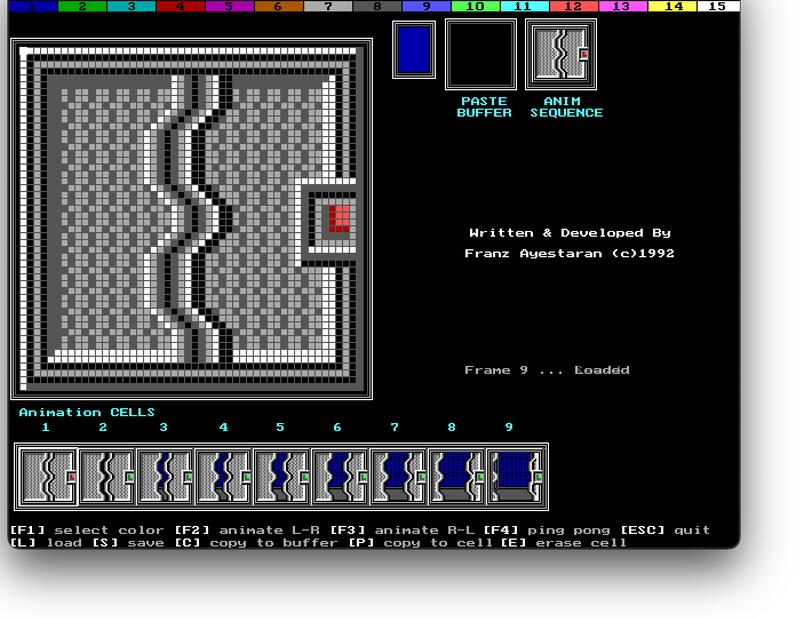
Anim is a DOS based application developed using Borland Turbo C which allows the user to create, edit, save, load and animate a set of nine 50×50 pixel 16 colour icons / sprites (45KB in size) which in turn can be imported into another project.
Skills: Borland Turbo C · C (Programming Language)
GUITXTED
Associated with Franz Ayestaran
Mar 1992 – Mar 1992
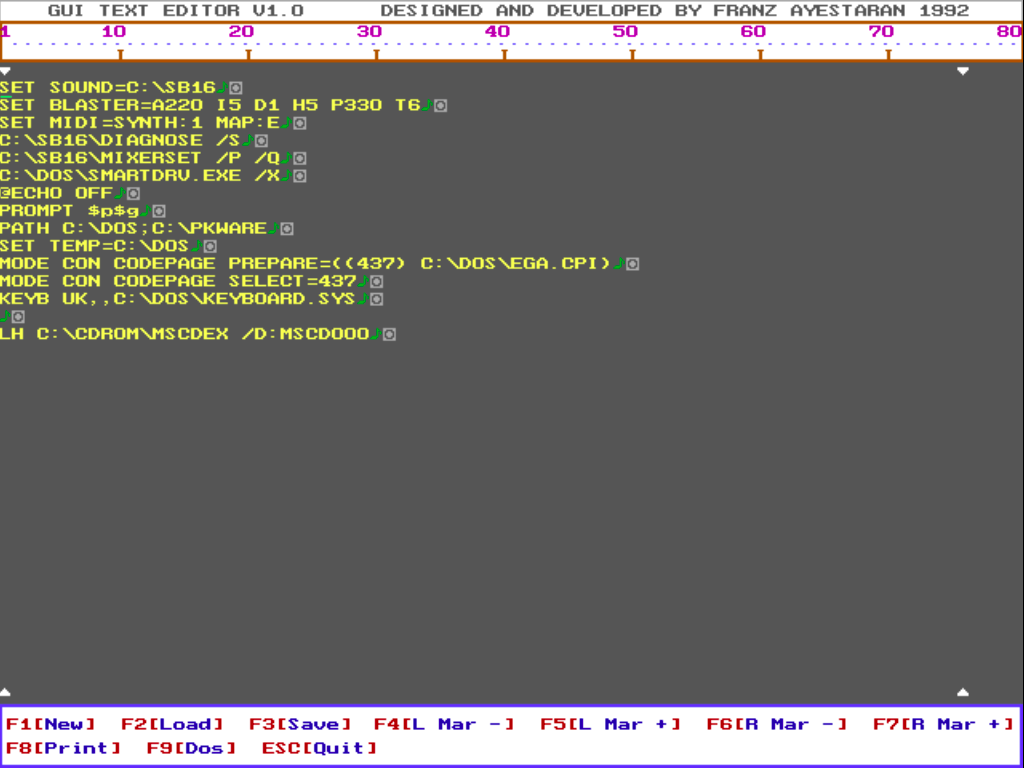
GUITXTED is a simple DOS based text editor with a graphic user interface.
Skills: Borland Turbo Pascal · Pascal
Super Scroller
Associated with Franz Ayestaran
Nov 1990 – Nov 1990
Commodore Amiga
Super Scroller
Created by Franz Ayestaran – November 1990
Developed in 68000 on the A2000 Model B using DevPac 3.02 in Workbench 1.3
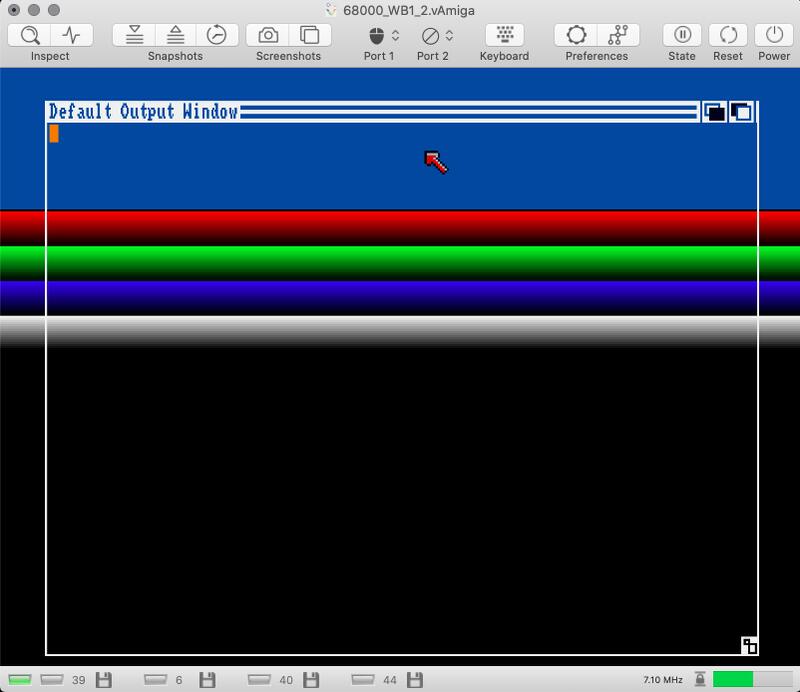
An assembly code routine that scrolls up and down a set of Red / Green / Blue / Grey gradient colour bars using the background colour register vertical beam position.
Skills: DevPac · 68000 · AmigaOS
YouTube Video Demo
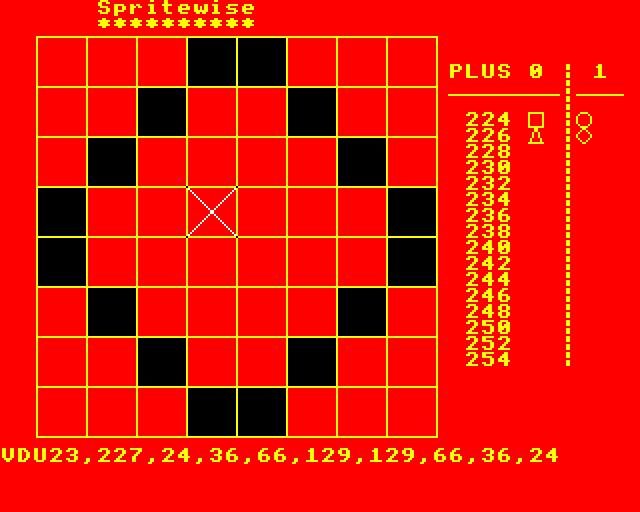
Spritewise
Associated with Franz Ayestaran
Sep 1985 – Sep 1985
Developed in Basic on the BBC Micro
Enables the user to create user defined sprites and store them to memory and a 5.25″ floppy disk.